The value of web strategy is this: the most beautiful, best performing, and highly profitable websites powering fast-growing companies weren’t built overnight—they were carefully planned. That’s why we created a web strategy template to help you think through every key decision before you ever write a line of code or choose a design.
If I showed you two websites—one that got rave design reviews and another that made millions of dollars yearly—which would you choose? If you’re like most of our clients, you’d say, “Duh, show me the money.”
The thing is that because many websites look fantastic and showcase the latest design trends, you think they’re producing incredible results. Yet, the reality is they fail to meet the expectations of their owners and users. You’d never know it, but they’re challenging to manage in the background, yield terrible ROI, and are just a pretty liability.
Your website should work like an engine that helps you get where you want to go
If you’re working on a new website, you likely want your website to be a strategic asset contributing to your organization’s growth, supporting your marketing efforts, and delivering a seamless customer experience.
Free Web Strategy Template
Download the Structure Website Design Planner to create a web strategy that makes your project successful!
Similarly, your customers want your website to provide readily available solutions to their problems. This happens by providing resources, products, or services that improve their life and offer quick and practical solutions to their concerns.
If you’re considering what you want for your website, this short list of expectations from multiple sources will likely stop you in your tracks! If you didn’t already know it, you might be starting to see that building a website is much more complex than choosing the right colors, fonts, and layouts.
Web design is not just an art. It’s a science. You see, designing and creating a website starts with a web strategy—which involves making a plan, aligning with your team, and putting it into motion.
The good news is that you don’t have to figure it out yourself! Using our Website Strategy Template and following the advice and proven 10-step plan in this article, you can plan a beautifully designed website that produces incredible results.

What is a website strategy?
At face value, “Website strategy” is a scary word. It sounds serious, intimidating, and hard to create. The word “strategy” must make it feel this way. Whatever it is, it feels like it’s something you don’t want to mess up.
But don’t worry; it’s not so bad after all. If it helps to know, the most significant way you can “mess it up” is by not doing it. More on what happens when you fail to plan your website later.
Here’s the skinny: a website strategy is simply a strategic plan for your website. That’s it—just a plan for what you want, what customers want, and how you will satisfy those expectations.
Typically, a website strategy includes specific details about the company, website goals, brand direction, buyer journey, technology, budget, and more. We’ll outline the particular parts of the perfect website strategy in our ten steps below, but those are the basics.
Get a FREE Customized Digital Growth Plan
Take our 10-minute Digital Maturity Assessment and receive a FREE, personalized digital growth score that uncovers gaps and drives your business forward.
Why do you need a website strategy?
If you’re delving into website strategy, you’re likely tackling a website project, either creating a new site or redesigning an existing one. Here are the scenarios you might be in:
- Launching a new product or business
- Outgrowing your current website, hindering your team
- Rebranding with fresh design changes
- Migrating to a more suitable platform
Don’t underestimate the significance of the situation. Your project’s success or failure impacts the company’s reputation, finances, and possibly your job.
If it succeeds, you’ll be proud and likely rewarded for your excellent work. If it fails, on the other hand, you’ll be frustrated and embarrassed and might need to find another job or prove yourself again.
Don’t make the biggest website mistake most leaders make
Rushing into action is a common mistake—it’s easy to dive into website design hastily, thinking it’s simple with no-code builders like Wix, Squarespace, Elementor, and others.
It’s super duper easy, right? You don’t need to know how to code, design, or hardly even think. You don’t even have to be alive! In fact, you could be a corpse and still build an excellent website.
I’m kidding—that’s grossly untrue. But I hope you see my point!

Between amateur “web designers” and no-code website builders, many clients come to us completely confused about what it takes to build a website. They often have a false impression that websites practically build themselves. Either that, or they appear when you snap your fingers and pay your brother’s buddy $5,000.
Okay, I’m still being a bit cheeky.
I’m being extreme to clearly articulate that this way of thinking is a rude misconception—especially if you want a website that produces tangible ROI such as leads and sales. The truth is that website strategy is essential because high-performing sites are planned.
This might contradict your desire for quick results, but it’s the key to success. Ultimately, planning saves time and money and ensures an effective outcome.
12 benefits of creating a website strategy
As discussed, a website strategy is your roadmap to avoid random changes. It ensures your redesign aligns with business goals, user needs, and systems integration, among other things. This strategic approach has multiple benefits for your business.
Here’s more about the advantages of investing in a well-defined website strategy.
Free Website Strategy Template
Download the Structure Website Design Planner to create a website strategy that makes your project successful!
1. You’ll have a clear redesign roadmap
A website strategy outlines specific goals for the website, guiding all efforts toward achieving them.
2. You’ll know what content you need to create
An effective website plan helps you prioritize content creation by aligning it with target audience needs and business objectives.
3. You’ll have happier customers
Developing a website strategy ensures that the site is designed to provide a seamless and user-friendly experience, increasing engagement and reducing bounce rates.
4. Your website will be easier to navigate
A straightforward website strategy ensures logical and easy-to-follow navigation by mapping the site’s structure, helping users find information quickly.
5. You’ll have better SEO
We always get the question, “How do I redesign a website without losing SEO?” The answer is: with a website strategy. Part of your strategy should include strategic internal linking, relevant keywords, and structured content that will contribute to improved search engine visibility and organic traffic.
6. Your brand will be cohesive
Considering your brand in your website strategy helps you maintain a consistent brand image across all customer touchpoints with your business, reinforcing brand identity and recognition.
7. You’ll see better conversion rates
By optimizing for user actions, a carefully planned website strategy can lead to higher conversion rates, whether for sales, lead generation, or other goals.
8. You’ll pass up the competition
It’s likely while you’re planning a perfect website, your competition is aimlessly running and gunning. A well-executed strategy sets your website apart from competitors by ensuring you offer unique value and address customer pain points.
9. You’ll save money (yes, it’s true!)
By establishing clear goals and priorities in your website strategy—along with a budget—you’ll prevent wasting time and resources on ineffective initiatives.
10. You’ll have a reusable website strategy template
After you’ve developed your website strategy, you can adapt it over time to immediately pivot or respond to changing market trends, allowing the website to remain relevant for longer.
11. You’ll know if your website redesign is successful
Well-defined goals and key performance indicators (KPIs) enable tracking and measurement of success.
12. You’ll have an easier time managing the website
In the long term, having a strategy makes future redesigns or minor updates more organized and efficient for those working on them.
What happens if you don’t use our website strategy template?
Conversely, disregarding a website strategy during redesign wastes time and energy, causing frustration and unmet expectations. Proceeding without a strategy undoubtedly harms online presence and business goals. To quote Benjamin Franklin, “If you fail to plan, you plan to fail.”
Without a strategy, a redesign will fail and hamper company growth—resulting in a “website launch letdown.” It’s that moment when you finally get the website across the finish line and realize it’s not doing anything you hoped it would.
Here’s more about what will happen if you fail to plan:
1. You’ll be aimlessly wandering
Without clear objectives, the redesign might lack a central focus, resulting in scattered content and an unclear message.
2. Your content won’t connect
Website content might be missing or fail to align with user needs or business goals, leading to reduced engagement and relevance.
3. Your website will be messy
A lack of strategic thinking can lead to a clunky user experience, causing frustration, high bounce rates, and decreased engagement.
4. Your customers will be confused
Poorly planned navigation and content organization can confuse users, challenging finding what they’re looking for.
5. You’ll lose SEO
Ignoring SEO considerations during the redesign can result in lost organic search visibility and rankings.
6. Your brand will be inconsistent
Without a strategy, the redesign might not align with your brand’s identity, leading to user confusion and diluting your brand image.
7. You’ll see poor conversion rates
Failing to optimize for conversions can decrease conversion rates, impacting sales, leads, or other desired actions.
8. Your competition will pass you up
A strategy identifies potential opportunities for growth, innovation, or market differentiation. Failing to follow it can mean missing out and losing to your competitors.
9. You’ll waste money
A strategy helps allocate resources effectively; without one, you might invest time and money into ineffective or unnecessary elements. Or, you’ll have to keep spending more to get what you want because you didn’t plan for it in the first place.
10. You’ll always have to start from scratch
Without a website strategy, you’ll quickly find it difficult to iterate on the redesign and make informed improvements over time. It’s like every time you start; you’re starting over.
11. You’ll experience change orders and delays
Lack of direction can lead to indecision and revisions, resulting in change orders that cost more money and delay the launch. Talk about frustration and failed expectations!
12. You’ll constantly be playing catch-up
Without a strategy, you’ll only be focused on pre-launch rather than looking ahead at post-launch and how to sustainably manage your website and use it to grow the company long-term.
Develop an effective website strategy template (10 steps)
Now that you understand the importance of website strategy and its impacts, let’s explore the ten starting steps.
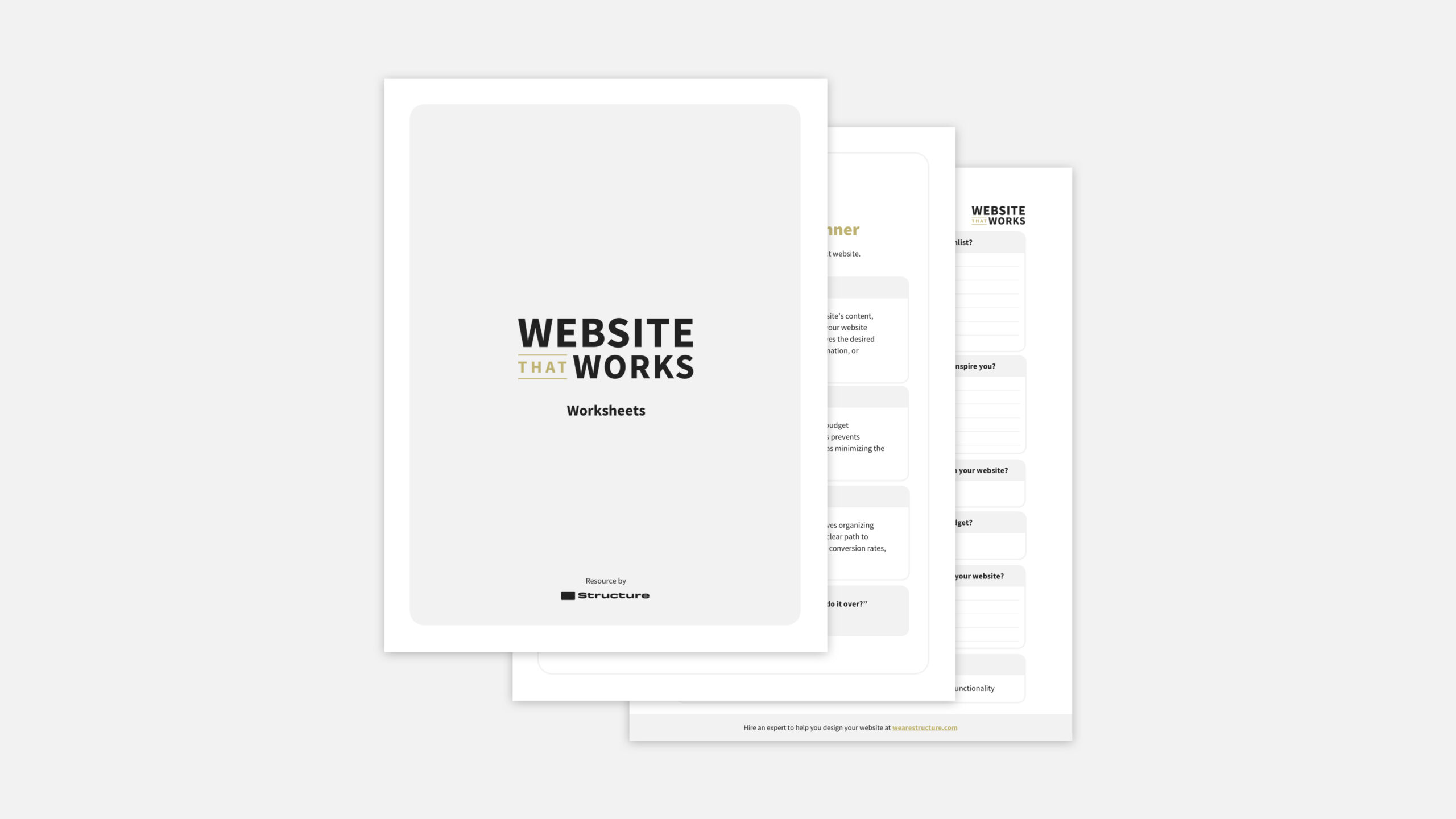
We’re offering a free Website Strategy Template to make it even easier. Follow the outlined steps for a fail-proof strategy, simplifying an otherwise complex process. By completing this, you’ll have a robust website strategy.
Free Website Strategy Template
Download the Structure Website Design Planner to create a website strategy that makes your project successful!
While numerous website strategy templates exist, they’re often unengaging spreadsheets or overly complex. Our template streamlines the process, making it accessible to business and marketing leaders, not just content strategists, UX designers, and developers.
Without further ado, here are the ten steps!
Step 1: Document basic company information
The Company Worksheet addresses fundamental company-related queries. It’s not a comprehensive brand strategy, but it confirms existing decisions. It delves into specifics by starting with the company name, core values, target market, and offerings.
Step 2: Organize your ideas into a clear vision
Begin with the end in mind. The Vision Worksheet captures your ideas and focuses on the process and end product rather than a vague vision.
Step 3: Set SMART website Goals
Consider the Goals Worksheet your project’s compass, aligning your team on purpose and tracking success indicators. It functions as a roadmap, ensuring your project stays on course.
Don’t forget to set “Milestones” and “performance indicators.” While these items might make it feel complex, they will make it more manageable. They represent specific steps towards your goal (begin with three) and how you measure their achievement.
Step 4: Build a team around you
According to the African proverb, “If you want to go fast, go alone. If you want to go far, go together.” The conclusion is this: don’t bear all the responsibilities alone. Envision forming a team, whether internal or external, to collectively share the load and guide the project.
Moreover, imagine seamless teamwork where everyone knows their roles and responsibilities, preventing overlaps. Using the DARCI framework, the Team Worksheet in our website strategy template facilitates this result.
Step 5: Unify your branding
The disconnection between a powerful ad and a lackluster website negatively influences how the business is perceived. Ensuring harmonious marketing across online and offline channels is essential to maintain professionalism and credibility.
Completing this worksheet is pivotal for your website strategy, as it may unveil asset gaps or outdated elements requiring refreshment.
Step 6: Plan your pages
Most businesses planning a website redesign have a basic site map, but that’s the start. You’ll want to document your navigation (header and footer), page templates, and main pages associated with those templates.
The notable question you might be asking yourself: “What’s a website page vs. page template?” A website page is a single page that uses a page template but with unique content like text, images, and videos that fit that page’s purpose. A page template is a pre-designed layout serving as a blueprint for multiple pages with consistent design and structure—for instance, one template for all products.
Step 7: Map your buyer’s journey
Your website isn’t an isolated entity; its pages aren’t isolated experiences. They should work together for a seamless customer journey, often called the “buyer’s journey.”
In web design, a customer journey is the series of steps a visitor takes on a site, from arrival to completing a goal like purchasing. It comprises stages like Awareness, Consideration, Decision, and Action. The aim is a positive experience turning visitors into customers and nurturing relationships.
For each stage, you’ll want to define desired customer actions and the content needed to support those actions. Use our website strategy template “Website Journey” worksheet quickly and efficiently.
Step 8: Analyze competitor websites
To stand out, understanding your competition is vital. To understand your competition, and identify how it impacts your website, follow these actions:
- Examine a competitor’s site
- Note three likes
- Note three dislikes
- Note three improvements or ideas for your site
Repeat for at least three competitors or similar businesses.
Step 9: Call out your business systems
Often, focus on appearance overshadows functionality. Integrations matter for social media, email marketing, CRM, or lead generation. Neglecting integrations during your website’s design and build phases can be costly.
Step 10: Create a budget
The Budget Worksheet marks the final step, presenting the awaited website redesign cost. However, the challenge lies in seeing beyond costs alone. A website is an investment, not just an expense. Your budget should encompass potential earnings, savings, and expenses, calculating its long-term profit value.
This budget process emphasizes your pivotal role in the business and the rationale behind investing in a functional website. Consider a budget covering your site’s lifespan, often 1.5 to 2.5 years, revealing significant returns in millions or tens of millions.

Website strategy template questions our clients commonly ask
What are some common web strategy examples?
A well-defined website strategy helps guide design, content creation, and user experience decisions to achieve desired outcomes. Your website’s specific strategy should align with its goals, target audience, and industry.
But if you’re looking for inspiration, here are some examples of common website goals that organizations might employ to achieve their website strategy:
1. E-commerce website goals
- Focus on a user-friendly and intuitive design to encourage seamless shopping experiences.
- Implement personalized product recommendations based on user behavior.
- Optimize the checkout process to reduce cart abandonment.
- Offer various payment options to cater to different customer preferences.
- Utilize email marketing for abandoned cart recovery and customer retention.
2. Content marketing goals
- Develop a consistent blogging schedule to provide valuable and relevant content.
- Create in-depth, evergreen content that establishes authority in the industry.
- Use social media to promote and share content, engaging with the audience.
- Offer downloadable resources like ebooks or whitepapers in exchange for email subscriptions.
- Incorporate SEO techniques to improve organic search visibility.
3. Lead generation goals
- Implement compelling call-to-action buttons on relevant pages to encourage user interaction.
- For contact information, offer gated content (e.g., webinars, case studies).
- Develop landing pages focusing on a specific offer and providing a clear value proposition.
- Utilize A/B testing to optimize landing page elements for higher conversion rates.
- Nurture leads through email drip campaigns and targeted content.
4. Membership or subscription website goals
- Provide a clear description of membership benefits and pricing tiers.
- Offer a free trial or limited access to encourage users to sign up.
- Create a members-only area with exclusive content, resources, or tools.
- Use email marketing to communicate updates, special offers, and member-exclusive content.
- Continuously engage with members to enhance their experience and retention.
5. Branding goals
- Develop a visually appealing and consistent brand identity across the website.
- Showcase the company’s mission, values, and unique selling points.
- Incorporate storytelling to create an emotional connection with the audience.
- Utilize social media and influencer partnerships to expand brand reach.
- Collect and display customer testimonials to build trust and credibility.
6. Performance goals
- Implement a responsive design to ensure the website is accessible and functional on all devices.
- Prioritize fast loading times to prevent user frustration.
- Simplify navigation and content presentation for smaller screens.
- Use touch-friendly elements and buttons to enhance the mobile user experience.
- Test the website across different devices and browsers to ensure compatibility.
7. User experience goals
- Incorporate interactive elements like quizzes, polls, and surveys to engage users.
- Enable user-generated content, such as reviews or comments, to foster a sense of community.
- Implement live chat or chatbots to provide instant customer support.
- Host webinars, live events, or online workshops to interact with the audience in real time.
- Utilize gamification elements to encourage user participation and loyalty.
What is the strategy of a website?
For most business websites, the primary purpose is driving sales through products, services, information, or ideas to a global or targeted audience.
Your website can inform, educate, entertain, or sell, depending on your goals. Whether you aim to reach new customers, provide support, share your expertise, or even express yourself, your website serves as a central platform to achieve those aims and engage with your customers.
Think of a website strategy as the roadmap for your website project. It’s like having a plan that guides all your decisions and actions to ensure your website does what you want. This strategy involves everything from who your website is for, what it’s supposed to do, how it looks, and how people will use it. It’s like setting the direction for your website to help you achieve your business goals.
What makes a website successful?
Successful websites engage and educate visitors, converting them into leads and customers. This purpose should guide design, content, and features.
What makes a website successful is that it accomplishes its goals. As I said in the last question, most businesses deem their website successful if it drives sales. If sales aren’t the goal for you, that’s okay! You’ll want to identify your ultimate goal: donations, inquiries, or impressions.
Either way, your website is an investment that evolves with your business to accomplish something. Figure out what that “something” is, and you will have defined success for your business.
What is a responsive web strategy?
A responsive website strategy involves designing and developing a website that adapts and functions seamlessly across various devices and screen sizes.
The goal is to ensure that the user experience remains consistent and user-friendly whether visitors access the site on a desktop computer, tablet, smartphone, or other devices.
This strategy involves creating a flexible layout, using responsive design techniques, and optimizing content for different screens. By implementing a responsive website strategy, businesses can cater to the preferences of their diverse audience and provide an accessible and enjoyable browsing experience regardless of the device used.
What is a web branding strategy?
That’s a good question! A web branding strategy is a comprehensive plan to establish and reinforce a consistent and compelling brand identity across a company’s website—and ensure that the website identity is consistent across all channels.
A successful web branding strategy ensures that visitors can immediately recognize and connect with the brand when they land on the website. This involves consistently incorporating elements such as the logo, color palette, typography, imagery style, and tone of voice throughout the site. By implementing a solid web branding strategy, businesses can create a memorable and authentic online presence that resonates with their target audience and fosters brand loyalty.
How do you approach a website design?
At Structure, we take a strategic approach to web design. We’ve identified that most websites don’t work like their managers and users want them to because of a failure to plan. That isn’t good if you invested tens of thousands of dollars in something that looks amazing but doesn’t help your business.
That’s why every website project at Structure starts with a website strategy process. We also call it “website planning” or “website definition.” In short, it’s the process we take clients through to figure out what is needed in as much detail as possible, so we can deliver a headache-free design and build process—and, ultimately, a website that works for you.
We aim to help 1,000 businesses and organizations plan and realize successful websites over the next ten years.
What is a web strategy document?
A website strategy document outlines the goals, objectives, tactics, and guidelines for developing, designing, and managing a website.
It serves as a roadmap that guides all decisions related to the website’s creation and requirements. This document typically includes information about the target audience, website purpose, content strategy, design principles, user experience considerations, technical requirements, integration with other systems, and more.
The result of a well-structured website strategy document ensures that all stakeholders are on the same page and provides a clear direction for the entire website project, from conception to execution.
Download our free website strategy template if you’re looking for a simple way to get started.
Free Website Strategy Template
Download the Structure Website Design Planner to create a website strategy that makes your project successful!
How do you write a website content strategy?
The best way to write a website content strategy is to follow a proven plan… not write it from scratch. Download our Website Strategy Template to streamline your web design planning process and ensure a clear roadmap for your project.
What web strategy would help an ecommerce business drive traffic to its website and increase sales?
Several digital marketing strategies would help an ecommerce business drive traffic and sales to its website. It wouldn’t be hard to find a 13-point list. But that’s too complicated.
If you’re looking to drive traffic and sales to an ecommerce website, do these three things:
- Create a product recommendation quiz
- Use pay-per-click advertising (like Google Ads) to drive targeted traffic to the quiz
- Ensure there are as few steps to purchase as possible.
If you do these three things, your ecommerce website will be successful.
What is a web strategy to determine the internal linking structure of a website?
The strategy to determine the internal linking structure of a website is often called “Content Siloing.” This involves organizing the content on your website into distinct groups or categories, each focused on a specific topic or theme.
Within each content silo, you create internal links between related pages, enhancing user navigation and improving SEO by indicating content relevance to search engines. This strategy helps users and search engines understand the relationships between different pieces of content on your site.
This is best done while developing your website strategy to ensure you execute consistently and effectively.