You need a new website, and you’re considering the cost of a custom WordPress website. Let’s talk about that a bit more.
If you own a business, you know the drill: you look over your website and sweat because it is less than great. Not only that, but you can tell without a doubt that it is hard for customers to use—it’s even hard for you to use! What can you possibly do about it?
Hiring a web designer or web design agency is a significant step and typically one that makes you gulp at the expense of the investment. However, if your website is a significant factor in bringing in leads and sales, it is something you don’t want to mess up and should consider investing in.
Pricing your custom WordPress website shouldn’t be a mystery
Cost is the most significant fear factor for most of us in investing in a custom WordPress website. It can sometimes be unclear what factors play into the website cost and if it is worth the investment—or if you should do it yourself.
Two of the biggest mistakes people make when building a website are paying too much or not nearly enough—either overpaying or underpaying.
Over the years, we’ve seen many great companies get taken in by a less-than-professional agency that promises the world but doesn’t deliver. Or sometimes, a company doesn’t want to spend much money, so they hire a freelancer or obscure web developer who stops replying to emails halfway through the process. The company is out of the amount of its deposit, and the site never gets launched.
So, how do you avoid the two traps of either overpaying or underpaying? How much is the right amount? What’s the right price?
What factors affect the cost of a custom WordPress website?
Three main factors will affect the cost of your custom WordPress website.
1. What are your specific needs?
Every business and individual is different and will look for different things on their company’s website. Are you looking for an extensive website with pages of products and lots of team bios? That will factor into how much the final cost will be: more web pages means more design time, which means more cost.
2. What platform do you want to use?
Some platforms are more second nature to Structure than others. We work primarily with WordPress and WooCommerce.
Some platforms cost more than others, so consider the cost differences as you plan your website.
If you use a hosted solution like Shopify or Squarespace, you won’t pay an initial cost, but you will have monthly fees between $30 and $300/month. That fee includes upgrades and security updates, which you would need to pay someone else to do on a self-hosted solution.
WordPress is open-source, so it is free to download and install. However, it would be best if you hosted it, which costs between $5 and $500/month.
Magento has open-source and enterprise versions with a license fee of around $15k/year. You would need to host this platform, as well.
3. What expert help is available for you?
Make sure you research the best website designers in your field. There is a difference between a freelancer, an in-house web designer, and a web agency.
They will incur small to high costs, respectively. Be aware of what you are looking for and who will do the most professional job for your needs.
Additional factors that affect custom WordPress website cost
These questions are all things to remember as you plan a conversation with your designer and what questions they will ask. All of these factors will affect the final price of a custom WordPress website.
Is your website new or a redesign?
A website redesign is like a house remodel—you have an existing website that’s outdated or doesn’t function properly. A new website is like a new house build—you’ve identified some land and want to build a house.
When building a new house, you must establish the infrastructure (water, sewer, power, etc.) The same thing to a website; you need web hosting, a website domain, and possibly even a CDN. These are upfront costs that only need to be done once.
With a website redesign, you’ll use the existing infrastructure to remodel, revamp, or rebrand the templates. In this case, you’ll save on some infrastructure costs.
How many page templates do you need?
Templates are the building blocks of standard web pages; sometimes, the same template will be used as the basis for a few different web pages. For example, on an ecommerce website, a product display page (PDP) is a standard template to communicate everything about the product being sold. This template is one design but can be used for multiple products.
Other standard page templates are Home, About, Contact, and Blog. For an ecommerce website, you have additional page templates such as Cart, Checkout, and Order Confirmation. That’s one of the main reasons ecommerce websites are more expensive.
The number of page templates you will need will vary according to your website and could affect the cost if many templates are required.
How many pages does your website have?
The number of pages needed for your website will depend on what information needs to be available to your customers. Extensive information on your website may require additional pages and could increase the total cost.
Note that more pages don’t necessarily mean more page templates. However, since each page has unique content, you’ll need to consider the creation and population of that content on your website. Think copywriting, images, icons, illustrations, etc.
Does your website have a blog?
Blogs are beneficial for getting information to your potential clients or customers. Not to mention the foundation for SEO (Search Engine Optimization)! However, they will slightly increase the amount you should budget for the website project as you’ll need at least two templates for a standard blog: Category Archive and Post templates.
The Category Archive template is the main blog feed to filter and see the most recent posts. The Post template is the actual blog post itself. You see it when you click on a blog post in the main blog feed.
Advanced blogs or media sites will have additional page templates, such as Tag and Taxonomy templates. However, these aren’t common for most businesses.
Do you already have media content?
If you already have a supply of stock photos, sourcing or creating new images may not be something you need to factor into the cost. However, if you need your web designer to come up with illustrations, photographs, or video content, it will increase the overall price tag of your site.
Does your website need e-commerce and payment processing?
Using Stripe or other payment processors in conjunction with your site will bump up the detail that goes into the design and ultimately cost a bit more.
Additionally, as mentioned above in the templates selection, an ecommerce site has additional page templates that will increase the cost.
Will your website require any specialized features?
Including unique features such as a quoting system, maps, payment processing, user accounts, integration with a CRM, etc., will inevitably increase the budget you should set aside to ensure your entire site can do exactly what you want to do.
Ballpark custom WordPress website costs
Small business website
An informational or small business website with 8-16 pages will probably run between $10,000 and $15,000.
Medium-to-large business website
A large corporate website with 25-75 pages will be between $15,000 and $35,000.
Ecommerce website
An e-commerce website featuring 10 to 1000 products will cost $20,000 to $55,000.
Complex website or application
A database-driven website or application with 20-2000 pages will run between $25,000 and $75,000.
As you can see, the size and complexity of the site are the primary factors in the final cost.
Main costs of a custom WordPress website
So, what elements of the web design process are the main factors in the cost?
A website is not just composed of pretty pages. It takes intention to ensure that each piece of the website is crafted most effectively to get the business results you’re looking for. It’s an investment, and your custom WordPress website investment should have a direct return.
Strategy
A website needs to be carefully thought through. You must plan and define the pages you need and map out how they will work together for a smooth transition into a sale—or at the very least, an excellent impression.
Content
Your website logo, copywriting, images, video, illustrations, and more need to communicate to your potential customers how you will transform their lives.
Design
Your website blueprint is one of the critical parts of the process. Each page’s layout must be carefully created and its usability detailed.
Development
The bones of your website will need to be built so that your custom website will function and work in the way you and your customers or clients expect. This is called website development.
Additional custom WordPress website costs to consider
Hosting
Web hosting is simply the service that allows you to post a unique website online. Server space for your custom WordPress website will be an additional cost. Expect $150–500 per year. And remember: you get what you pay for when it comes to hosting. We recommend WP Engine for all our client sites, which runs about $300/yr for fast, reliable hosting.
If you’re moving from one host to another (e.g., HostGator to WP Engine), or one platform to another (e.g., Squarespace to WordPress), part of the process will need to include moving data or content from your old site to your new website—and ensuring you don’t lose anything in the process. Depending on your website’s size and technical setup, this can be simple or complex.
Integrations
Your new website will possibly also need to be connected with other data sources, such as your CRM (Customer Relationship Management System) like Salesforce or Hubspot, ERP (Enterprise Resource Planner), and ESP (Email Service Provider) like MailChimp or ActiveCampaign.
Internal costs of a custom WordPress website
Strategy and planning
Your web designer will need to have several conversations to capture your vision for the website design and run ideas or details past you.
Content creation
There will most certainly be photo and video creation necessary in your website design and copywriting. Sometimes, companies have these assets ready to use or want their in-house team to capture them. Either way, your web designer will have to review the material and decide what and how to use it on your custom website.
Review and feedback
Your website designer wants you to be happy with the result! This will include video calls, screen sharing, phone calls, and emails back and forth. We believe that the best work comes out of the best relationships. Therefore, clear, thorough communication is essential to a successful project.
Opportunity costs of a custom WordPress website
How many leads or sales would you generate in a year if your website worked?
A website can create a significant increase in sales. You should be willing to spend a portion of that amount, as long as it is reasonable, to have a website that works and drives sales.
If your website is old, broken, or confusing, it costs you money every day that it stays up. But it doesn’t have to! Your website could be your company’s best sales tool. It could produce leads and increase income at all hours of the day and night. However, when your website is sloppy and hard to understand and navigate, potential customers will tune you out and take their money elsewhere.
Should you DIY or hire a freelancer or web design agency?
So, what is the best way to build a website? Should you try to tackle it yourself? Hire a freelancer who does independent work. Or should we go with a more professional design agency? Each of these is an option with differing advantages, disadvantages, and prices. In most cases, businesses will partner with either a freelance web designer or a web design agency to create a professional website.
DIY website cost
A DIY site is the cheapest option upfront—but in the long run, it might cost you more than even what you would pay to hire a freelancer ($500–$5000 for a custom site) or a web design agency ($3,000–$100,000 for a custom site.).
Freelancer website cost
A freelancer is generally an experienced web designer who is not entirely as low-cost upfront as a DIY site but is not wholly as professional as a web design agency. A freelancer is excellent if you want a more budget-friendly option but lack the experience to build it yourself. Freelancers operate independently of larger agencies and may have more flexibility than established web design agencies.
Web design agency custom WordPress website cost
A web design agency will also have the necessary experience to create a website with a third-party builder. An agency is different from a freelancer, however, in that agencies have an entire team working on your site’s various components.
The main reason to go with a freelancer or agency is the experience necessary when using a third-party website builder (such as Wix or Squarespace). Even though these website builders are made to be easy to learn and could help you create an attractive website, they don’t ensure that the result is user-friendly along with being good-looking. A user-friendly site is critical—if none of your site visitors understand where to learn more or purchase, they will close it as fast as they can, and you will lose the sale and the potential of a good impression.
How to pay for a custom WordPress website
The upfront cost of hiring an experienced designer to build a custom website can look daunting—and understandably so. You could take out a loan, of course, but that can be a lot of headaches and is not always necessary.
Payment arrangements
Arrangements can be made for you to make the payment process more feasible. Two or three payments are the most common method for a custom design. Some agencies are also open to dividing the cost of the website out over several months and having you pay a flat monthly fee.
Pay upfront
A final option could be to pay the total amount upfront and ask for a discount. Many agencies are glad to knock a bit off the price if they know they can receive the entire payment simultaneously.
What does a custom WordPress website cost from Structure?
Here at Structure, we aren’t the do-it-cheap or the do-it-yourself option; we are the do-it-right-option. We work hard to ensure that your final design reflects your business’ style and values.
Base fees
The standard fee per page template here at Structure is $1,500.
Additional fees
On top of the base fees, you can also expect the following:
$750+ per page for Copywriting
$1,500+ for Foundational SEO
$250+ per integration with CRM, ERP, ESP
$1,500+ for data migration or re-platforming
Payment options
We offer two main options for ways you can pay. One option is at milestones—you pay part of the amount when the strategy is complete, another part when the first draft is done, and so forth.
You also could opt for the monthly flat fee option: we spread the work out over a certain amount of months, and you pay the same price every month until the website is complete.
It’s time for a custom WordPress website that works
Your website could be making money for your business. Watch our free website training 5 Reasons Your Website Doesn’t Create Sales, and you’ll know how to increase sales, create fans for your business, and stop losing to the competition.
You’re here because you want to launch a new website successfully, without a hitch. Good news, you’ve come to the right place! We have the perfect website launch plan for you.
Launching a website is a big deal. I’m sure you know that already.
You also understand that it’s your company’s most visible asset and is where most customers will connect with you.
Your website is more than a brochure, a billboard, or a logo. It’s what we call the “flywheel” that digitally connects the company and moves it forward.
Unfortunately, the problem you’re likely facing is that websites are complex. And yours is no exception.
If you’re building a new website, you must ensure you’ve covered your bases. If you’re redesigning a website, you probably have a few additional things you’re already concerned about, like traffic, SEO rankings, brand reputation, conversion rates, and more.
You know that during your website project, many things could go wrong. It’s true, and research backs it up. 80% of website launches fail, and these failed launches cost an average of $55,000 plus an additional $115,000 over the next 12 months to fix.
If you follow this website launch plan, that won’t happen to you.
Get a FREE Customized Digital Growth Plan
Take our 10-minute Digital Maturity Assessment and receive a FREE, personalized digital growth score that uncovers gaps and drives your business forward.
Most website launch plan how-to’s, guides, and checklists are written for designers or developers.
They’re not actionable enough, and they get too deep into the weeds regarding technical items that you, as the marketing manager or business leader, aren’t thinking about… nor want to think about.
This guide was written with leaders in mind so that you could plan and manage a successful website launch, ensuring that you don’t miss any vital pieces along the way.
Keep reading to learn how to launch smoothly and accomplish your team’s goals.
It’s worth noting that this guide is non-technical, and everything is explained in plain English. So don’t worry if you are unfamiliar with domains, hosting, CMS, etc. I’ve included clear, strategic guidance for every step along the way.
7 website launch best practices for marketing and business leaders
Launching a website is a pivotal moment for your business. As a marketing or business leader, you understand its unique challenges.
To help you navigate this crucial process, let’s delve into seven best practices tailored to your needs.
By implementing these best practices, you’re well on your way to a successful website launch. Every step you take, from meticulous planning to post-launch management, plays a pivotal role in shaping your online presence and achieving your business objectives.
1. Slow down and take time to make a plan
Before you rush into the website launch, it’s essential to pause and create a comprehensive plan.
As a leader, you understand the significance of setting clear objectives and strategies. A well-structured plan, like the one you’re about to create, sets the stage for a successful launch.
2. Focus on how it works, not just how it looks
If you haven’t already, you must recognize that aesthetics alone won’t guarantee the success of your website.
Ensure that the website’s functionality is seamless. Prioritize the user experience (UX) by considering how visitors will interact with your site. User-centric design goes beyond vision into function, leading to higher satisfaction and conversion rates.
3. Build a team of technical experts
You can’t build your website alone.
Building a website requires technical expertise, which is why, as a leader, assembling the right team is crucial. Consider hiring skilled developers, designers, and digital marketing specialists to ensure your website is robust, secure, and high-performing.
4. Invite your target audience to test your website
Engaging your target audience in testing is a strategic move to get honest user feedback.
Before the official launch, involve a select group from your audience to uncover hidden or overlooked issues, ensuring that your website meets their expectations.
5. Keep an easy-to-access backup of your current site
When your new website goes live, you’ll realize that your customers aren’t the only ones who have to learn a new layout.
That’s why you’ll love having a readily accessible backup of your current website to reference.
This precautionary step ensures you can find the information or regularly reference—and quickly revert to the previous version if unforeseen issues arise during the launch.
6. Line up post-launch support
In the same way, a marriage is much more than a wedding; it’s essential to plan beyond launch.
Retain your team long enough, or bring in some extra support for the week or two after launch to monitor website performance and address unforeseen problems (God forbid there are any!).
Have a dedicated support plan in place to handle these post-launch responsibilities effectively. Your proactive approach ensures a smoother transition and ongoing success.
7. Outsource website management
Recognizing your time is valuable, consider outsourcing website management after the launch.
Delegate security updates, content updates, and performance optimization tasks to experts who can handle these technical aspects efficiently.
This decision will save you 2-3 hours per week and allow you to focus on your core business objectives while experts manage the intricacies of website maintenance.
Get a FREE Customized Digital Growth Plan
Take our 10-minute Digital Maturity Assessment and receive a FREE, personalized digital growth score that uncovers gaps and drives your business forward.
As a marketing or business leader, you’re acutely aware that the success of a website launch hinges on addressing specific challenges. Let’s dive into the five stages of a successful website launch plan to assist you in this endeavor.
Each stage builds on the previous stage to accomplish your plan.
1. Define – Plan a website strategy
The first step to creating a successful website launch plan is defining a website strategy that aligns with your unique business goals and objectives.
Consider your target audience, market trends, and the competitive landscape. Doing so will create a roadmap tailored to your needs, setting the stage for a successful launch.
At the core, your website strategy should include the following information:
Basic company information
Who is on your team
The vision for your website
A competitive analysis
Brand documentation
Your buyer’s journey
A sitemap of your pages
Content plans for each page
Technology requirements
Website build budget
At Structure, all website projects start with a strategy. Our clients can bring an existing strategy to the table for us to implement or work together on a strategy in our Website Workshops.
In the Website Workshops, we walk our clients through a detailed worksheet for each of the 10 pieces of information listed above so they hit the ground running. It’s incredible how much confidence a documented Website Plan can give your team.
2. Design – Mockup your website for all devices
Putting yourself in your audience’s shoes is crucial in the design stage.
Craft mockups of your website that cater to all devices, ensuring a seamless user experience for your visitors. Consider the challenges and preferences of your target market and design with them in mind: this user-centric approach, which you’re adopting, results in a visually appealing and functional website.
3. Develop – Build your website pages and functionality
When developing your website, you’ll build the site to match the designs completed in the previous step.
Furthermore, this is where you ensure your website functions seamlessly to meet your goals, technology, and users’ needs documented in the Website Plan. You’ll have a website that works harmoniously with your business goals if you can accomplish these things.
Like Step 2: Design, you’ll also want to hire a freelance designer or a web design agency here. Depending on your website plan, website development can get pretty complicated, no matter what industry you serve or your business type.
4. Manage – Ensure your website runs smoothly
The post-launch phase requires vigilant management.
As a leader, you understand the importance of a smoothly running website. Devote resources to ongoing maintenance, security updates, and performance optimization.
Establish processes that address the issues you’re concerned about, ensuring your website meets your high standards consistently.
Specifically, you’ll want to have a system to cover your bases:
Daily site backups
Weekly testing of forms and conversion funnels
Monthly plugin and software updates
Performance reporting and monitoring
Quarterly review of website content for accuracy
Test device and browser compatibility
Review and optimize the UX
Annual performance optimization
Annual technical SEO optimization
5. Grow – Drive traffic, leads, and sales
Ultimately, the success of your website launch is measured by its ability to drive traffic, leads, and sales.
But you can’t do that if your website doesn’t work. In this last stage, you’ll implement marketing campaigns that resonate with your target audience.
Then, you’ll continuously refine your approach based on your unique challenges and opportunities. The growth phase is where your website fulfills its potential.
Get a FREE Customized Digital Growth Plan
Take our 10-minute Digital Maturity Assessment and receive a FREE, personalized digital growth score that uncovers gaps and drives your business forward.
Follow this checklist when you launch your website
When it comes to the actual launch of your website, pressure can build.
The worst thing to do is get there and need help figuring out what to do with yourself. That’s why we put together this no-nonsense website launch checklist—so you know exactly what actions you need to take to direct and manage your team.
It’s not exhaustive; we did that intentionally so you could focus on the essentials. The checklist comprises two launch phases: pre-launch and post-launch. It starts when you’re ready to launch your new website and ends after you’ve verified the site works as intended.
Pre-launch website checklist
Make sure the text is accurate and error-free
Replace all placeholder images with final images and designs
Check that all styling preferences have been implemented
Ensure that rights to images, fonts, and other content have been appropriately licensed or cited
Test the site on desktop, mobile, and tablet devices
Test the site on Chrome, Safari, and Firefox browsers
Test all forms, entries, checkout processes, and integrations thoroughly
Create an easy-to-access backup of your website
Ensure regular backups are scheduled
Pause marketing communications and digital ads
Post-launch website checklist
Visit your URL
Ensure your website Privacy Settings allow search engine indexing
Search and Replace DEV or STG URLs with new PRD URLs
Run a Technical SEO site audit to quickly identify any significant issues preventing customers from accessing your site
Make sure the text is accurate and error-free
Check that all styling preferences have migrated correctly
Test the site on desktop, mobile, and tablet devices
Test the site on Chrome, Safari, and Firefox browsers
Test all forms, entries, checkout processes, and integrations thoroughly
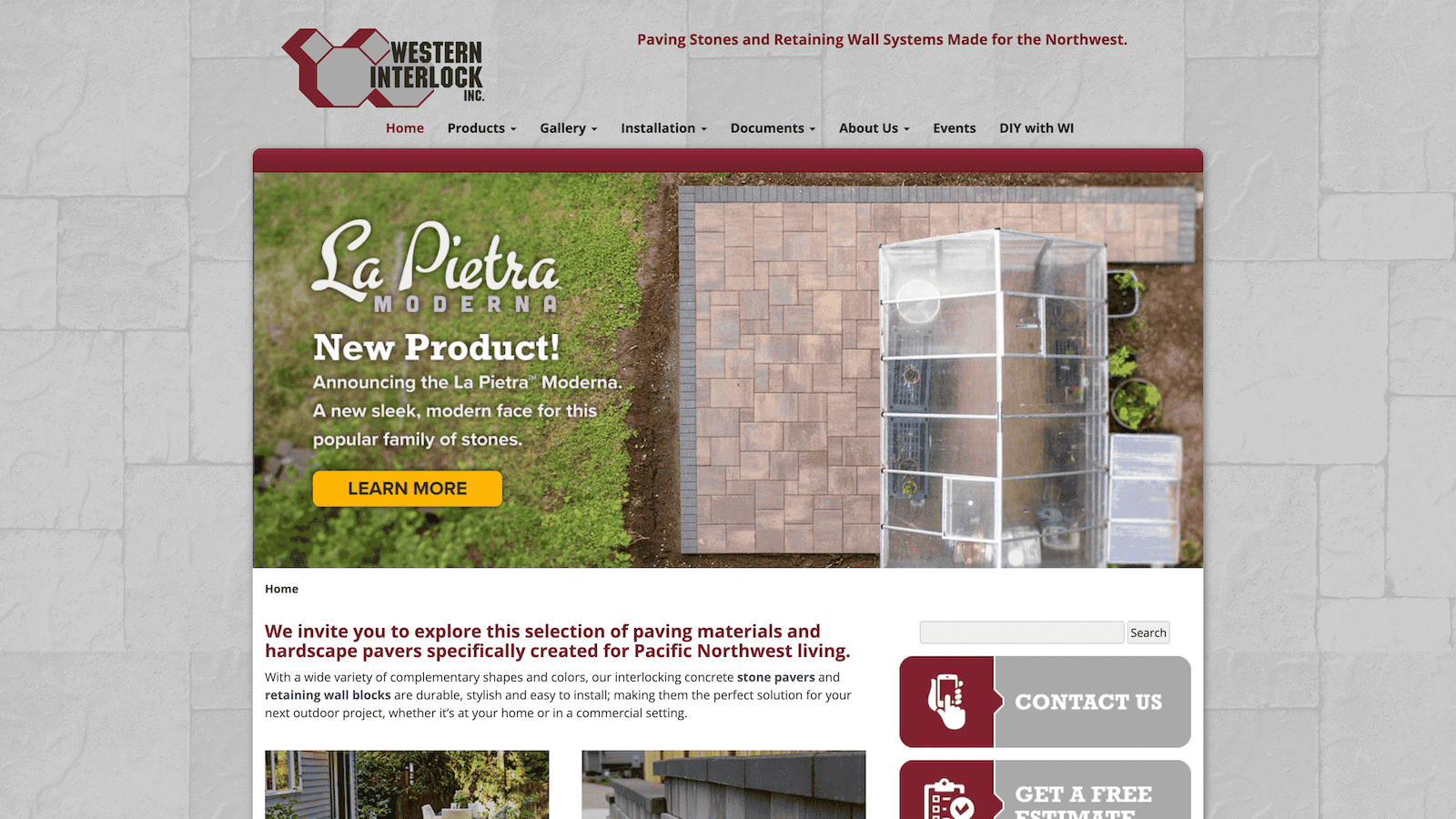
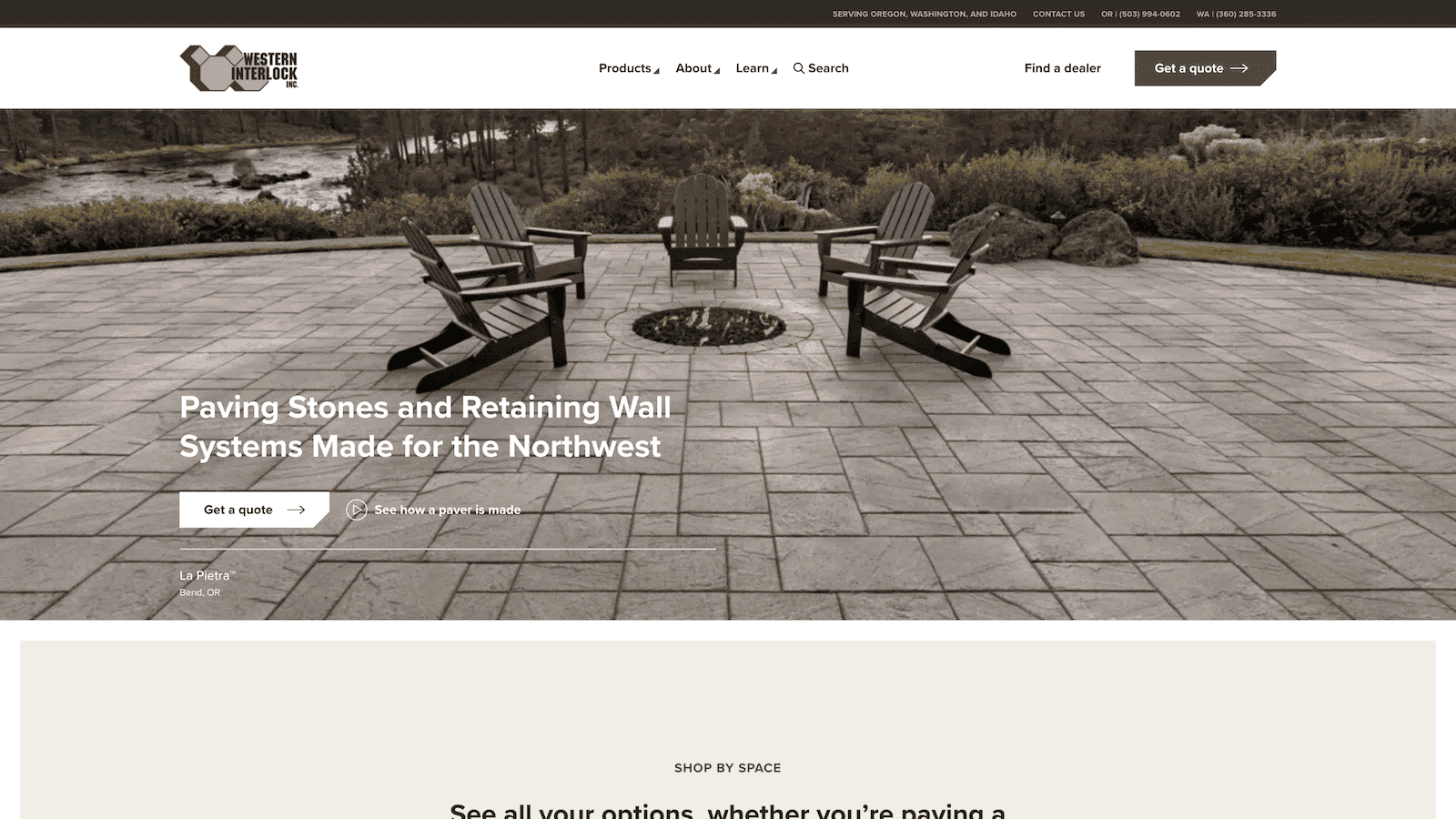
The Western Interlock website needed a new look to align with its brand and accommodate high-traffic DIY blog content while ensuring easy navigation.
The solution involved a brand refresh and a streamlined information architecture for user-friendly navigation.
The outcome is a visually appealing and fast website optimized for mobile and engagement. Shortly after launch, estimate requests and traffic more than doubled, making it a successful transformation. Specifically, a 65% increase in users and a 2.9% decreased bounce rate.
western interlock — Before
western interlock — After
They are the only vendor that I’ve ever met that gets down and dirty to make sure work gets done well and on time.
NATHAN, DIRECTOR OF MARKETING
2. Totem Mats
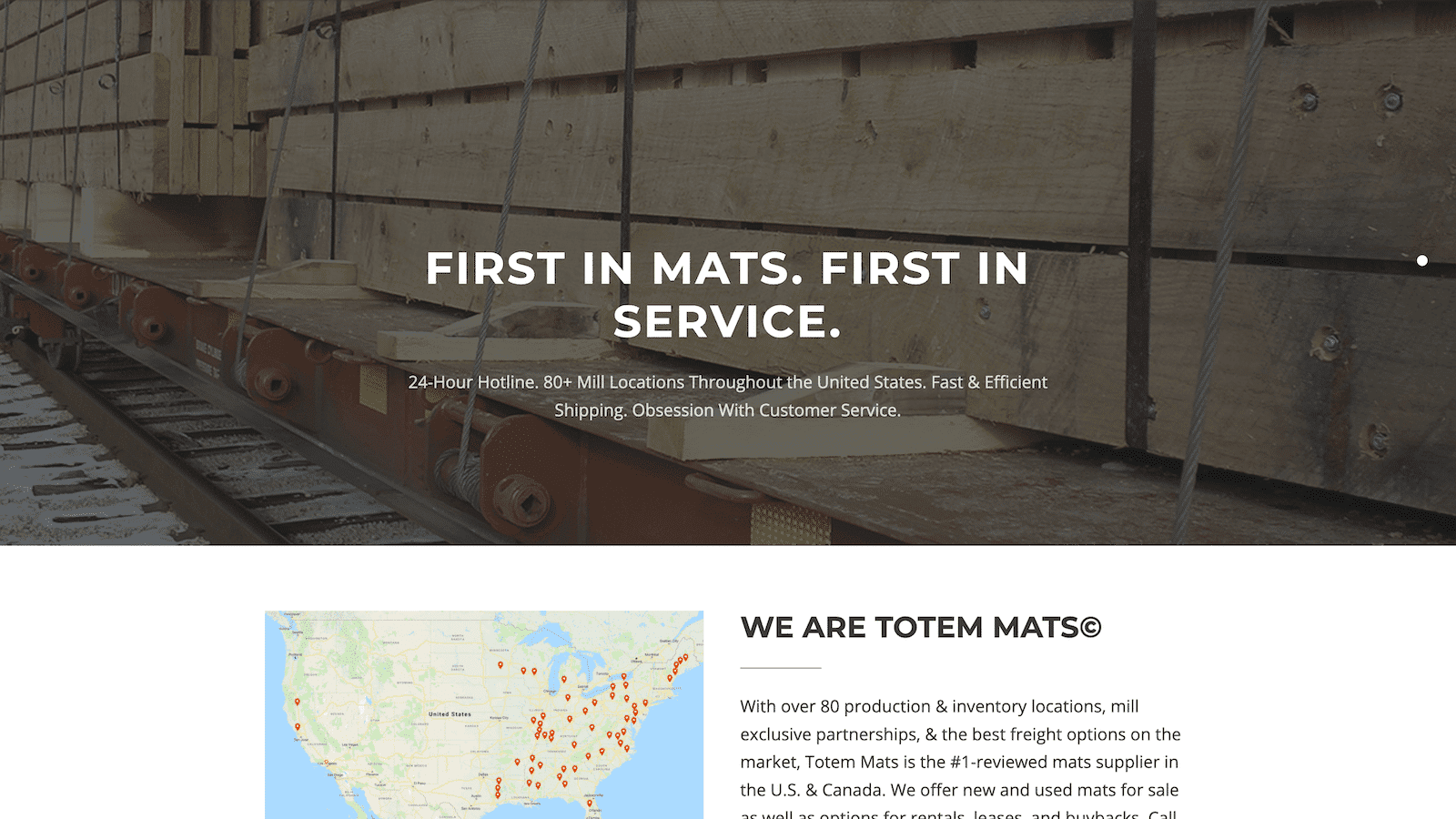
Totem Mats faced the challenge of an outdated and underperforming website that needed redesigning and additional features without losing organic search traction. They also required lead integration with Salesforce.
The solution involved a complete website overhaul, including visual enhancements, product page restructuring, and performance optimization.
The result was a seamless website launch with no traffic losses, a 69% increase in SEO traffic, improved lead generation, streamlined business processes, and increased confidence in the website’s appearance and functionality.
Totem Mats — before
totem mats — after
Their continued efforts on everything we threw and their abilities to overcome challenging problems were incredible.
Trevor Sarazin, CEO
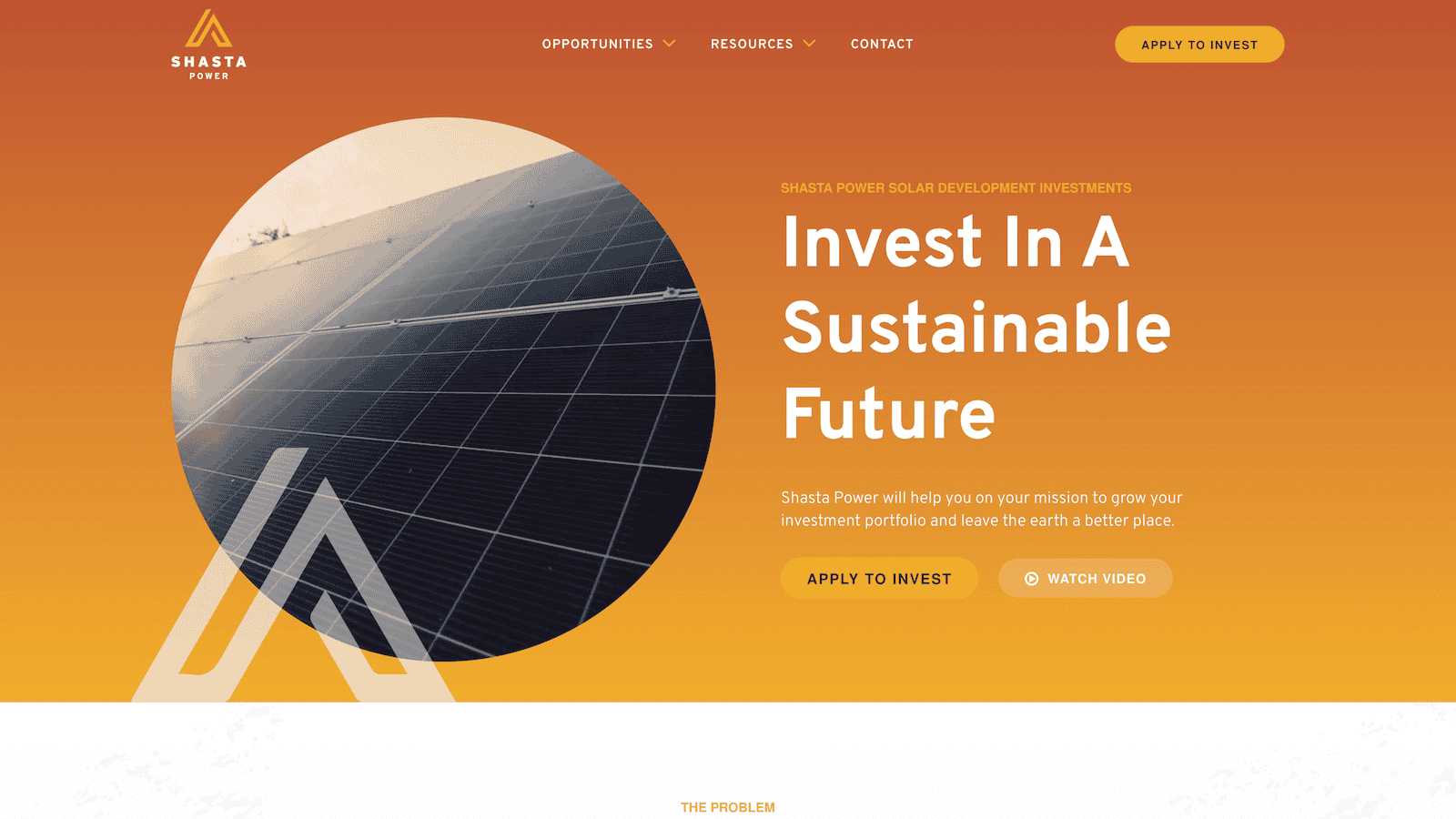
3. Shasta Power
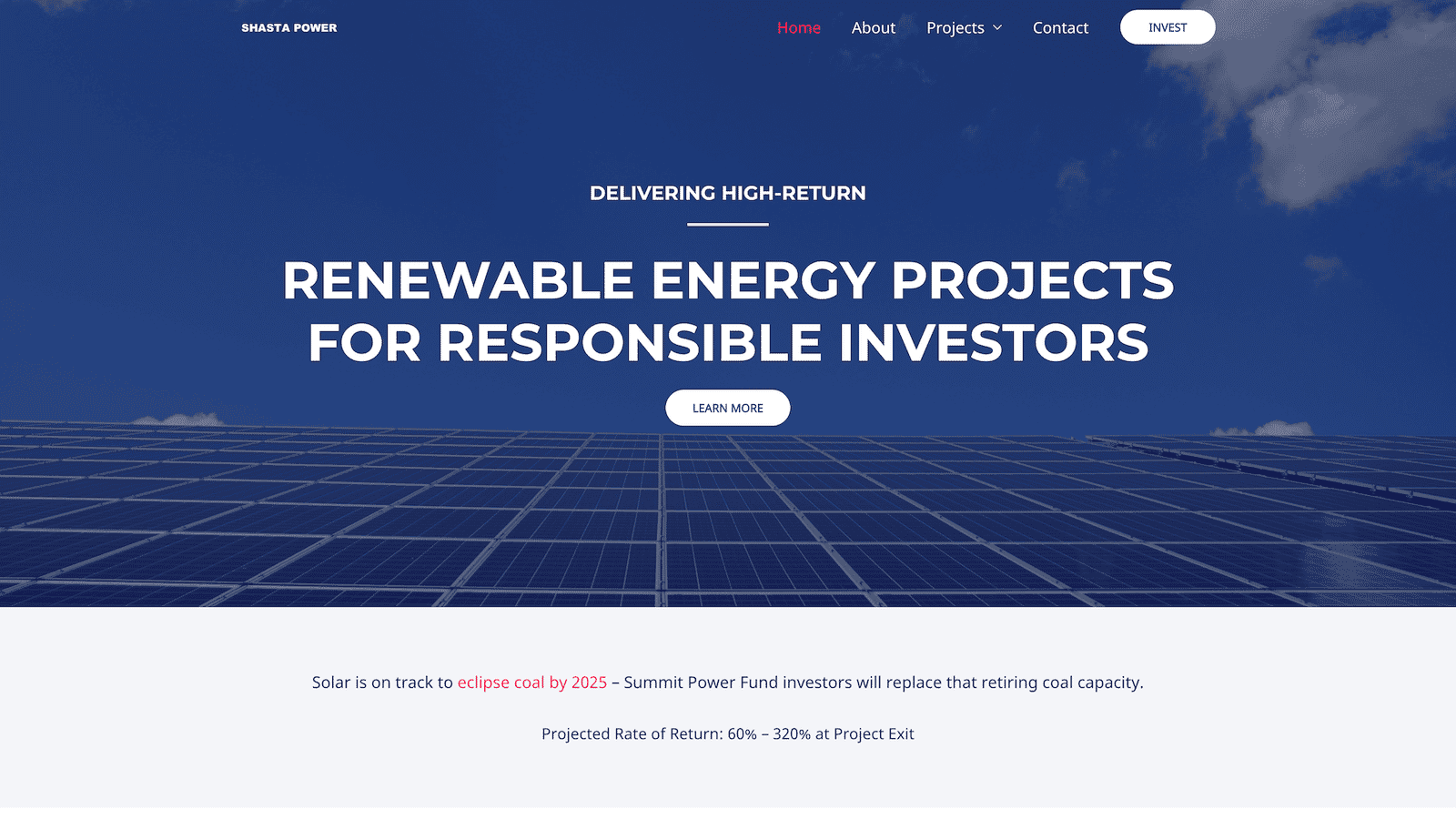
Shasta Power faced the challenge of needing a professional website but encountering design firms that didn’t consider their unique business needs.
The solution involved a comprehensive website process, starting with understanding goals, then a brand refresh, and creating a custom, responsive WordPress website with integrated business systems.
The results were impressive, with a significant increase in awareness metrics, including a 600% rise in new followers and a 200% increase in site visitors. Despite a tight timeline, the brand’s quality was maintained, showcasing the project’s success.
Shasta Power — before
Shasta Power — after
I get a sense of honesty and quality from them; they take their work seriously.
MAX, co-FOUNDER
Pro tools and resources for developing a website launch plan
Developing a comprehensive website launch plan requires access to various tools and resources. Here are some valuable tools and resources we use regularly and will assist you in creating a successful website launch plan.
1. Free website planning guide PDF
If you haven’t yet, download our free Website Design Planner to streamline your web design planning process and ensure a clear roadmap for your project.
Most website planners are just dressed-up spreadsheets that are boring and analytical. The Structure Website Planner is fun and helps you organize your goals and tasks to ensure you create your desired website.
In our fun and productive workshop with Structure, you’ll get coaching, feedback, and plans from website experts so you know you’re doing it right.
3. Slickplan website planning tool
If you’re semi-technical and detailed regarding digital strategy, Slickplan offers a low-cost digital website planning tool that covers much of the in-the-weeds planning.
It’s a great tool to complement the Structure Website Planning Guide PDF if you’re doing it yourself.
4. Structure web design, development, and management services
If you’re not looking to do any work yourself but are just looking to hand the website project off to a team of experts, that’s okay!
Structure can manage and complete the entire website launch planning and implementation process from start to finish.
We’ve streamlined the sub-standard web design experience you get from most local agencies, so you’re in safe hands.
5. WordPress & WP Engine
If you’re looking for a fail-proof CMS + Host combo, go no further than WordPress and WP Engine.
They’re industry-leading platforms that are the ones to beat. Being the most familiar platform + managed hosting, you will make your work easier regarding website launch plan implementation.
Common questions about how to launch a new website
How do you announce a new website launch?
When launching a new website, think of it like a food product label update in the grocery store.
Customers care if it still meets their needs, not just the look. So, introduce your website as an improvement for them, not just a design change. And just like the food label, skip shouting it on external channels; instead, focus on welcoming users with a video or announcement bar on your site.
What are the steps to launch a website?
The steps to launching a website, from beginning to end, are:
If you’re launching a new or redesigned website and need to promote it, here are the three next steps:
Write blog articles about your product or service
Run Paid Search ads to help people find you right away
Create a free offer to generate leads and provide value to your customers
What is the best day of the week to launch a website?
Your buyer’s needs in this area are unpredictable. However, website launch timing matters for your business.
For that reason, Tuesday is ideal.
Mondays are for final preparations, and launching after Thursday risks a weekend workload. Tuesday offers a buffer with Wednesday and sets you up for a smooth week ahead.
How long should it take to launch a website?
3-6 months, on average. Most simple websites launch within three months, and websites with a standard level of complexity launch within six months.
However, as you know, websites are complex. Therefore, there’s no definitive way to pinpoint a boilerplate website launch timeline. At Structure, we’ve launched websites in as little as 30 days and as long as two years. It all depends on the complexity, team, goals, and budget.
If you’re a marketing or business leader, you’re no stranger to setting website redesign goals—or just the challenge of a website redesign (sans the “goal” part). But what if you could do more than make things look better this time—what if you could magically create 10x growth?
You can, but there’s a hitch: without a plan and solid goals for your website redesign, it might only end up as a costly makeover that ends in frustration and disappointment.
You’ve been around the block, so you know your brand’s online presence is worth investing in.
But with everyone expecting top-notch digital experiences (not to mention the competition breathing down your neck), a botched redesign could mean confused customers, a drop in revenue, and missed opportunities.
Let’s not do that, okay?
So here’s the solution: your redesign must tackle specific goals to create predictable results.
Goals like, “I just don’t like how our website looks,” or “Someone in my networking group said we need to switch website platforms” aren’t specific enough.
In other words, they’re ideas to consider but not good enough reasons to redesign your website.
It all begins by changing how you look at the redesign: from a surface-level change to a strategic effort that improves every business function.
In simpler terms, it’s not about how it looks—it’s about how it works.
When you start with a plan and clear goals, you can reverse engineer growth. Once your goals, vision, brand, budget, and team align, your website redesign will create tangible, long-term results.
Get a FREE Customized Digital Growth Plan
Take our 10-minute Digital Maturity Assessment and receive a FREE, personalized digital growth score that uncovers gaps and drives your business forward.
Another way of saying this is “why” are you redesigning your website?
When considering a redesign, you should have a good reason. Often, these reasons coincide with a change or growth in the business that triggers the need for a redesign.
If you’ve tweaked your brand’s look or message, your website should reflect those changes.
It’s about ensuring your online image matches what you stand for now.
2. When you launch a new product or service
Your website can be a powerful tool for gearing up to introduce something new and exciting.
It can help you spotlight your fresh offerings and get potential customers interested.
3. When it’s been more than two years since your website launch
Think of your website like a car – it needs regular maintenance.
If it’s been more than two years since you last spruced it up, chances are it’s not performing as well as it could.
4. When your industry changes
In the fast-paced business world, industries change.
Your website should keep pace if your industry evolves due to new trends or technology. It’s all about staying relevant.
5. When the business gets bought or sold
When new owners step in, they might have different plans for the business. That often means the website needs a makeover to match the new vision.
In short, consider website redesign as a way to stay current, showcase your latest offerings, and reflect any changes in your business journey.
It’s a strategic initiative to keep your online presence in sync with your evolving goals.
Get a FREE Customized Digital Growth Plan
Take our 10-minute Digital Maturity Assessment and receive a FREE, personalized digital growth score that uncovers gaps and drives your business forward.
No matter what you want your website to achieve, remember this: your website is your company’s most crucial tool.
It’s always open, often where customers connect and order from you.
It’s even more valuable than a fancy office, a big sign, or updated vehicle wraps. Your website is all those things all the time.
You might remember when things were different if you’ve been around for a while. But now, especially in the digital age, your website is your most important investment. It’s time to update your thinking to get the most out of it.
To do that, let’s clarify what your website isn’t.
1. Your website isn’t a digital brochure; it’s an ecommerce platform.
It’s time to let go of the old-style brochure websites.
Remember when customers used to call for price quotes? Those days are long gone, and an essential webpage isn’t enough.
Websites have a new role now. They’re not just about sharing information; they’re a two-way street, which is excellent for you! If you sell products directly or through dealers, your website must be more than just a digital pamphlet.
If you sell things, your website must act like an online store. An online store is where people browse and buy and where you earn money.
This isn’t just a passing trend; it’s a significant change in how people want to buy from you. They want it to be easy and quick. An online shopping experience isn’t just nice—it’s essential!
Turning your website into an online store can be the key to keeping customers and making sales. People who can’t buy from your website might go to your competition instead. So, it’s time to upgrade!
2. Your website isn’t just a pretty face; it’s how customers experience every aspect of your brand.
Looks are important, but your website does way more than look good.
It’s where people find you, talk to you, and buy from you. What we call the “Flywheel,” your website makes your business work in the digital age.
It’s the primary way people see your brand.
It’s often the first thing customers see.
It’s where folks learn about you.
People use it to talk to you.
It’s where they shop for your stuff.
And it does even more!
So, remember, your website is not just about looks.
It’s about making things happen – like transactions, sharing info, engaging customers, and gathering data. To make it work for you, think beyond the visuals. It’s a powerful tool for your whole business.
3. Your website is not an announcement board; it’s a storefront
As a business owner or marketing manager, treating your website like a giant news billboard is tempting.
You might want to shout about your achievements from the mountaintop.
Celebrating your successes is important, but there’s a better way than plastering them all over your website’s front page.
Your website should be more about your customers and what they need. It’s not just a place to brag.
So, while showcasing your accomplishments is great, remember to keep your website focused on what matters most to your visitors—helping them find what they’re looking for and making it easy for them to do business with you.
Elevate Your Website Game
Snag your complimentary Structure Website Design Planner now and start crafting a website strategy that leads to undeniable project success!
Website redesign goals impact more than marketing
When most people think of “website goals,” they immediately think of traffic, leads, and sales.
Those are great goals—in fact, they’re vitally important! But if your website only provides traffic, leads, and sales to your business, you’re missing out on its full potential.
The truth is that your website can improve all business functions, from marketing to HR.
Here’s a short list of the different business functions that your website can impact—and how it affects them.
1. Strategy and Administrative
Your website can be pivotal in shaping your overall business strategy.
It can serve as a platform to communicate your mission, vision, and goals to internal and external stakeholders.
Internally, it can streamline administrative processes by providing a centralized hub for communication, document sharing, and project management.
Externally, it can showcase your strategic priorities and initiatives, helping investors, partners, and customers understand your direction and values.
2. Sales and Marketing
This is the more traditional website role, but it remains crucial.
Your website is often the first point of contact for potential customers. It should generate leads and sales and serve as a powerful marketing tool.
It can also provide valuable content, demonstrate your expertise, and create a positive brand image—and utilizing analytics and user data helps refine marketing strategies and effectively target the right audience.
For example, it can serve as a platform for online billing and payment processing, simplifying financial transactions.
Regarding HR, it can assist in recruiting talent by showcasing job openings, detailing company culture, and offering an easy application process. Additionally, it can be a resource for existing employees by providing access to essential documents, training materials, and benefits information.
4. Information Technology
From an IT perspective, your website must be secure, scalable, and well-maintained.
It is your organization’s backbone for many digital tools and platforms.
Properly managing your website ensures it remains a reliable and efficient resource for all other IT-related functions. Regular updates, security measures, and technical maintenance are essential for a smooth operation.
5. Operations and Manufacturing
Even for businesses involved in operations and manufacturing, a website can have a significant impact.
It can be a customer portal for placing orders, tracking shipments, and managing accounts.
It can also act as a knowledge base, providing technical information, troubleshooting guides, and customer support resources. Your website can improve efficiency and customer satisfaction in these operational areas by offering self-service options.
Supercharge Your Website Strategy
Get your hands on the Structure Website Design Planner absolutely FREE and supercharge your website strategy for guaranteed project success!
How to set goals for your website redesign
There are many approaches to setting goals for your website redesign.
While many of them are helpful, at Structure, we’ve found that using your Customer Journey as a guide is most beneficial.
Planning based on your customer journey is the most natural and logical way to think critically about the goals you need your website to accomplish for your customers and your business.
Here’s how to go about it:
1. Start with the End – What Do You Want Your Customers to Do?
It’s crucial to clarify your primary objective.
Consider what final action you want your website visitors (customers) to take on your website. Let’s call this your “ultimate goal.”
This ultimate goal can include:
Buy a Product: If you’re an e-commerce business, your goal may be to increase product sales directly through your website.
Request a Quote: Obtaining quote requests from potential clients can be crucial for service-based industries.
Schedule a Call: If your business relies on consultations or appointments, encouraging visitors to schedule a call or meeting is essential.
Consume Content: Some websites aim to provide valuable content, so the goal might be to increase content consumption, such as blog post views or video watching.
Visit a Location: If you have physical locations, guiding visitors to find and visit those locations can be a goal.
Share Content/Product: Social sharing and referrals can be important for spreading the word about your products or content.
Donate: Non-profit organizations often aim to increase donations through their websites.
Register for an Event: Encouraging registrations is a goal if you host events or webinars.
Other: Depending on your unique business model, there may be other specific actions you want visitors to take.
2. Know Where It Starts – How Do Customers Find Your Website?
Next, you need to understand how customers find your website.
Think of this like a map’s “you are here” arrow.
Consider the various possible entry points:
Paid Search: Do visitors visit your site through paid search campaigns on search engines like Google?
Paid Ads: Are online advertisements, such as display or social media ads, driving traffic?
Blog Posts: Is your blog a significant traffic source, attracting users through organic search or referrals?
Podcast: If you run a podcast, are listeners coming to your site through podcast-related content?
Referral Marketing – Influencer/Affiliate: Are influencers or affiliates driving visitors to your site?
Now, you know where you are and where you want to go. All that’s left to do is fill in the gaps.
3. Steps Along the Way – What’s the Next Action?
Once visitors arrive at your website, consider the steps they need to take to fulfill your ultimate goal.
This may involve navigating various pages, interacting with specific elements, or filling out forms.
Pro tip: using the AIDA Framework for this step is helpful.
Use the AIDA framework to document action steps
The AIDA framework is a widely used marketing and advertising model that outlines a potential customer’s stages when interacting with a product or service.
AIDA stands for:
Attention
This is the stage where you grab the audience’s attention.
You must create awareness and pique their interest in your product or service.
This can be achieved through compelling headlines, eye-catching visuals, or engaging content.
Interest
Once you have their attention, you must generate interest in your offering.
This stage involves providing more information about the product or service, highlighting its features and benefits, and addressing the audience’s needs or pain points.
Desire
You aim to create a strong desire or craving for your product or service at this stage.
This is often achieved by showcasing how it can fulfill the audience’s desires, solve their problems, or improve their lives.
Customer testimonials, reviews, and success stories can be powerful tools in building desire.
Action
The ultimate goal of the AIDA framework is to prompt the audience to take action.
This action could be purchasing, requesting more information, signing up for a newsletter, or any other desired outcome.
Clear and compelling calls to action (CTAs) facilitate movement.
At each stage, ask yourself two questions
At each action stage in the AIDA framework, you need to ask yourself the following:
What content is needed to communicate value at this action step?
What is the following action step our customers need to take to proceed toward the ultimate goal?
Take the time to document each action step at each stage in the AIDA framework. I know this sounds like a lot of work. And it is, but it’s how you set great goals for your website.
3. Set SMART website redesign Goals
Now that you have full context and aren’t shooting in the dark, it’s time to determine your website redesign goals.
Do this in two steps.
1. Benchmark your current metrics so you can measure success
As you set goals, it’s essential to understand where you currently stand.
That way, you can measure success. This involves conducting a comprehensive assessment of your website’s existing performance metrics. These metrics may include:
Website Traffic: Analyze the volume of visitors to your site. This includes overall traffic and specific traffic sources, such as organic search, social media, or paid advertising.
Conversion Rates: Examine how effectively your website converts visitors into customers or achieves other desired actions. This might involve tracking form submissions, purchases, or sign-ups.
Bounce Rates: Assess how many visitors leave your website shortly after arriving. High bounce rates can indicate issues with user experience or content relevance.
Average Session Duration: Measure how long users typically spend on your website. Longer sessions can indicate engagement and interest.
Page Load Times: Page speed is crucial for user experience and SEO. Evaluate how quickly your pages load and identify any slow-loading elements.
Traffic Sources: Understand where your website traffic is coming from. Are visitors finding you through search engines, referrals, social media, or other channels?
Keyword Rankings: If SEO is a focus, track the rankings of important keywords to assess your visibility in search engine results.
Conversion Funnel Metrics: If applicable, analyze users’ steps from initial interaction to conversion. Identify drop-off points in the funnel.
Benchmarking these metrics provides a baseline for assessing the impact of your website redesign. It allows you to identify areas that need improvement and sets the stage for defining specific goals.
2. Set SMART goals so you know you’ve succeeded
As an intelligent leader, SMART goals may already be second nature to you.
If so, great! You can skip down to the bullet points below.
However, if you’re new to SMART goals, SMART is an acronym for Specific, Measurable, Achievable, Relevant, and Time-Bound.
Setting SMART goals is crucial in ensuring your website redesign project is well-defined and aligned with your business objectives. Here’s a breakdown of each element:
Specific: Goals should be clear and precise. Avoid vague objectives and instead articulate precisely what you want to achieve. For example, instead of a broad goal like “increase website traffic,” a specific goal might be “increase organic website traffic by 20% in the next six months.”
Measurable: Goals should be quantifiable. You need to be able to measure progress and determine when you’ve achieved the goal. This might involve using metrics like percentages, numbers, or other quantifiable units.
Achievable: Goals should be realistic and attainable. While it’s good to aim high, setting unattainable goals can lead to frustration. Consider your available resources, constraints, and historical performance when setting goals.
Relevant: Goals should be relevant to your business objectives and the overall mission of your website. Ensure that achieving the goal contributes meaningfully to your organization’s success.
Time-Bound: Goals should have a clear time frame or deadline. This creates a sense of urgency and helps with project planning. For example, “increase newsletter sign-ups by 15% within three months.”
By setting SMART goals, you’ll have clear targets that guide decision-making, resource allocation, and progress tracking throughout the redesign process.
3 website redesign goals you should focus on in 2024
So, you’re probably wondering about the critical goals for your website redesign in 2024.
Well, the thing is, your website goals should always sync up with what your company aims to achieve, what’s happening in your industry, and what your audience expects.
Now, let’s dive into the top three website goals that should be on your radar for 2024:
1. Mobile and performance optimization
This one’s been around for a while but is more critical than ever.
Why? Because the number of folks using smartphones and tablets to access websites keeps increasing. So, having a website that looks great and works smoothly on mobile devices is non-negotiable, regardless of your industry or what you offer.
It’s all about delivering a top-notch customer experience.
Let’s say you run an online health supplement retail store.
Mobile optimization ensures customers can effortlessly browse and shop for supplements using smartphones while waiting for a bus or during lunch breaks. Fast-loading pages and a smooth checkout process enhance the user experience, leading to more completed purchases.
Optimizing for mobile and performance doesn’t just meet user expectations; it’s a competitive advantage.
It reduces bounce rates, increases user engagement, improves SEO rankings, and leads to higher conversions and customer satisfaction.
2. Create human, original content
You’ve probably noticed that artificial intelligence (AI) is making waves in our world.
It’s everywhere, and with it comes a flood of generic, machine-generated content taking over the internet. The thing is, some of your competitors might be going all-in on this robotic content, and it can make your customers feel, well, a little weird.
But here’s the exciting part: amidst this AI revolution, you have a golden opportunity.
It’s all about staying human in this increasingly artificial landscape. That means finding genuine ways to connect with your customers, to make them feel heard and valued, and to provide an authentic experience that stands out in a sea of automated content.
If you manage a healthcare blog, original content might include in-depth articles written by medical experts, real patient stories, and interviews with healthcare professionals.
This content provides valuable information and establishes your site as a trusted and credible resource in the industry.
Human, original content builds trust, loyalty, and brand authenticity.
It also helps with rankings, as search engines prefer unique and valuable content. Moreover, it creates a lasting impression on your audience, making them more likely to engage with and advocate for your brand.
3. Personalization
Your customers want your website to understand their needs and preferences.
It’s almost like having a friendly, knowledgeable guide.
Personalization is not just a trend; it’s becoming a standard for successful websites. It’s about showing your customers that you truly know them and care about their journey on your site.
Let’s say you run an e-commerce website selling outdoor gear. Through personalization, you can show hiking enthusiasts content related to their interests, recommend hiking equipment based on past purchases, and even alert them to nearby local hiking events or trails.
This not only enhances their user experience but also drives more targeted sales. In 2024, personalization is the key to making each visitor feel like your website was tailor-made just for them.
In this way, personalization can significantly impact your bottom line. It improves user engagement, increases conversion rates, and boosts customer retention. When customers feel understood and catered to, they’re more likely to stay, purchase, and become loyal advocates for your brand.
10 more website redesign goals to consider for 2024
Your company can have one or various goals for their websites, depending on their industry, target audience, and overall business objectives.
I intend for these examples below to inspire your planning and illustrate how specific website redesign goals can impact your business, from growth and revenue to reputation and community-building.
1. Brand Awareness
Goal: Elevate your brand’s online presence.
Why: A website revamp can boost your brand’s online visibility, making it easier for potential customers to find and recognize your business.
Example: After a website redesign, your Consulting company’s improved branding and content strategy resulted in a 30% increase in organic search traffic.
2. Lead Generation
Goal: Capture more high-quality leads.
Why: A redesigned website with optimized lead generation forms can increase your pool of potential customers, providing your sales and marketing teams with valuable prospects.
Example: Your Software Company’s website redesign led to a 25% rise in lead conversions, thanks to strategically placed lead capture forms and compelling content offers.
3. Sales and E-commerce
Goal: Drive more online sales.
Why: An e-commerce website overhaul can enhance the online shopping experience, increasing revenue through more successful online transactions.
Example: Your E-Commerce company saw a 40% surge in online sales within six months of the website redesign, thanks to a user-friendly interface and a streamlined checkout process.
4. Educational Content
Goal: Establish your company as an industry authority.
Why: By showcasing thought leadership content such as insightful blogs, whitepapers, and webinars on your website, you can position your brand as a trusted industry expert.
Example: Your Coaching company website redesign featured comprehensive blog and industry reports and solidified your position as a thought leader, resulting in a 50% increase in event speaking invitations. Hooray!
5. Information Dissemination
Goal: Keep stakeholders informed with timely updates.
Why: A well-designed information hub on your website ensures that clients, partners, and stakeholders stay informed, fostering transparency and trust.
Example: Your Private Equity Firm’s revamped website included a dedicated news section that saw a 20% increase in media coverage and positive public perception.
6. User Engagement
Goal: Foster a vibrant online community.
Why: Websites encouraging user engagement through interactive content, discussions, and social sharing features create a loyal and active customer community.
Example: Your Travel Company’s website redesign included a forum for travel enthusiasts, resulting in a 15% increase in user-generated content and user retention.
7. Customer Support
Goal: Provide efficient customer support.
Why: Redesigned customer support sections with FAQs, live chat, and knowledge bases to reduce support ticket volume and enhance overall customer satisfaction.
Example: Your EdTech Company’s website redesign, featuring a simple help center, led to a 30% reduction in support tickets and faster issue resolution.
8. Event Promotion
Goal: Promote events effectively.
Why: Event-focused website enhancements ensure potential attendees can easily access event details, boosting registrations and attendance.
Example: Your Non-Profit website redesign included a user-friendly event calendar and registration system, resulting in a sold-out conference within weeks.
9. Portfolio Showcase
Goal: Showcase your company’s standout work.
Why: A portfolio-rich website builds trust with potential clients by showcasing your track record of successful projects.
Example: Your redesigned Real Estate website highlighted case studies, resulting in a 40% increase in inquiries from high-profile clients.
10. Recruitment and Careers
Goal: Attract top talent and showcase company culture.
Why: A revamped career page attracts skilled job seekers and provides insights into your organization’s values and work environment.
Example: Your Manufacturing Company career page redesign featuring employee testimonials led to a 35% increase in applications from top-tier candidates.
These are just a few examples of the diverse range of website goals that companies might have. Each goal is tailored to the company’s needs, target audience, and overall business strategy.
Common questions about setting website redesign goals
What is a website redesign goal?
Website goals are the specific things your website aims to do.
Why are website goals important? Well, they give you a roadmap for how your website should look, what content it should have, and how you market it online.
These goals can be diverse for marketing managers and business leaders like you. It could be about getting your brand out there, attracting potential customers, boosting sales, sharing valuable info, getting folks engaged, or achieving specific business targets like making more money or gaining more customers.
But here’s the kicker: keeping an eye on these goals is crucial. It’s how you measure if your website is doing its job and contributing to your overall success.
So, in a nutshell, website goals are the key to a successful website redesign.
What is an example of a SMART goal for a website redesign?
In summary, a SMART goal focuses on a specific aspect of website performance (organic traffic), is measurable, achievable, relevant to the organization, and has a defined time frame for completion.
It provides a clear and actionable target for website improvement.
Here’s an example of a common SMART goal for a website:
Specific: Increase organic website traffic by 20% over six months.
Measurable: This goal is measurable because you can track website traffic using tools like Google Analytics. You can quickly determine whether you’ve achieved a 20% increase in traffic.
Achievable: The goal is realistic and possible based on historical data and industry benchmarks. A 20% increase in organic traffic is challenging but feasible with the right strategies.
Relevant: Increasing website traffic aligns with the organization’s broader marketing and business objectives. It’s appropriate to expand the online presence and attract potential customers.
Time-Bound: The goal has a specific timeframe of six months, providing a clear deadline for achieving the 20% increase in organic traffic.
Many companies are looking to increase web traffic. Maybe you want to steal this SMART goal for your website!
How do you measure the success of a website redesign?
This is a fantastic question.
Most results will give you a list of generic performance indicators to evaluate your website redesign performance. Or, someone will tell you it’s based on how you feel it looks at the end of the project.
Throw out that generic list and pretty brand. Instead, create SMART goals for your website redesign. SMART goals are measurable, so your success metrics are already built in. That’s it!
Measure the success of your website redesign based on how you achieve your goals.
What should be included in a website redesign?
Goals! That’s always a great starting point.
However, it can be tough to pull goals out of thin air.
That’s why we recommend using your unique customer’s buying journey as an easy way to walk through everything that your website must do well to make a sale.
We call this “creating a customer.”
Therefore, your website redesign should include everything necessary to create a customer (and keep them around). Often, this runs the gamut from blog posts to a help center—and everything in between.
What is the main goal of a website redesign?
Great question! Some would say: “sales.” Others would say, “lead generation.”
They’re both right! And you’ll talk to plenty of folks who will say the main goal of a website is “to look impressive.”
Ultimately, every website exists to help a company produce a profit. So, in short, that’s the point. However, other goals are often at play, tailored to the unique needs and objectives of the company it represents.
What’s important is that you take the time to define clear and measurable goals for your website to ensure that it effectively serves its intended purpose—whatever that may be!
What are the best tools and resources for setting website redesign goals?
Setting website redesign goals requires careful planning and consideration of various factors.
While there are many tools available to help you with different aspects of goal-setting and website redesign, here are some of the best tools and resources:
Google Analytics: It almost goes without saying, but Google Analytics is essential for benchmarking your website performance. It provides insights into your website’s traffic, user behavior, and conversion rates, helping you identify improvement areas.
Google Search Console: This tool helps you monitor your website’s presence in Google search results. It provides data on how your site appears in searches, which keywords drive traffic, and any issues affecting your site’s visibility.
Heatmap and User Recording Tools: We use Hotjar to provide heatmaps and session recordings that visualize user interactions on the websites we manage. This often helps identify areas of interest and pain points our website visitors are experiencing.
SEO Tools: Our favorite SEO platform is Ahrefs. It can assist in keyword research, competitive analysis, and SEO performance tracking. Setting SEO-related goals is crucial for website redesign. Note there are many great options with different price points and features like Moz, SEMrush, and Ubersuggest.
User Survey and Feedback Tools: It’s worth getting feedback from your website users with a pay-per-test tool like Userfeel. This economic feedback loop can provide valuable insights into user preferences and issues.
Website Performance Monitoring: We use PageSpeed Insights daily to look under the hood at a website’s performance, including page load times and uptime. Ensuring your website loads quickly is essential for user satisfaction and is a goal worth considering.
Customer Relationship Management (CRM) Systems: CRM platforms like Salesforce or HubSpot can help you set and track goals related to customer engagement, lead generation, and sales.
Competitor Analysis Tools: Tools like SimilarWeb can help you analyze competitor websites to identify areas for improvement and set competitive goals.
User Persona and Journey Mapping Tools: Tools like Whimsical can make creating user personas easy and mapping out the customer journey, which is crucial for setting user-centric goals. If you’re savvy and want to take your website planning a step further, check out Slickplan.
As with all tools, there are dozens to choose from. We recommend selecting tools that align with your website redesign goals and requirements. A combination of any of these tools can help you plan, execute, and measure the success of your website redesign project effectively.
In today’s digital age, your company’s online presence is often the first impression you make. Strategic website design for business growth transforms your website into a powerful tool by driving lead generation, boosting customer engagement, and accelerating long-term success.
In this blog, we will delve into the journey of one of Structure’s manufacturing clients, who sought to leverage strategic web design to achieve their growth goals.
We will explore the goals, pain points, and critical decision criteria for finding the right strategic web designer for the job.
Website Design Transformation
Not long ago, one of our manufacturing clients recognized the need to revamp their website to stay competitive in the ever-evolving digital landscape.
Their existing website was outdated and no longer aligned with its strategic objectives or the needs of its target audience.
Here are the exact steps we recommended they take in business.
Define Goals: The Path to Strategic Growth
The company’s primary objective was to catalyze growth, and its marketing team understood that a revamped website was central to this mission.
Let’s take a closer look at their goals:
1. Modernize the Online Presence
The first goal was to modernize the online presence.
An outdated website can deter potential customers and partners, making it crucial to create a sleek, contemporary design that leaves a lasting impression.
2. Increase Lead Generation
The organization aimed to transform the website into a lead-generation powerhouse.
The new website needed to attract more visitors, engage them effectively, and convert them into leads, as generating a steady stream of high-quality leads was a key driver of business growth.
3. Enhance Customer Experience
A positive customer experience was essential.
The website needed to serve as a platform where customers could easily find information, answer their questions, and feel confident in their interactions with the organization.
4. Align with Business Strategy
The website had to reflect the organization’s strategic goals, messaging, and branding, communicating the value proposition clearly and aligning with the broader business strategy.
Pain Points: Navigating Strategic Website Design for Business Growth Challenges
As the organization set out to achieve these ambitious goals, it encountered several pain points that made the strategic website design for business growth journey challenging:
1. Lack of In-House Expertise
The internal team lacked the technical skills to design and develop a modern, user-friendly website. This skills gap meant external expertise was needed to bring the vision to life.
2. Tight Timelines
There was significant pressure to expedite the project without compromising quality. The leadership team was eager to see results quickly, setting tight timelines for the website overhaul.
3. Budget Constraints
Like many organizations, there were budget constraints to contend with.
A priority was to find a cost-effective solution that could deliver the desired results within the allocated budget.
4. Ensuring Alignment with Strategy
The website redesign had to be more than just a cosmetic change.
It needed to align with the organization’s strategic goals and resonate with its target audience. Straying from this path could result in missed opportunities.
Decision Criteria: Finding the Right Web Designer
To navigate these challenges and transform the organization’s online presence into a strategic asset, it sought the expertise of a skilled web designer. However, not just any designer would suffice. The organization needed a strategic web designer who could meet specific criteria to ensure the project’s success:
1. Expertise
The organization sought a web designer with a proven track record of success.
They wanted someone who had designed websites for businesses in similar industries and could demonstrate expertise in creating responsive, SEO-friendly websites.
2. Understanding of Business Goals
A crucial criterion was finding a web designer who could grasp the organization’s business objectives. The designer needed to understand the company’s strategic goals, unique value proposition, and target audience.
3. Creative Problem-Solving
In web design, innovation, and creativity can set a website apart from the competition. The organization valued creative thinking and wanted a designer who could create innovative solutions to address their unique challenges.
4. Project Management Skills
Given the tight timelines and budget constraints, the organization needed a designer to manage the project effectively. This meant meeting deadlines, staying within budget, and ensuring the project progressed smoothly.
5. Communication Skills
Clear communication was non-negotiable. The web designer had to be able to explain technical concepts in a way that the organization’s team could understand. Effective collaboration and a shared understanding of the project were essential for success.
6. References and Reviews
The organization wasn’t willing to take chances with such a critical project. They considered recommendations and references from previous clients to ensure that the designer had a track record of delivering high-quality work on time.
7. Cost-Effectiveness
While quality was a priority, the organization also needed to ensure that the chosen web designer offered competitive pricing. Balancing quality and cost was essential to meet the budget constraints.
The Search for the Perfect Web Designer
Armed with these decision criteria, the organization searched for the ideal web designer. They understood that finding the right partner was pivotal to the success of their mission. Here’s how they navigated the process:
1. Market Research
The organization started by conducting extensive market research, looking into web design agencies and freelancers with a strong track record in designing websites for organizations in their industry.
2. Portfolio Assessment
One of the first things they examined was potential designers’ portfolios. They wanted to see examples of their previous work to assess their design style, creativity, and whether they had experience with similar projects.
3. Client References
The organization contacted the designers’ previous clients, asking about their experiences working with them, the quality of the work delivered, and whether the projects were completed within budget and on time.
4. Initial Interviews
After narrowing down their options, the organization interviewed a select few designers. During these interviews, they gauged the designers’ understanding of the organization’s goals and ability to offer creative solutions to address their challenges.
5. Cost and Contract Negotiation
The organization carefully reviewed the proposals they received from the designers, comparing cost estimates, project timelines, and the scope of work included in each. They also engaged in negotiations to ensure that the project remained within budget.
6. Collaboration and Communication
Open and clear communication remained a priority throughout the selection process. The organization wanted to ensure the chosen designer could collaborate effectively with their team, understanding their needs and providing regular project updates.
Making the Right Choice for Growth
After carefully considering and thoroughly evaluating potential candidates, the organization finally decided.
They chose Structure because of our stellar manufacturing web design portfolio—and because we demonstrated a deep understanding of their business goals and target audience.
Lastly, our creative problem-solving skills and a track record of delivering projects on time and within budget sealed the deal.
The Online Transformation Begins
With the Structure on board, the organization began revamping its online presence.
The website’s transformation was not just about aesthetics but about creating a strategic asset that would drive business growth.
The new website was designed with a modern, user-friendly interface that resonated with the target audience.
It incorporated SEO best practices to improve search engine rankings and attract organic traffic.
Lead generation forms and clear calls to action were strategically placed throughout the site to convert visitors into leads.
Throughout the project, the Structure maintained open lines of communication with the organization’s team. Regular updates and feedback sessions ensured that the project stayed on track despite tight timelines.
Measuring Success
As the new website went live, the organization turned its attention to measuring the impact of the transformation.
Here are some key metrics that they tracked:
1. Lead Generation
They monitored the increase in leads generated through the website. The new design and user experience improvements had a noticeable impact on lead quality and quantity.
2. Website Traffic
They analyzed website traffic to ensure that the redesign was attracting more visitors. An uptick in organic and referral traffic indicated that the website was reaching a broader audience.
3. Conversion Rates
Conversion rates on key landing pages and lead generation forms were closely monitored. Optimizations were made based on this data to improve results continually.
4. Customer Feedback
The organization actively sought feedback from customers and partners about their experience with the new website. Positive responses and constructive criticism were used to fine-tune the user experience.
5. Alignment with Business Goals
Above all, the organization ensured the website aligned with its strategic goals. Regular meetings with the executive team helped maintain this alignment and adjust the website’s focus.
The Results
The results of the organization’s strategic web design initiative were nothing short of remarkable.
Within a few months of the website’s launch, they experienced a significant increase in lead generation.
The website was attracting more traffic, and the conversion rates were higher.
Customers and partners praised the improved user experience, noting that finding information and engaging with the organization was easier.
Ultimately, the website had become a true reflection of the organization’s commitment to innovation and customer satisfaction.
Conclusion: Strategic Website Design For Business Growth
This manufacturing client’s journey highlights the transformative power of strategic web design.
By setting clear goals, addressing pain points, and employing rigorous decision criteria, organizations can find the perfect web designer to lead their online transformation.
The results speak for themselves: increased lead generation, improved website traffic, higher conversion rates, and enhanced customer satisfaction.
The website no longer serves as a mere online presence but has become a strategic asset that drives business growth.
As the digital landscape evolves, your organization must recognize its website’s critical role in achieving overall growth and success.
As demonstrated in this journey, prioritizing strategic web design as a fundamental driver of growth can set them on the path to unleashing online success.
The value of web strategy is this: the most beautiful, best performing, and highly profitable websites powering fast-growing companies weren’t built overnight—they were carefully planned. That’s why we created a web strategy template to help you think through every key decision before you ever write a line of code or choose a design.
If I showed you two websites—one that got rave design reviews and another that made millions of dollars yearly—which would you choose? If you’re like most of our clients, you’d say, “Duh, show me the money.”
The thing is that because many websites look fantastic and showcase the latest design trends, you think they’re producing incredible results. Yet, the reality is they fail to meet the expectations of their owners and users. You’d never know it, but they’re challenging to manage in the background, yield terrible ROI, and are just a pretty liability.
Your website should work like an engine that helps you get where you want to go
If you’re working on a new website, you likely want your website to be a strategic asset contributing to your organization’s growth, supporting your marketing efforts, and delivering a seamless customer experience.
Free Web Strategy Template
Download the Structure Website Design Planner to create a web strategy that makes your project successful!
Similarly, your customers want your website to provide readily available solutions to their problems. This happens by providing resources, products, or services that improve their life and offer quick and practical solutions to their concerns.
If you’re considering what you want for your website, this short list of expectations from multiple sources will likely stop you in your tracks! If you didn’t already know it, you might be starting to see that building a website is much more complex than choosing the right colors, fonts, and layouts.
Web design is not just an art. It’s a science. You see, designing and creating a website starts with a web strategy—which involves making a plan, aligning with your team, and putting it into motion.
The good news is that you don’t have to figure it out yourself! Using our Website Strategy Template and following the advice and proven 10-step plan in this article, you can plan a beautifully designed website that produces incredible results.
What is a website strategy?
At face value, “Website strategy” is a scary word. It sounds serious, intimidating, and hard to create. The word “strategy” must make it feel this way. Whatever it is, it feels like it’s something you don’t want to mess up.
But don’t worry; it’s not so bad after all. If it helps to know, the most significant way you can “mess it up” is by not doing it. More on what happens when you fail to plan your website later.
Here’s the skinny: a website strategy is simply a strategic plan for your website. That’s it—just a plan for what you want, what customers want, and how you will satisfy those expectations.
Take our 10-minute Digital Maturity Assessment and receive a FREE, personalized digital growth score that uncovers gaps and drives your business forward.
If you’re delving into website strategy, you’re likely tackling a website project, either creating a new site or redesigning an existing one. Here are the scenarios you might be in:
Launching a new product or business
Outgrowing your current website, hindering your team
Rebranding with fresh design changes
Migrating to a more suitable platform
Don’t underestimate the significance of the situation. Your project’s success or failure impacts the company’s reputation, finances, and possibly your job.
If it succeeds, you’ll be proud and likely rewarded for your excellent work. If it fails, on the other hand, you’ll be frustrated and embarrassed and might need to find another job or prove yourself again.
Don’t make the biggest website mistake most leaders make
Rushing into action is a common mistake—it’s easy to dive into website design hastily, thinking it’s simple with no-code builders like Wix, Squarespace, Elementor, and others.
It’s super duper easy, right? You don’t need to know how to code, design, or hardly even think. You don’t even have to be alive! In fact, you could be a corpse and still build an excellent website.
I’m kidding—that’s grossly untrue. But I hope you see my point!
Between amateur “web designers” and no-code website builders, many clients come to us completely confused about what it takes to build a website. They often have a false impression that websites practically build themselves. Either that, or they appear when you snap your fingers and pay your brother’s buddy $5,000.
Okay, I’m still being a bit cheeky.
I’m being extreme to clearly articulate that this way of thinking is a rude misconception—especially if you want a website that produces tangible ROI such as leads and sales. The truth is that website strategy is essential because high-performing sites are planned.
This might contradict your desire for quick results, but it’s the key to success. Ultimately, planning saves time and money and ensures an effective outcome.
12 benefits of creating a website strategy
As discussed, a website strategy is your roadmap to avoid random changes. It ensures your redesign aligns with business goals, user needs, and systems integration, among other things. This strategic approach has multiple benefits for your business.
Here’s more about the advantages of investing in a well-defined website strategy.
Free Website Strategy Template
Download the Structure Website Design Planner to create a website strategy that makes your project successful!
1. You’ll have a clear redesign roadmap
A website strategy outlines specific goals for the website, guiding all efforts toward achieving them.
2. You’ll know what content you need to create
An effective website plan helps you prioritize content creation by aligning it with target audience needs and business objectives.
A straightforward website strategy ensures logical and easy-to-follow navigation by mapping the site’s structure, helping users find information quickly.
5. You’ll have better SEO
We always get the question, “How do I redesign a website without losing SEO?” The answer is: with a website strategy. Part of your strategy should include strategic internal linking, relevant keywords, and structured content that will contribute to improved search engine visibility and organic traffic.
6. Your brand will be cohesive
Considering your brand in your website strategy helps you maintain a consistent brand image across all customer touchpoints with your business, reinforcing brand identity and recognition.
7. You’ll see better conversion rates
By optimizing for user actions, a carefully planned website strategy can lead to higher conversion rates, whether for sales, lead generation, or other goals.
8. You’ll pass up the competition
It’s likely while you’re planning a perfect website, your competition is aimlessly running and gunning. A well-executed strategy sets your website apart from competitors by ensuring you offer unique value and address customer pain points.
9. You’ll save money (yes, it’s true!)
By establishing clear goals and priorities in your website strategy—along with a budget—you’ll prevent wasting time and resources on ineffective initiatives.
10. You’ll have a reusable website strategy template
After you’ve developed your website strategy, you can adapt it over time to immediately pivot or respond to changing market trends, allowing the website to remain relevant for longer.
11. You’ll know if your website redesign is successful
Well-defined goals and key performance indicators (KPIs) enable tracking and measurement of success.
12. You’ll have an easier time managing the website
In the long term, having a strategy makes future redesigns or minor updates more organized and efficient for those working on them.
What happens if you don’t use our website strategy template?
Conversely, disregarding a website strategy during redesign wastes time and energy, causing frustration and unmet expectations. Proceeding without a strategy undoubtedly harms online presence and business goals. To quote Benjamin Franklin, “If you fail to plan, you plan to fail.”
Here’s more about what will happen if you fail to plan:
1. You’ll be aimlessly wandering
Without clear objectives, the redesign might lack a central focus, resulting in scattered content and an unclear message.
2. Your content won’t connect
Website content might be missing or fail to align with user needs or business goals, leading to reduced engagement and relevance.
3. Your website will be messy
A lack of strategic thinking can lead to a clunky user experience, causing frustration, high bounce rates, and decreased engagement.
4. Your customers will be confused
Poorly planned navigation and content organization can confuse users, challenging finding what they’re looking for.
5. You’ll lose SEO
Ignoring SEO considerations during the redesign can result in lost organic search visibility and rankings.
6. Your brand will be inconsistent
Without a strategy, the redesign might not align with your brand’s identity, leading to user confusion and diluting your brand image.
7. You’ll see poor conversion rates
Failing to optimize for conversions can decrease conversion rates, impacting sales, leads, or other desired actions.
8. Your competition will pass you up
A strategy identifies potential opportunities for growth, innovation, or market differentiation. Failing to follow it can mean missing out and losing to your competitors.
9. You’ll waste money
A strategy helps allocate resources effectively; without one, you might invest time and money into ineffective or unnecessary elements. Or, you’ll have to keep spending more to get what you want because you didn’t plan for it in the first place.
10. You’ll always have to start from scratch
Without a website strategy, you’ll quickly find it difficult to iterate on the redesign and make informed improvements over time. It’s like every time you start; you’re starting over.
11. You’ll experience change orders and delays
Lack of direction can lead to indecision and revisions, resulting in change orders that cost more money and delay the launch. Talk about frustration and failed expectations!
12. You’ll constantly be playing catch-up
Without a strategy, you’ll only be focused on pre-launch rather than looking ahead at post-launch and how to sustainably manage your website and use it to grow the company long-term.
Develop an effective website strategy template (10 steps)
Now that you understand the importance of website strategy and its impacts, let’s explore the ten starting steps.
We’re offering a free Website Strategy Template to make it even easier. Follow the outlined steps for a fail-proof strategy, simplifying an otherwise complex process. By completing this, you’ll have a robust website strategy.
Free Website Strategy Template
Download the Structure Website Design Planner to create a website strategy that makes your project successful!
While numerous website strategy templates exist, they’re often unengaging spreadsheets or overly complex. Our template streamlines the process, making it accessible to business and marketing leaders, not just content strategists, UX designers, and developers.
Without further ado, here are the ten steps!
Step 1: Document basic company information
The Company Worksheet addresses fundamental company-related queries. It’s not a comprehensive brand strategy, but it confirms existing decisions. It delves into specifics by starting with the company name, core values, target market, and offerings.
Step 2: Organize your ideas into a clear vision
Begin with the end in mind. The Vision Worksheet captures your ideas and focuses on the process and end product rather than a vague vision.
Step 3: Set SMART website Goals
Consider the Goals Worksheet your project’s compass, aligning your team on purpose and tracking success indicators. It functions as a roadmap, ensuring your project stays on course.
Don’t forget to set “Milestones” and “performance indicators.” While these items might make it feel complex, they will make it more manageable. They represent specific steps towards your goal (begin with three) and how you measure their achievement.
Step 4: Build a team around you
According to the African proverb, “If you want to go fast, go alone. If you want to go far, go together.” The conclusion is this: don’t bear all the responsibilities alone. Envision forming a team, whether internal or external, to collectively share the load and guide the project.
Moreover, imagine seamless teamwork where everyone knows their roles and responsibilities, preventing overlaps. Using the DARCI framework, the Team Worksheet in our website strategy template facilitates this result.
Step 5: Unify your branding
The disconnection between a powerful ad and a lackluster website negatively influences how the business is perceived. Ensuring harmonious marketing across online and offline channels is essential to maintain professionalism and credibility.
Completing this worksheet is pivotal for your website strategy, as it may unveil asset gaps or outdated elements requiring refreshment.
Step 6: Plan your pages
Most businesses planning a website redesign have a basic site map, but that’s the start. You’ll want to document your navigation (header and footer), page templates, and main pages associated with those templates.
The notable question you might be asking yourself: “What’s a website page vs. page template?” A website page is a single page that uses a page template but with unique content like text, images, and videos that fit that page’s purpose. A page template is a pre-designed layout serving as a blueprint for multiple pages with consistent design and structure—for instance, one template for all products.
Step 7: Map your buyer’s journey
Your website isn’t an isolated entity; its pages aren’t isolated experiences. They should work together for a seamless customer journey, often called the “buyer’s journey.”
In web design, a customer journey is the series of steps a visitor takes on a site, from arrival to completing a goal like purchasing. It comprises stages like Awareness, Consideration, Decision, and Action. The aim is a positive experience turning visitors into customers and nurturing relationships.
For each stage, you’ll want to define desired customer actions and the content needed to support those actions. Use our website strategy template “Website Journey” worksheet quickly and efficiently.
Step 8: Analyze competitor websites
To stand out, understanding your competition is vital. To understand your competition, and identify how it impacts your website, follow these actions:
Examine a competitor’s site
Note three likes
Note three dislikes
Note three improvements or ideas for your site
Repeat for at least three competitors or similar businesses.
Step 9: Call out your business systems
Often, focus on appearance overshadows functionality. Integrations matter for social media, email marketing, CRM, or lead generation. Neglecting integrations during your website’s design and build phases can be costly.
Step 10: Create a budget
The Budget Worksheet marks the final step, presenting the awaited website redesign cost. However, the challenge lies in seeing beyond costs alone. A website is an investment, not just an expense. Your budget should encompass potential earnings, savings, and expenses, calculating its long-term profit value.
A well-defined website strategy helps guide design, content creation, and user experience decisions to achieve desired outcomes. Your website’s specific strategy should align with its goals, target audience, and industry.
But if you’re looking for inspiration, here are some examples of common website goals that organizations might employ to achieve their website strategy:
1. E-commerce website goals
Focus on a user-friendly and intuitive design to encourage seamless shopping experiences.
Implement personalized product recommendations based on user behavior.
Optimize the checkout process to reduce cart abandonment.
Offer various payment options to cater to different customer preferences.
Utilize email marketing for abandoned cart recovery and customer retention.
Prioritize fast loading times to prevent user frustration.
Simplify navigation and content presentation for smaller screens.
Use touch-friendly elements and buttons to enhance the mobile user experience.
Test the website across different devices and browsers to ensure compatibility.
7. User experience goals
Incorporate interactive elements like quizzes, polls, and surveys to engage users.
Enable user-generated content, such as reviews or comments, to foster a sense of community.
Implement live chat or chatbots to provide instant customer support.
Host webinars, live events, or online workshops to interact with the audience in real time.
Utilize gamification elements to encourage user participation and loyalty.
What is the strategy of a website?
For most business websites, the primary purpose is driving sales through products, services, information, or ideas to a global or targeted audience.
Your website can inform, educate, entertain, or sell, depending on your goals. Whether you aim to reach new customers, provide support, share your expertise, or even express yourself, your website serves as a central platform to achieve those aims and engage with your customers.
Think of a website strategy as the roadmap for your website project. It’s like having a plan that guides all your decisions and actions to ensure your website does what you want. This strategy involves everything from who your website is for, what it’s supposed to do, how it looks, and how people will use it. It’s like setting the direction for your website to help you achieve your business goals.
What makes a website successful?
Successful websites engage and educate visitors, converting them into leads and customers. This purpose should guide design, content, and features.
What makes a website successful is that it accomplishes its goals. As I said in the last question, most businesses deem their website successful if it drives sales. If sales aren’t the goal for you, that’s okay! You’ll want to identify your ultimate goal: donations, inquiries, or impressions.
Either way, your website is an investment that evolves with your business to accomplish something. Figure out what that “something” is, and you will have defined success for your business.
What is a responsive web strategy?
A responsive website strategy involves designing and developing a website that adapts and functions seamlessly across various devices and screen sizes.
The goal is to ensure that the user experience remains consistent and user-friendly whether visitors access the site on a desktop computer, tablet, smartphone, or other devices.
This strategy involves creating a flexible layout, using responsive design techniques, and optimizing content for different screens. By implementing a responsive website strategy, businesses can cater to the preferences of their diverse audience and provide an accessible and enjoyable browsing experience regardless of the device used.
What is a web branding strategy?
That’s a good question! A web branding strategy is a comprehensive plan to establish and reinforce a consistent and compelling brand identity across a company’s website—and ensure that the website identity is consistent across all channels.
A successful web branding strategy ensures that visitors can immediately recognize and connect with the brand when they land on the website. This involves consistently incorporating elements such as the logo, color palette, typography, imagery style, and tone of voice throughout the site. By implementing a solid web branding strategy, businesses can create a memorable and authentic online presence that resonates with their target audience and fosters brand loyalty.
How do you approach a website design?
At Structure, we take a strategic approach to web design. We’ve identified that most websites don’t work like their managers and users want them to because of a failure to plan. That isn’t good if you invested tens of thousands of dollars in something that looks amazing but doesn’t help your business.
That’s why every website project at Structure starts with a website strategy process. We also call it “website planning” or “website definition.” In short, it’s the process we take clients through to figure out what is needed in as much detail as possible, so we can deliver a headache-free design and build process—and, ultimately, a website that works for you.
We aim to help 1,000 businesses and organizations plan and realize successful websites over the next ten years.
What is a web strategy document?
A website strategy document outlines the goals, objectives, tactics, and guidelines for developing, designing, and managing a website.
It serves as a roadmap that guides all decisions related to the website’s creation and requirements. This document typically includes information about the target audience, website purpose, content strategy, design principles, user experience considerations, technical requirements, integration with other systems, and more.
The result of a well-structured website strategy document ensures that all stakeholders are on the same page and provides a clear direction for the entire website project, from conception to execution.
Download our free website strategy template if you’re looking for a simple way to get started.
Free Website Strategy Template
Download the Structure Website Design Planner to create a website strategy that makes your project successful!
What web strategy would help an ecommerce business drive traffic to its website and increase sales?
Several digital marketing strategies would help an ecommerce business drive traffic and sales to its website. It wouldn’t be hard to find a 13-point list. But that’s too complicated.
If you’re looking to drive traffic and sales to an ecommerce website, do these three things:
Use pay-per-click advertising (like Google Ads) to drive targeted traffic to the quiz
Ensure there are as few steps to purchase as possible.
If you do these three things, your ecommerce website will be successful.
What is a web strategy to determine the internal linking structure of a website?
The strategy to determine the internal linking structure of a website is often called “Content Siloing.” This involves organizing the content on your website into distinct groups or categories, each focused on a specific topic or theme.
Within each content silo, you create internal links between related pages, enhancing user navigation and improving SEO by indicating content relevance to search engines. This strategy helps users and search engines understand the relationships between different pieces of content on your site.
This is best done while developing your website strategy to ensure you execute consistently and effectively.
In today’s digital age, a company’s website is often the first point of contact for potential customers. It serves as a virtual storefront, a platform for brand communication, and an information hub. As such, strategic web design to build a website that appeals visually and provides a seamless and captivating user experience is paramount.
This is where strategic web design comes into play. It’s a multifaceted approach that combines aesthetics, functionality, and user-centric thinking to create a digital space that resonates with visitors.
This article will delve into the fundamental principles of strategic web design and explore how it can be your blueprint for captivating user experiences.
Understanding Strategic Digital Web
Strategic web design goes beyond mere aesthetics. It’s a holistic approach that considers the website’s goals, the target audience, and the user journey. It seamlessly integrates design elements with functionality to create an immersive and user-friendly experience. Let’s break down the core aspects of strategic web design:
1. User-Centric Design
At the heart of strategic web design lies the user. Understanding your target audience’s needs, preferences, and behaviors is crucial for creating a design that resonates. Conduct thorough research to gather insights into your users’ demographics, motivations, and pain points. This information will guide your design decisions, ensuring the website meets users’ expectations.
2. Clear Navigation and Information Architecture
A well-structured website is like a well-organized store – it helps users quickly find what they want. Implement a clear and intuitive navigation system that guides users through your content. To simplify the user journey, utilize categories, dropdown menus, and search functionality. A thoughtful information architecture streamlines the experience and prevents users from feeling overwhelmed.
3. Visual Consistency and Branding
Consistency in visual elements is essential for building a solid brand identity. Choose a cohesive color palette, typography, and imagery that reflect your brand’s personality. Consistency enhances the visual appeal and creates a sense of familiarity for users as they navigate different pages of your website.
4. Responsive Design
In an era where users access websites from various devices, responsive design is no longer an option – it’s a necessity. Ensure your website is optimized for different screen sizes, whether a desktop, tablet, or smartphone. A responsive design guarantees users a seamless experience, regardless of their device.
5. Speed and Performance
In the fast-paced digital landscape, a slow-loading website can drive users away. Optimize images, minimize code, and leverage caching techniques to enhance your website’s loading speed. A speedy website improves user experience and positively impacts your search engine rankings.
6. Compelling Visuals and Content
Humans are visual creatures, and captivating imagery can significantly enhance user engagement. Invest in high-quality visuals that resonate with your brand and content. Additionally, craft compelling and concise content that communicates your message effectively. Balancing visuals and content creates a harmonious user experience that keeps visitors engaged.
7. Call-to-Action (CTA) Placement
Strategic placement of CTAs is crucial for guiding users towards desired actions. Whether purchasing, subscribing to a newsletter, or signing up, strategically position CTAs throughout your website. Use contrasting colors and persuasive language to draw attention to these elements.
8. Accessibility for All Users
An inclusive website is a hallmark of strategic web design. Consider users with disabilities by implementing accessible design practices. Use alt text for images, ensure proper color contrast, and provide keyboard navigation options. An accessible website expands your reach and demonstrates your commitment to inclusivity.
9. Minimize Distractions
While including various design elements is tempting, excess clutter can overwhelm users. Prioritize the essential features and minimize distractions that could divert users from your primary message or goal. A clutter-free design guides users’ focus and enhances their overall experience.
Putting Strategic Web Design into Action Online
Now that we’ve explored the foundational principles of strategic web design let’s take a step-by-step approach to implementing these principles:
1. Define Your Goals and Audience
Begin by identifying the primary goals of your website. Are you aiming to sell products, share information, or provide a platform for engagement? Next, create detailed user personas that represent your target audience. Understand their demographics, preferences, and pain points for your design choices.
2. Plan Your Information Architecture
Devise a comprehensive blueprint for your website’s framework, methodically arranging content into coherent categories and sections. Forge a navigation menu that prioritizes user-friendliness, streamlining the user’s expedition through your digital domain. It’s imperative to remember that the accessibility of desired information should be achievable within a few clicks, ensuring a seamless and efficient user experience.
3. Design for Responsive Experience
Choose a responsive design framework that adapts seamlessly to various devices. Test your website on different screen sizes to ensure consistent functionality and visual appeal. Remember, a positive mobile experience is non-negotiable in today’s mobile-centric world.
4. Craft Compelling Visuals and Content
Invest in professional imagery that aligns with your brand identity. Use visuals to complement your content and create an immersive experience. Write concise and impactful content that communicates your message effectively. To enhance readability, break up content with headings, bullet points, and visuals.
5. Implement Clear CTAs
Position calls-to-action (CTAs) strategically across pertinent pages, orchestrating a pathway that steers users with purpose towards conversion. Employ language infused with actionable intent alongside designs that arrest attention, effectively alluring users into active engagement. The artful arrangement of CTAs yields a potent influence, wielding the potential to enhance your website’s conversion rates dramatically.
6. Ensure Speed and Performance
Regularly optimize your website’s performance by compressing images, minimizing code, and leveraging browser caching. Conduct speed tests to identify areas for improvement. A fast-loading website improves user experience and contributes to SEO success.
7. Test and Iterate
Initiate the unveiling of your website and commence the collection of invaluable user insights. Vigilantly monitor user conduct utilizing the array of analytical tools at your disposal. Are users seamlessly traversing the pathways you envisioned? Are stumbling blocks impeding their journey? Harness this trove of data to effectuate judicious enhancements and informed design refinements, empowering your website’s evolution.
8. Maintain Accessibility
Regularly audit your website for accessibility compliance. Ensure it’s compatible with screen readers, offers keyboard navigation, and meets color contrast requirements. Accessibility isn’t just a legal obligation but a moral imperative fostering inclusivity.
Conclusion: Strategic Web Design
The bedrock of an enthralling user experience lies in strategic web design within the ever-evolving and dynamic expanse of the digital landscape. The fusion of user-centric design principles, intuitive navigation, immersive visuals, and inclusive practices empowers the creation of a virtual haven that captures visitors’ attention and catalyzes profound engagement. It’s paramount to bear in mind that the formulation of a strategically orchestrated website is far from a singular endeavor; instead, it is an ongoing journey that demands persistent vigilance, meticulous enhancement, and agile adaptation to harmonize with the evolving panorama of user expectations and technological strides. Through an adept strategic lens applied to web design, the platform is laid for the emergence of a sustained and resonant online presence, an enduring testament to your digital footprint.