Blog

  • How to Budget for a Website Redesign (Free Template)

    How to Budget for a Website Redesign (Free Template)

    Creating a website redesign budget is essential for all businesses and organizations—no matter how small or large you are. Unfortunately, when it comes to website redesigns, they’re often planned to fail because the stakeholders fail to plan. 

    This article aims to help you budget and plan for your website redesign. The reason it’s so important is that your website is way more than just a pretty face for your company. It’s a strategic asset that serves as an online presence, drives business growth, engages customers, and contributes to achieving your overall marketing and business objectives.

    Free Website Redesign Budget Template

    Download the Structure Website Design Planner to create a perfect website budget!

    How much does a website redesign cost?

    Website redesign conversations often begin with a rush for quick answers on cost and time. They typically go something like this: “Hi, Simon! We want to redesign our website, and it needs to be done in two weeks. How much is it going to cost?”

    Most people want the answer: “Sounds like a simple project! It’ll probably cost $5,000, and I can start redesigning your website tomorrow.”

    If I do it for $5,000 and get started tomorrow, the client would be thrilled… until they realized it was amateur hour and I failed to complete any due diligence (aka, planning).

    Skipping planning can lead to costly issues like hidden costs, scope changes, and failed expectations. Each of those issues cost everyone involved extra time and money they weren’t anticipating spending. And if it wasn’t planned time and money, the additional costs always come with significant frustration and disappointment.

    Furthermore, it’s important to remember that your website is your business’s flywheel. It runs your marketing and sales efforts, connects customers to your products or service, and is often the main thing that sets you apart from competitors. If there’s one place not to go cheap, it’s with your website redesign.

    This is why asking, “How much does a website redesign cost” is akin to asking a builder, “How much does a remodel cost?”

    Marketing Leader Strategically Planning Website Redesign Budget

    Your website is like a skyscraper

    The best analogy for a website is a physical building. I liken it to a skyscraper, so I often explain website principles to my clients regarding building construction. It’s much easier to understand an idea as it relates to an apparent physical object than it is a digital ideal.

    Imagine if you were a builder, and I came to you and asked, “Can you remodel my skyscraper? How much is it going to cost?”

    If you answered, “Sounds like a $10,000 job to me. I can pick up the materials and get started tomorrow,” I should immediately be concerned for several reasons.

    1. You have no idea how giant my skyscraper is
    2. You don’t know what I want the remodel to look like
    3. My plumbing could be from the 1950s

    Without knowing this information and much more, you have no idea what the remodel will cost, what materials you’ll need, and how long it should take.

    Even more, it would be unsafe.

    Whether you’re building a website or a skyscraper, what might seem like a “simple project” will quickly become a series of headaches due to failure to plan and communicate. 

    This is precisely why most website designers are accused of betraying trust. They consistently over-promise and under-deliver. It’s not because they’re unskilled in design or don’t know how a website works—they often do! They don’t know how to plan a website or run a professional service business.

    So, how much for a website redesign? The answer is, “It depends on what you want. Let’s begin by making a plan.” 

    And it all starts with addressing the essential question: “What’s the cost?” Let’s dive into budgeting for your website redesign.

    Marketing Professional Budgeting for Website Redesign Success

    3 steps to creating a website redesign budget

    Step One: Download our Website Design Planner

    There are dozens of website redesign budget templates available online, but you’ll find that most are just dressed-up spreadsheets that are boring and analytical. Or, they’re insanely complicated and are meant for website professionals like content strategists, UX designers, and developers.
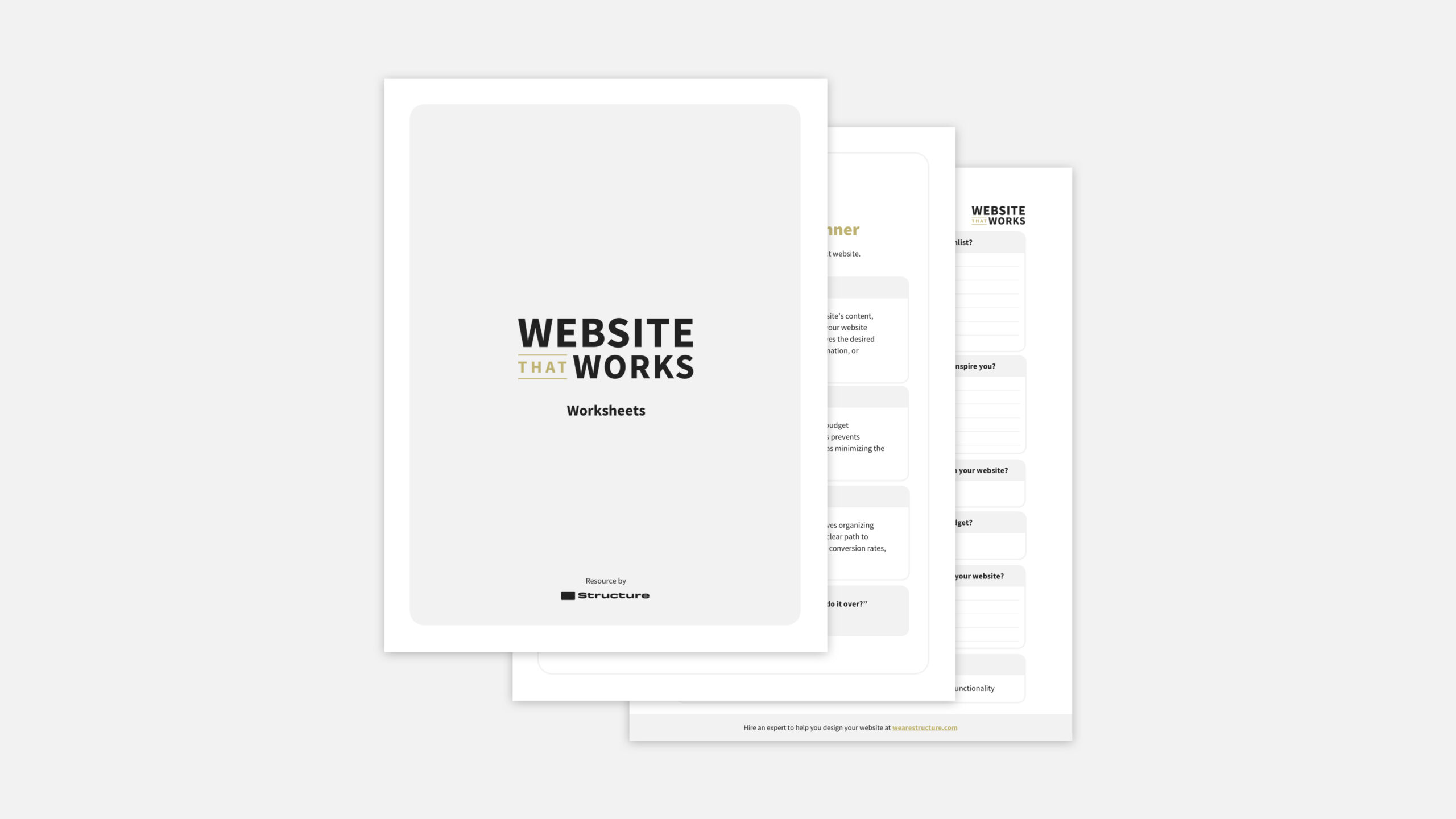
    Structure Website Design Planning Template

    Free Website Redesign Budget Template

    Download the Structure Website Design Planner to create a perfect website budget!

    I created the Website That Works Planner by accident. It was after a series of mistakes, migraines, and failure to plan the websites we were redesigning for our clients. When I started Structure, our team mostly worked on small websites that didn’t require as much planning (although they still needed it at some level).

    As our web design client base grew, we met companies with more complex websites that needed to be redesigned. After failing to complete due diligence on a few projects, our team created a framework to keep us from screwing up a project again. And it worked! What came out was the Website That Works Planner and many successful website redesigns after that.

    This is why we created the Website That Works Planner. If you follow the ten steps outlined in our planner, you’ll create a fail-proof website redesign plan (including the budget) to ensure your team is aligned and ready to start the design process. It’s incredible how difficult it can be to screw it up.

    Using the Planner makes budgeting more manageable than it seems. Despite the many factors at play, our proven process simplifies it all. Finish this process, and you’ll gain a solid website plan and budget to be proud of.

    Step Two: Complete the Website Planner Worksheets (They Will Inform Your Website Redesign Budget)

    The planner covers ten specific areas related to your website redesign project. Each area is broken down with a single worksheet that asks a series of questions.

    One of the worksheets is the Website Budget Worksheet. You can download and use that worksheet individually if you are inclined to do so. However, we’ve found that isolating the Budget Worksheet makes you more likely to overlook important information. Either that, or you’ll quickly over or underestimate the costs because you don’t know the whole picture.
    Simple truth: no part of a website is isolated. Instead, it must integrate with all aspects of your business. 

    To make your website work, you must take your time. If planning feels overwhelming or you’re eager to be done, remember: a solid plan now ensures a smoother journey ahead.

    Many of our clients are freewheeling visionary entrepreneurs or run-and-gun types of people. In many ways, that’s why they’re successful. The problem is that completing all the worksheets in our planner sounds as beneficial as using a boulder to lift a feather. Can anyone say, “Overkill?”

    The truth about website redesign budgeting (or planning) from a like-minded visionary entrepreneur

    Trust me; I get it. When we created the Website That Works Planner and started using it for our clients, I was convinced it was overboard. I unnecessarily extended the website redesign process, making it more expensive. 

    Here’s the thing: it took more effort upfront but consistently saved our team hundreds of hours and our clients tens of thousands of dollars.

    The point of the Website Design Planner is to cause you to doubt yourself, which in this case, is very beneficial. If you can survive the pain of filling out the worksheets, you’ll feel insanely confident in your direction and know what your website redesign will cost.

    Often, new questions are generated spontaneously for each answered question. But attempt to answer these questions as briefly as possible and document further notes in the notes portion of the Website Planner. 

    Here’s a quick rundown of each worksheet and how it impacts your website redesign budget.

    1. Company Information Worksheet

    You’ll want to address basic company-related questions in the Company Worksheet. This worksheet isn’t intended to be a comprehensive brand-strategy process (although it might spark one). Instead, it’s meant to document and confirm alignment on the company basics that are already decided. You’ll start with your business’s name, core values, target market, and offerings, then drill down into more details. 

    The questions you’ll answer in the Company Worksheet are:

    • What is the company name?
    • When was the company founded?
    • What do you sell?
    • Who do you sell to (people)?
    • Who do you sell to (vertical)?
    • Why should customers choose your products or services over the competition?
    • What are your core values
    • What is your product or service guarantee?
    • What is your product or service warranty?

    Answering these questions will help define the basics of your company so you know if you need to include funding to revisit any of these aspects before continuing with your website redesign. 

    2. Website Vision

    The best place to start is at the end. The vision worksheet is your tool for putting your ideas on paper. It won’t encourage a grand, generic vision. Instead, it keeps you focused on the process and final product.

    The questions you’ll answer in the Vision Worksheet are:

    • What type of website are you making?
    • What’s on your redesign wishlist?
    • When do you want to start your website redesign?
    • When do you want to finish your website redesign?
    • What’s your minimum website redesign budget?
    • What’s your maximum website redesign budget?

    Answering these questions will help define the basics of your vision and help you know what kinds of functionality and requirements to account for in your website redesign budget.

    3. Website Goals

    Think of the goals worksheet as your team’s compass for your website redesign project. It gets everyone on the same page about the project’s purpose and goals. Plus, it helps you track success by defining clear indicators. It’s like a roadmap to keep your project heading in the right direction!

    The questions you’ll answer in each Goals Worksheet are:

    • What is your goal?
    • What is the deadline for this goal?
    • Describe the goal in detail
    • Why does this goal matter to you?
    • What milestones lead up to this goal?
    • What are your performance indicators?

    Most people get stuck on the “milestones’ and “performance indicators.” They’re not as troublesome as they seem. The way to think about them is the specific steps to reach your goal (start with three steps) and how you know you’ve achieved each step.

    Answering these questions will help define your goals and ensure your website redesign budget includes the line items to accomplish them.

    4. Website Team

    There’s nothing worse than wearing all the hats yourself—whether you intended it to be that way. Instead of being overworked and overwhelmed, imagine assembling a team around you (internal or external) and assigning areas of ownership to others so they can help guide the project. Phew! What a relief already.

    As the African proverb tells us, “If you want to go fast, go alone. If you want to go far, go together.”

    Furthermore, what if everyone on the team knows exactly who’s doing what, so you’re all on the same page? No stepping on toes, just smooth teamwork! That’s what the Website Team worksheet provides. 

    You’ll answer the questions in your Team Worksheet:

    • Who is the Decider, and has final approval?
    • Who is the Accountant and ensures tasks are completed?
    • Who is Responsible to do the work?
    • Who is the Consultant who will provide input and advice?
    • Who needs to be Informed of progress?
    • What tasks must be completed, and who is responsible?

    You might recognize the DARCI framework from this list if you know project management frameworks. We think that using a framework like DARCI simplifies roles and responsibilities. As the project lead, you can say, “This meeting is for those Responsible and Accountable only; we’ll discuss next week’s deadlines.” Or, “This meeting is for those who need to be Informed; it’s a milestone check-in.”

    Filling out these roles and responsibilities will help ensure that you include the additional costs for the team members in your website redesign budget. 

    5. Website Brand

    We’ve all seen it before—a great ad paired with a terrible website. Consistency matters, and when lacking, it leaves a negative impression. Even if customers can’t pinpoint the issue, they’ll sense that things aren’t cohesive, affecting their business perception.

    That’s why a robust website can’t stand alone. Consistency in all your marketing efforts, online and offline, is vital for a professional and credible business image.

    In the website brand worksheet, you’ll answer these questions:

    • Who can access our logo and brand guidelines?
    • What is their contact information?
    • Which colors are you using?
    • Which fonts are you using?
    • How feminine or masculine do you want your website (on a scale of 1-5)?
    • How classy or modern do you want your website (on a scale of 1-5)?
    • How abstract or literal do you want your website (on a scale of 1-5)?
    • How playful or sophisticated do you want your website (on a scale of 1-5)?
    • How geometric or organic do you want your website (on a scale of 1-5)?
    • Do you want to use more images or illustrations (on a scale of 1-5)?

    Completing the Brand Worksheet is vital for your website redesign budget because your branding will shape your website’s overall structure and design. While completing this worksheet, you may realize you don’t have all the brand assets required to accomplish your vision. Or, you might realize the logo is 20 years old and needs a refresh before plugging an outdated brand image into a flashy new website.

    6. Website Pages

    Most businesses seeking a budget for their website redesign will have developed a simple site map or a general list of pages. But it’s usually just the tip of the iceberg.

    In the Pages Worksheet, you’ll start by documenting the most important pages of your website by defining which pages are listed in your header and footer navigation. Then, you’ll list each page template on the site. 

    The most common question is: “What’s the difference between a website page and a website page template?”

    A website page is a single, individual web page containing specific content such as text, images, videos, and other elements. Each page is designed to serve a particular purpose, provide information, or engage users—for example, a Product Page for a blue doggie pool.

    On the other hand, a website page template is a pre-designed layout that serves as a blueprint for creating multiple pages with a consistent design and structure. For example, a Product page template will be used for all products on the website, not just the blue doggie pool. But also the doggie toys and doggie blankets as well.

    You’ll answer these questions in the website pages worksheet:

    • What is the URL?
    • What is the primary call to action?
    • What are the header navigation items?
    • What are the footer menu items?
    • What are the page templates?

    This worksheet directly impacts the website redesign budget because it sets the size or scope of the redesign project. There’s a significant difference between a redesign for a 5-page and a 50-page website. You’ll want to ensure that you account for the website size in your website redesign budget.

    7. Website Journey

    As I stated, your website is not an isolated part of your business. In the same way, your website’s pages are not isolated experiences on your website. Instead, they should work together to orchestrate a seamless buying experience for your customers. This is commonly referred to as the “buyer’s journey.”

    A customer journey in the context of web design refers to the path or series of steps that a website visitor takes as they interact with a website. It encompasses their entire experience, from their initial arrival on the site to completing a specific goal or action, such as purchasing, signing up for a newsletter, or contacting customer support.

    The customer journey is often divided into several stages: Awareness, Consideration, Decision, and Action. There are many variants of the stages, but we feel that these four stages allow our clients to understand the customer journey from start to finish clearly.

    For each stage, you’ll answer these questions in the website pages worksheet:

    • What actions do we want the customer to take?
    • What content (e.g., pages, resources, media) do we need to support that action?

    Of course, the goal is to provide a positive and seamless experience that encourages visitors to become customers and fosters long-term relationships.

    The Journey worksheet directly impacts your website budget because you’ll need to factor in the costs of creating the content that will guide your visitors through each stage of the buyer’s journey.

    8. Website Inspiration

    If you want a website that will set you apart from the competition, you must know what the competition is doing. There are many ways to do this, but we like to keep it simple.

    That’s why the Inspiration worksheet invites you to:

    1. Look at a competitor’s website
    2. Write down three things you like
    3. Write down three things you dislike
    4. Write down three things you want to improve or ideas to implement on your website

    We recommend you do this for at least three competitor’s websites. If you’re unaware of, or can’t find a direct competitor, find an indirect competitor or a business with a similar model.

    As you can probably imagine, the ideas you generate on this worksheet will impact the line items on your budget. If one of your competitors uses a Product Recommendation Quiz that you like and you want to implement something similar on your website, you’ll want to include that in the budget.

    9. Website Technology

    Frequently, people get caught up in how the website looks, and this focus overshadows how the website works. Your website’s integration with other functions, such as social media, email marketing, customer relationship management, and lead generation, is critical. You don’t want to lose connections or fail to account for re-connections required during the design process.

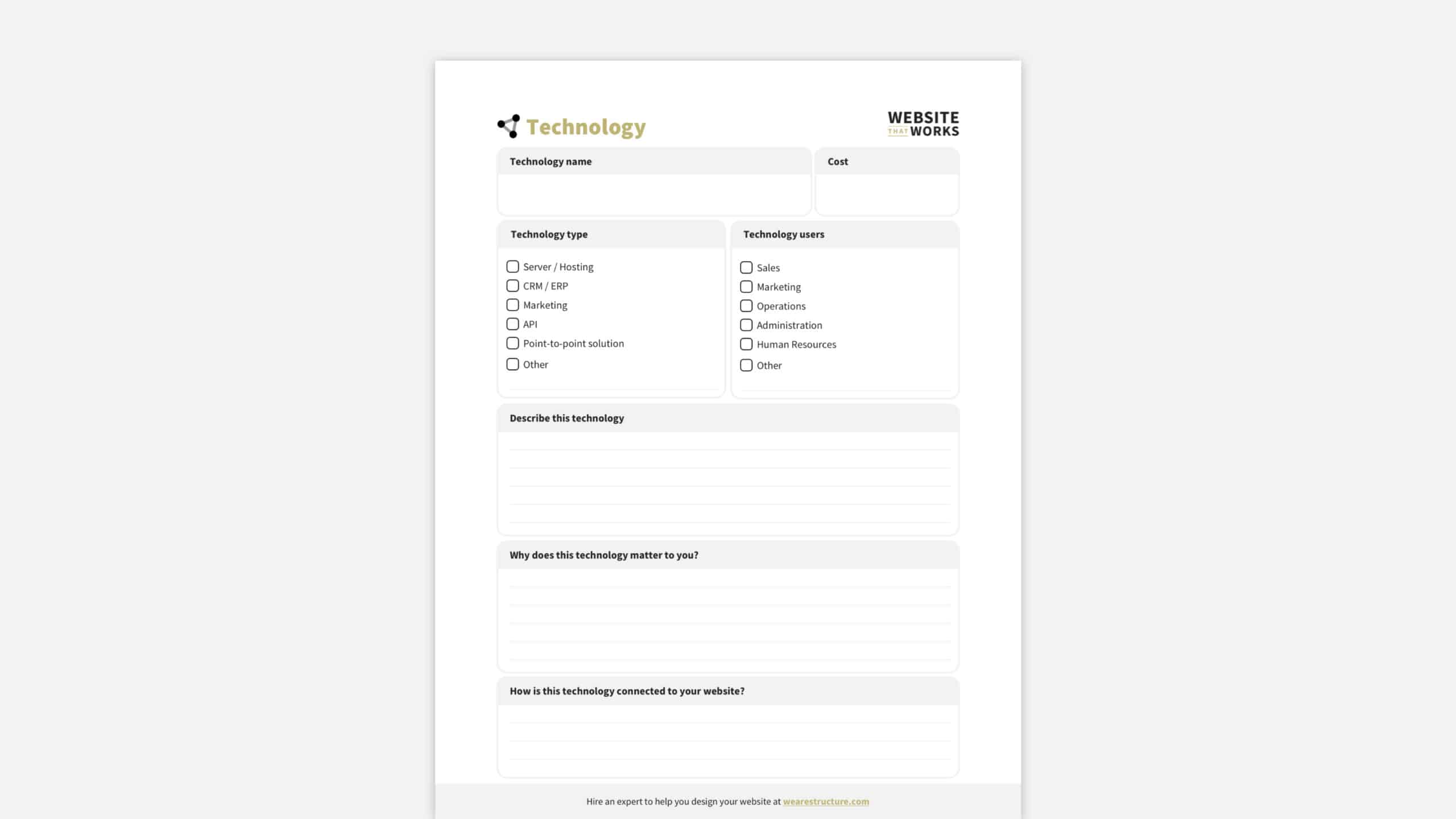
    This is why our technology worksheet asks the following questions for each integration to document your technology requirements:

    • What is the technology name?
    • What does the technology cost?
    • What kind of technology (server/hosting, API, CRM, etc.)?
    • Who uses the technology (sales, marketing, operations, etc.)?
    • Describe the technology
    • Why does this technology matter to you?
    • How is this technology connected to your website?

    Additional costs may be associated with integrating new or existing technology during the website redesign. If so, this will be beneficial information as you complete your website redesign budget. 

    10. Website Budget

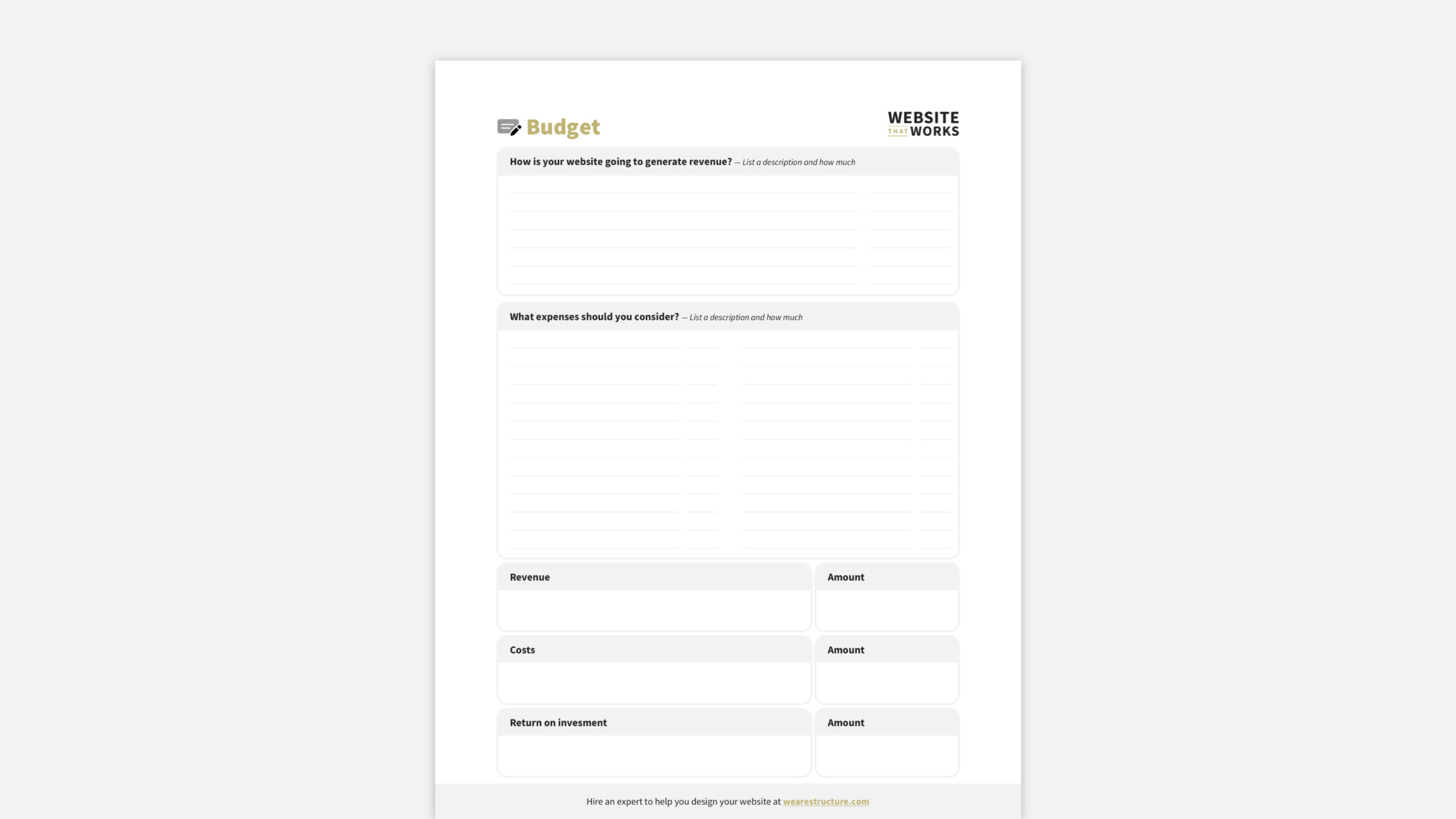
    Finally! We arrived at the Budget worksheet. Every worksheet in the Website That Works Planner comes together to give you what you’ve been waiting for—the cost of your website redesign.

    But there’s a problem. The problem is that most website budgets only focus on the costs: what expenses must be considered? Don’t get me wrong; it’s essential to know the costs. But if you only look at the costs, you only see part of the masterpiece.

    You must view your website as an investment rather than a liability. In your budget, consider potential earnings, savings, and expenses. Calculate your website’s long-term value in terms of profits. Our Budget Worksheet helps you do just that.

    In the budget worksheet, you’ll answer the following questions:

    • How will your website generate revenue? And how much?
    • How will your website save on operating costs? And how much?
    • What expenses do you need to consider? And how much for each?
    • What’s the total revenue and savings?
    • What’s the total cost?
    • What is the return on investment (revenue minus costs)?

    This website redesign budget exercise will help you (and your team) understand your significant role in your business and why you can justify spending more on a website that works for your business.

    I encourage our clients to budget for their website’s lifespan, typically 1.5 to 2.5 years. Typically, we see significant returns on investment in the millions or tens of millions of dollars.

    Free Website Redesign Budget Template

    Download the Structure Website Design Planner to create a perfect website budget!

    Step Three: Share Your Website Plan (Including Your Website Redesign Budget) like an RFP

    Many companies and organizations will create and send an RFP (Request for Proposal) to website designers to get an estimate for their website redesign project. Unfortunately, the RFP typically lacks 90% of the needed info for an accurate proposal. Even a multi-page RFP often lacks the correct details for an estimate.

    This means that either the web designer provides a vast ballpark estimate or they require you to submit to their discovery process… which means you wasted a couple of dozen hours writing an RFP that they’ll never look at. You need a comprehensive website plan and budget to determine an accurate cost.

    Imagine this: you download the Website That Works Website Planner and complete the worksheets. Then, you send your website redesign plan, including the budget, to a website designer and request their estimate. They’d be able to see exactly what you want, your goals, your competitive analysis, your budget, and much more. 

    You’ve already done the planning. This means they can get started on the design! Use the Website That Works Planner like an RFP, and you’ll get better estimates and timelines—guaranteed. 

    Marketing Leader Mapping Out Website Redesign Budget

    How a website redesign budget can make your project successful and profitable 

    A well-planned budget is a guiding framework that promotes effective decision-making, streamlined execution, and alignment with strategic objectives. It ensures that your website redesign is successful and efficient, delivering a solid return on investment while meeting user and business needs. Here’s how it can lead to positive outcomes.

    1. You’ll have a clear direction

    A budget provides a roadmap for the entire redesign process. It outlines available resources, achievable tasks, and the project’s scope. This clarity prevents confusion and keeps the project on track.

    2. You’ll be able to prioritize

    Budgeting forces you to prioritize tasks and features. By allocating funds to the most impactful elements, you ensure the redesign aligns with your strategic goals and meets your business priorities.

    3. You’ll create a source of truth

    A budget helps define the scope of the redesign. By clearly outlining what’s feasible within the allocated funds, you avoid scope creep—unplanned additions to the project that can lead to delays and cost overruns.

    4. You’ll know which resources you’ll need

    Budgeting allows you to effectively allocate resources like time, personnel, and tools. You can assemble the right team, set realistic timelines, and secure the necessary assets for the project.

    5. You’ll reduce the risk of failure

    A budget accounts for potential risks and uncertainties. If you’re extra cautious or have a large or complex site, we often recommend a 10-20% contingency fund to ensure you have enough set aside in case unexpected extra fees occur. A contingency fund helps address unexpected challenges without derailing the entire project, ensuring smooth progress.

    6. You’ll have an easier time finding help

    With a clear budget, you can confidently select vendors or contractors that fit within your financial constraints. This ensures you’re getting quality services without compromising your budget.

    7. You’ll share a common language

    A well-defined budget is a communication tool among team members, stakeholders, and external partners. It fosters transparency and a shared understanding of financial expectations.

    8. You’ll ensure the website is done right

    Budgeting encourages a focus on quality. When you allocate resources thoughtfully, you can invest in high-quality design, development, and content creation, resulting in a more polished outcome.

    9. You’ll have what you need to set timelines

    A budget helps you manage time effectively. Properly allocating resources and monitoring progress can prevent delays and guarantee the project’s timely completion.

    10. You’ll know if the project was profitable

    A budget provides a benchmark for success. Staying within budget signals effective project management, financial responsibility, and a project that meets its goals.

    11. You’ll have a reference point

    A budget isn’t set in stone; it can be adjusted as needed. If priorities change or unforeseen circumstances arise, having a budget allows you to reallocate resources while staying mindful of financial constraints.

    12. You’ll account for hidden or future expenses

    A budget doesn’t end at launch. It sets the stage for post-launch activities, such as ongoing maintenance and updates, ensuring the website’s longevity and relevance.

    Pro tips for creating a perfect website redesign budget

    After working on countless website redesign projects, we’ve learned a few things we would recommend anyone budgeting for a website redesign should consider. Remember that some tips might require a designer or developer’s input.

    Free Website Redesign Budget Template

    Download the Structure Website Design Planner to create a perfect website budget!

    1. Separate design and development costs

    People often use web design and development interchangeably. This is the web industry’s fault because it’s not uncommon for a web designer to develop and a web developer to design. Freelancers or studios commonly exhibit this “jack of all trades” profile, where they handle both web design and development.

    To add fuzziness on top of fogginess, many of these freelancers or studios estimate website projects as one cost for both design and development. Therefore, it’s tough to see a clear line between the two.

    The truth is that web design and web development are separate disciplines in creating and building websites. This is why there’s a distinct difference once you get into professional design and development teams like Structure. 

    In short, web design focuses on a website’s visual and user interface aspects. In contrast, web development is responsible for turning those designs into a functional website through coding and programming. Both design and development are integral to creating a successful and effective website.

    To use our physical building analogy, a web designer is like an architect. They make the plans, and they draw up the plans. But the architect isn’t on-site with a hammer. The builder is on-site with their team of specialized trades to turn building supplies into a building that matches the design.

    We estimate web design and development as distinct project phases in the professional world. There’s no way to know precisely what the “build” will cost if you don’t know what the “design” spec looks like.

    In summary, as part of your website redesign budget, creating separate line items for design and development is essential. They’re distinct skill sets and project phases—and will require separate costs.

    2. Plan for content creation (and migration)

    After handling many website redesigns, we’ve got some tips for your budget. These vary based on project scope and content complexity, and some might need input from a designer or developer. But ballpark estimates are available online for most.

    Remember, your initial budget might need adjusting. It’s a tool, not a contract. Working with a web team gets accurate estimates, keeping costs aligned with your goals.

    Copywriting

    Hiring professional copywriters to create or revise the textual content for the website, including product descriptions, service offerings, about pages, and other relevant information.

    Editing and Proofreading

    Ensuring that all content is accurate, error-free, and consistent in tone and messaging might involve costs for professional editing and proofreading services.

    Graphic Design and Visual Content

    Costs for designing custom graphics, infographics, images, icons, and other visual elements that enhance the overall look and feel of the website. An agency’s web design fees may include these costs, but they’re not always guaranteed to be included.

    Photography and Videography 

    If you need new photos or videos to showcase products, services, team members, or facilities, you might incur costs related to hiring photographers or videographers.

    SEO Optimization

    Search engine optimization (SEO) is always essential after a website redesign. Include costs for keyword research, optimization of content, and, potentially, ongoing SEO monitoring and adjustments.

    Content Management System (CMS) Integration

    Integrating the content into the system might result in associated costs if you’re building the website on a new CMS or customizing an existing one.

    Content Migration

    Transitioning from an old website to a new one might involve costs related to migrating existing content to the new platform.

    Translation Services

    Translational services could become a significant cost if your website needs to be available in multiple languages. Don’t forget to factor in additional costs if localization is also necessary.

    Project Management

    Managing the content creation process may require project management, which could involve additional costs. Some agencies will include this as part of their estimate, but you’ll always need to dedicate some internal resources to managing the content aspects of the project internally.

    Licensing and Permissions

    There could be licensing or permission costs if using third-party images, videos, or other content.

    User Experience (UX) and User Interface (UI) Content

    Designing and developing features like tooltips, pop-ups, and interactive forms could incur costs for more interactive elements. You’ll likely have to get these specific costs with your estimates.

    3. Factor time for internal testing and quality assurance

    After building your website, you’ll need to test it and ensure it looks and functions as expected. Think of it like a “walkthrough” of a new skyscraper. You want to ensure the paint color is correct, the toilet flushes, and the heater pumps out hot air.

    Now, you should expect your website developer to do thorough testing—for functionality, responsiveness, and user experience. Before you do your “walkthrough,” they need to ensure that the new site performs well, adapts to various devices, and provides a positive interaction for visitors.

    However, you’ll want to allocate internal resources to your own testing and quality assurance (QA) process. Bank on spending time on each testing activity.

    Functionality Testing

    You’ll want to ensure all the cool stuff on your website works how it should. We’re talking about checking links, forms, buttons—everything that helps people get around and do stuff on your site. Don’t forget to make a test purchase or schedule a sales call to ensure customers can get through!

    Responsiveness Testing

    Your customers are surfing your site on various gadgets—from tiny phones to big laptops. That’s why you’ll want to ensure your website looks and works great on all your devices. Virtual testing tools like BrowserStack can help you view your website on devices that aren’t readily available.

    Browser Testing

    Browser testing is another crucial aspect of website development and redesign. It’s all about ensuring your website looks and works perfectly on web browsers like Chrome, Firefox, Safari, and Edge. You might be surprised, but having a site that looks perfect on one browser but turns messy on another isn’t uncommon. Again, your web developer should be testing this, but you’ll also want to check.

    User Experience Testing

    User experience (UX) testing is like testing your website by seeing how folks use it. This can be done virtually using tools like PageSpeed Insights. Tests help spot issues, confusing paths, or roadblocks that might hinder customers’ buying.

    4. Prepare for unexpected costs in your website redesign budget with a contingency fund

    Along the way, unexpected things can pop up, like surprise guests at a party. These could be unforeseen technical glitches, sudden design tweaks, or even changes in what you thought you wanted. That’s where your contingency fund comes in. 

    Setting aside a stash of funds to handle any surprises or changes along the way is always a relief. Instead of scrambling or compromising the project, you have a cushion to handle those extra costs or changes without derailing the whole thing.

    The truth is that no matter how much due diligence you complete, website redesigns can still be a bit unpredictable. At Structure, we do an excellent job of sticking to scope, but I don’t want to set unrealistic expectations. Scope changes or unexpected hiccups can sneak in from any side. 

    We typically encourage our clients to set aside a 10% contingency fund. If there are a significant amount of variables or complexities, we encourage them up to 20%. Plan for between 10–20% of your website redesign budget.

    5. Plan for management and maintenance in your website redesign budget

    After you complete your website redesign, there’s still work to tackle. I’ve used the physical building analogy for websites in this article, which works well.

    Website management and maintenance is a lot like hiring a property management company to manage your properties. You own them, and they bring you value, but you have better things to do than attend to renter requests and routine maintenance. If you’re planning to buy or build a rental property, hiring property management help is something you want to consider upfront.

    One of our clients likened website management to an oil change for their car. They said they wouldn’t dare drive it for years without an oil change. It would ruin the engine! 

    Similarly, your website needs regular check-ups and tune-ups, and maintenance. Technology changes, bugs might creep in, and you might want to add new features. All of this requires ongoing care that you may not be equipped or interested in doing.

    Website management and maintenance are valuable over the lifetime of your website

    Setting aside funds for maintenance and updates means you’re future-proofing your site. You’re ensuring that it stays fresh, fast, and functional. It’s not just about keeping the lights on; it’s about keeping your site relevant and user-friendly.

    Plus, remember that your business evolves. For example, you might launch with certain content, but as you grow and adapt, your website should too. That’s why having a budget for updates means you won’t be caught off guard when you want to revamp content or add new sections.

    So, in a nutshell, allocating funds for post-launch maintenance and updates is like giving your website a long and healthy life. It keeps up-to-date, functional, and aligned with your ever-changing business needs. It’s not just a one-time launch; it’s an ongoing commitment to the success of your online presence.

    Free Website Redesign Budget Template

    Download the Structure Website Design Planner to create a perfect website budget!

    Common questions about budgeting for a website redesign

    If you’re a marketing or business leader, you might have various questions about budgeting for a website redesign. Here are some common questions and our best take on answering them!

    How much should we budget for a website redesign?

    Great question! Conversations about website redesigns often start with a rush for quick answers on cost and time. It’s common to seek a simple solution, but the truth is that most websites are much more complex than they look on the surface. Therefore, a website redesign is rarely ever simple.

    If you want a broad ballpark figure, many website designers and developers can provide that. But to get an accurate cost for budget approval, you’ll want to create a website plan that includes a thought-through website redesign budget.

    What factors affect our website redesign budget?

    You probably want to know which elements impact the budget the most, so you can at least account for the big numbers. 

    A website redesign has dozens of cost factors, but the heavy hitters are the number of pages, custom functionality, and design complexity.

    The number of pages

    The size of your website matters. More pages require more design work, content creation, and potentially additional coding. Additionally, if you need to create new content or optimize existing content for SEO, this can add to the cost. 

    Custom functionality

    More complex features, customizations, interactive elements, and integrations with third-party tools will likely increase the cost. E-commerce functionality, user accounts, booking systems, and advanced animations are examples of features that can impact cost.

    Design complexity 

    It will likely increase the cost if you aim for a unique and intricate design involving custom graphics, animations, or illustrations. The complexity of the layout, color schemes, typography, and overall aesthetic impact the required design work.

    Are there ongoing costs beyond the initial redesign?

    Yes, there are always post-launch costs, like maintenance, updates, and hosting fees. The good news is that most of those fees will be familiar if you’re redesigning your website.

    The only reason you’ll need to revisit the ongoing costs is if you plan on changing anything. For example, if you want to upgrade your hosting or switch website management providers.

    How do we ensure a good return on investment (ROI)?

    The best way to ensure a good ROI on your website redesign is to download the Website That Works Planner and plan a website with a good ROI.

    There’s never a guarantee that you’ll get a good ROI, but the truth is that the best performing, highest-converting, most beautiful websites weren’t built overnight. They were planned to be excellent from the very beginning.

    Can we repurpose existing content to save costs?

    Absolutely! I would encourage you to keep what works. In other words, if it ain’t broke, don’t fit it!

    The benefit of keeping as much content as possible is that it saves on content creation costs. Furthermore, it ensures that you don’t keep your organic traffic and search rankings instead of taking it by changing too many things at once. 

    Do we need to hire external professionals, like designers or developers?

    Yes, you do. If you’re a professional, you’ll hire a professional.

    I’ve seen it too many times. A client gets a quote from a professional website designer, and after the paramedics bring them back to life after severe sticker shock, they quickly hire their brother’s buddy, who has built a few sick websites on the side from his mom’s closet.

    Chaos ensues, and you experience relational headaches, price hikes, and forgotten deadlines.

    Here’s the blunt reality: what you pay is often what you get. If the budget seems unrealistically good, there’s usually a catch. It’s that simple.

    How much do most companies and organizations budget for a website redesign?

    Great question! As you might expect, the answer varies significantly based on many of the cost factors outlined in this article. However, you can expect to invest $15,000–$150,000 with a professional web agency like Structure.

    If your website is straightforward, and you’re using a semi-custom website design process that entails customizing a pre-designed template or theme—and building based on that theme functionality, expect to create a website redesign budget of $15,000–$25,000. This includes all factors, including hosting, content, design, and development.

    If your website is complex, and you’re using a custom web design process that entails designing and building your website from scratch, expect to create a website redesign budget of $25,000–$50,000.

    Website redesign budgets in the range of $50,000–$150,000+ are often for large, significantly complex websites that have hundreds or thousands of pages, require a substantial amount of custom functionality like translation and localization into different languages, and have a lot of custom design features like illustrations or video.


  • What Should Be in a Website Design Brief? (Free Template)

    What Should Be in a Website Design Brief? (Free Template)

    A website design brief is like a unique plan for making a website. Imagine you want to build a five-bedroom house. Before you start, you need a program that describes what it will look like, how big it will be, and what finishes it will have. A five-page website is the same—you need a plan that details your wants.

    Your web design brief explains what the website is for, who will use it, and what it should do. It also talks about the website’s colors, pictures, and words. Just like when you plan a home build, the design brief helps anyone helping make the website understand what it should look like and how it should work.

    Free Website Design Brief Template

    Download our FREE Website Design Planner and use it to plan your website!

    This type of plan is essential because it ensures everyone is on the same page and knows what to do. In other words, it serves as a foundational roadmap for the project’s designers, developers, and other stakeholders to ensure everyone is on the same page and working towards a shared vision. 

    If you do not use a design brief, you’ll lack the essential information to guide the entire design process, from the initial concept to the final implementation.

    First, what is a web design brief for?

    At the core of a successful website design project is a clear and comprehensive design brief—a crucial roadmap outlining goals, requirements, and preferences. This document goes beyond documentation, acting as a bridge between stakeholders, aligning visions, and avoiding pitfalls.

    Portrait of a cheerful female student studying at home, looking at camera.

    Why writing a website design brief sucks—but it doesn’t have to

    Nobody likes planning, which is why so many websites fail to work. They don’t get enough traffic, they don’t get enough leads, and they don’t get enough sales.

    That’s why John Wooden, the Legendary UCLA Basketball Coach, famously said:

    If you don’t have time to do it right, when will you have time to do it over?

    John Wooden

    You don’t want confused customers or a frustrated team struggling with your website. Here’s why writing a website design brief can be frustrating and how we’ve devised a better solution to make it easier.

    1. Web design planning is boring

    When people think about website design, they usually focus on its appearance—the logo, colors, and images. But what many don’t realize is that a website is mostly science, not just art. It’s like an iceberg—the visible part is the art, but a lot is happening behind the scenes. We tell our clients that successful websites are more like a formula than they might think—and our Website Planner is a proven formula that works if you use it.

    2. Planning a website design takes a lot of time

    Designing a website takes time, and busy business leaders often prioritize quick tasks over planning. Even though planning is crucial for clarity, finding time can be tricky. That’s why website builders like Wix and Squarespace let you start without a plan. Oof! The great news is, planning a website doesn’t have to be super time-consuming. Follow our steps and use our guide to save time while knowing what to do.

    3. Website planning takes specific knowledge

    Website planning requires a basic grasp of how websites function and their business role. When planning a website, you might not know where to start, which is why our Website Design Planner can assist!

    If you’re uncertain, watch our (free) training on your website’s business impact and its role in marketing. This will help you grasp your website’s significance before you start planning.

    4. A great website plan requires alignment

    Here’s the challenge: the team must agree and decide when planning a website. This can be hard, whether for website design or almost anything. The agreement is why organizations often struggle to define their website; even if they do, it’s tough. Our Website Design Planning Brief helps organizations align. It’s a clear, structured process that takes only a few brief meetings.

    5. Most website planning templates are technical

    Most website planning tools are like fancy spreadsheets – they’re boring and numbers-focused. The Structure Website Planner is different. It’s designed to be enjoyable, acting like a creative guide that excitingly helps you organize your ideas, goals, and tasks. It makes website planning fun.

    Plus, it’s not just about fun. The Structure Website Planner increases your chances of creating the website you want. It provides a clear path, ensuring you don’t miss the necessary steps. So, it’s enjoyable and handy for achieving your website goals.

    Free Website Design Brief Template

    Download our FREE Website Design Planner and use it to plan your website!

    Ten benefits of writing a web design brief

    The benefits of a design brief go beyond a checklist of to-do’s and information for designers to work from. It also reduces misunderstandings, aligns expectations, and optimizes resource use internally. Here are ten benefits you’ll experience by starting your web design project with a design brief.

    1. Minimize misunderstandings 

    When you have a well-thought-out design brief, it’s like having a crystal-clear picture of the project. This helps avoid any confusion between the people involved, whether they’re the stakeholders, designers, or developers. In simple terms, it ensures that everyone is on the same page.

    2. Align expectations 

    Think of the design brief as a map that lays out what the project aims to achieve, how it should look, and what it needs to do. When everyone agrees on this map, it’s like having a team on the same page. This way, there are fewer chances of arguments or surprises down the road.

    3. Save time and money 

    When you’ve got a thorough design brief, it’s like having a well-organized plan that keeps things moving along smoothly. Designers and developers can get things done quicker because they know exactly where they’re going. This cuts down on many back-and-forth talks and changes, making the whole process work like a charm.

    4. Enhance collaboration 

    Imagine the design brief as a meeting point for everyone on the team—the designers, developers, content folks, and all stakeholders. It’s a go-to spot where everyone can gather and figure things out together. This helps keep conversations and decisions organized as the project moves along.

    5. Guide ideation

    Think of the design brief as the frame of a painting. It gives a structure to the project, but inside that frame, designers get to unleash their creativity. They can develop cool, exciting ideas within the frame’s boundaries. This leads to a design that’s one-of-a-kind and works well.

    6. Manage expectations 

    By detailing the scope, features, and functionalities in the design brief, clients can have a realistic expectation of what the final website will offer. Picture this: the design brief is like a menu that shows precisely what dishes a restaurant serves. You’ll know what to expect when you see all the details about the website—like what it can do and how it’ll look. This way, there’s no over-promising and under-delivering. And when you get what you expected, you’re pretty happy!

    7. Reduce revisions 

    Having clear instructions in the design brief is like giving web designers a map that guides them to what the client wants. This means fewer times going back and forth to make changes. Both you and the designer save time and effort, making the whole process smoother and more efficient.

    8. Improve your customer’s experience

    A well-written design brief reveals who will use the website and what they like. Armed with this info, designers can create a user-centered design that caters to the needs and expectations of the intended users.

    9. Make decisions a piece of cake

    As the design takes shape, you have a roadmap to follow and a source of truth to know where you started. It’s like having a map that shows the best route to take. This makes deciding what looks great happen faster and with less hassle.

    10. Know if the project was a success

    The design brief acts like a yardstick to measure how well the final design turned out. You can check if the completed website matches the goals and things you wanted, and that’s how you figure out if the project aced its goals.

    Free Website Design Brief Template

    Download our FREE Website Design Planner and use it to plan your website!

    What your design brief should include

    These essential elements should be included in every design brief.

    1. Vision

    Start at the end. Provide a high-level view of the website you want to exist for your company. Your vision is influenced by a combination of factors that shape its purpose, design, and overall direction. You’ll want to ensure you note these specific things:

    • Website type
    • Design wishlist
    • Target audience
    • Start and end dates
    • Budget minimum and maximum
    • Feelings about your current website

    Some key influences on a website’s vision include what you sell, who you sell it to, design trends, and timeline or budget ideals. A successful website vision emerges from a thoughtful blend of these factors, creating a cohesive and purpose-driven online presence that resonates with the target audience and achieves the company’s goals.

    2. Goals

    Think about it this way: different companies have different goals for their websites. What they want to achieve with their website depends on what kind of business they’re in, who they’re trying to reach, and what they’re aiming for overall.

    • Goal name
    • Goal deadline
    • Goal description
    • Why the goal matters
    • Milestones
    • Key performance indicators

    Some common types of website goals relate to lead generation, user engagement, or community building. Not all websites set out to achieve the same thing, which is why there’s no one-size-fits-all. Ensure you get clear and list what specific things you want to accomplish with your website.

    3. Team

    You’ll also want to document your team members and what they will be responsible for. This can be done in many ways, but we use the DARCI method (or DARCI framework) to ensure someone owns all tasks.

    • Decider: who has the final approval
    • Accountant: who ensures tasks are completed
    • Responsible: who will do the work
    • Consultant: who will provide input
    • Informed: who will be updated on the progress
    • Tasks and responsibilities

    Your website team should include everyone involved in the project at some point. This includes your agency, freelancers, friends, advisors, and internal team members if you have them.

    4. Brand guidelines

    Your company’s visual identity, including logos, colors, typography, and brand voice, influences the design and aesthetics of the website to ensure consistency and reinforce brand recognition. What you document in your Website Design Brief is also known as shared information—don’t leave anything out!

    • Who has access to our logo and guidelines?
    • What is their contact information?
    • Which colors are you using?
    • Which fonts are you using?
    • What are the brand’s personality or characteristics?
    • Do you use images or illustrations more?

    5. Pages 

    Just like a house is made up of its rooms, so is a website. Website pages play a fundamental role in a website design plan, serving as the building blocks that structure and organize the content and functionality of the site. 

    This is where you’ll specify each room you need in the house.

    • Website URL
    • Call-to-action text
    • Header navigation items
    • Footer navigation items
    • Page templates

    Your website pages contribute to the overall design plan because they serve as the canvas upon which the design plan is executed. Each page has a specific role in delivering information, guiding user interactions, and achieving the website’s objectives. A well-thought-out arrangement of pages ensures a coherent, user-friendly, and effective website design.

    Don’t forget to factor in contact pages, paid landing pages, a 404 template, and your legal pages!

    6. User journey

    Each part of your web design brief builds on the other part. After we have a vision, goals, brand, and pages, you can plan how a customer goes from prospect to purchase. This includes effective call-to-actions, landing pages, and content guiding visitors toward desired actions, such as purchasing or signing up.

    Document the Customer Actions and Content to support each stage in the buyer’s journey. We often refer to the AIDA marketing framework to help remember the main steps of the journey:

    • Attention
    • Interest
    • Desire
    • Action

    Use the Customer Actions portion to define a user’s actions to get to the next step. Then outline the types of content (text, images, videos) that will be included on the website to aid in that process.

    7. Inspiration 

    Highlight key competitors and mention aspects you’d like to emulate or differentiate from them. Share design examples, websites, or styles that resonate with the desired look and feel.

    • Things we like
    • Things we dislike
    • Things we want to do better

    Both inspiration and competitive analysis play crucial roles in the process of website design planning. 

    Inspiration serves as a creative spark that ignites the design process. It involves seeking new ideas, design trends, and innovative approaches to elevate the website’s aesthetics and user experience. Here’s how inspiration impacts website design planning.

    The competitive analysis involves studying similar websites in the same industry to understand their strengths, weaknesses, and strategies. 

    Incorporating both inspiration and competitive analysis in website design planning strikes a balance between creativity and strategic decision-making. It empowers designers to create visually appealing, user-friendly websites that are aligned with industry trends while ensuring the website’s unique identity and competitive advantage.

    8. Technology

    Technology and integrations are significant and evolving in a website design plan. They determine the functionality, performance, and user experience of the website. 

    Today, many technology types, functions, and roles impact things like Functionality, content management (CMS), e-commerce, data collection, security, accessibility, and so much more. We’re barely at the tip of the iceberg.

    For your website brief, you’ll want to document each main piece of technology you need to work with your website to run your business. This includes the following information to start:

    • Technology name
    • Cost
    • Technology type
    • Users & roles
    • Tech description
    • Why the technology matters to you
    • How the tech is connected to your website  

    In essence, technology and integrations provide the foundation and capabilities for the website’s design. Choosing the right technologies and seamlessly integrating them into the design plan enhances the website’s functionality, user experience, and overall effectiveness in achieving its goals.

    Be sure to address any technical constraints, platforms, and hosting preferences.

    9. Budget

    I get it; talking about budgets isn’t the most thrilling part. But trust me; it’s super important. Your budget is like a roadmap that shows you what can happen, what can’t, and the decisions you’ll need to make for your website design project.

    Many companies look at the money they’re spending and see it as a problem. But here’s a more brilliant way: treat your website like an investment that brings you back something good. Think about the money you can make and save and what you spend. That way, you can determine how much your website could make for you in the long run.

    Your website budget should include the following elements:

    • Expected revenue
    • Expected savings
    • Expected costs
    • Return on investment

    Clearly defining the budget in the website brief helps set realistic expectations and ensures the project aligns with the available resources and desired outcomes.

    Free Website Design Brief Template

    Download our FREE Website Design Planner and use it to plan your website!

    Five expert tips for writing your design brief

    At Structure, we’ve done everything – planning, designing, building, managing, and growing websites. We’ve got loads of experience and even crafted a Website Planner based on it. Here’s what we’ve figured out from working with websites of all sizes and budgets.

    1. Don’t aim for perfection

    While perfection might seem tempting in a web design plan, it slows things down. Embracing an iterative approach for continuous improvement within your project’s limits is more efficient and effective.

    2. Use clear and descriptive language

    Using clear language in a web design plan makes things smooth. It avoids confusion, errors, and delays, leading to a successful website.

    3. Take your time and sleep on it

    Taking your time and giving yourself a chance to sleep on a web design plan is a wise strategy. It promotes better decision-making, reduces stress, enhances creativity, and contributes to a more thoughtful and effective plan.

    4. Focus on results

    A results-focused website design plan ensures every detail drives excellent outcomes. Users love your site, you gain maximum value, and your website becomes a business superhero.

    5. Set SMART goals

    Using SMART goals in a web design plan is like having a smart strategy. It sets up a clear path to success, gets everyone working together, and boosts the chances of reaching your goals exactly as you want.

    Free Website Design Brief Template

    Download our FREE Website Design Planner and use it to plan your website!

    Common questions about creating and using a design brief effectively

    People have some common questions about creating and using a design brief effectively. Remember, a well-crafted design brief is a valuable tool that streamlines the design process fosters collaboration, and sets your project up for success.

    Why do I need a web design brief?

    A design brief acts as a roadmap for your project. It clarifies goals, expectations, and requirements, ensuring everyone is on the same page.

    What should be included in a web design brief?

    At a minimum, your design brief should include project objectives, target audience, design preferences, functionalities, branding guidelines, and technical specifications. Download our free Website Design Brief Template to ensure you don’t miss anything.

    How detailed should a web design brief be?

    The level of detail depends on the complexity of your project. It should be clear enough to guide designers and developers but not overly complex.

    How long should a web design brief be?

    Think of it this way: you’ve got to talk about your vision, goals, and what you want to achieve. Our Web Design Planner has nine worksheets, but some, like the Goals and Technology Worksheets, can be copied for all your goals and techie stuff. So, your web design brief could be anywhere from two to thirty pages, depending on how big and fancy your website is.

    What is a typical format for a web design brief?

    Typically, people write a web design brief in a digital format like Google Docs, Microsoft Word documents, or Pages documents. However, our Web Design Planner provides a guided format you don’t have to imagine from scratch! Just fill in the blanks, and you’re done.

    What is the difference between a project brief and a web design brief?

    A project brief is a broader document that covers the entire scope of a project, while a web design brief is a more specialized subset of a project brief that specifically addresses the requirements and goals of designing a website.

    What’s the difference between a website design brief and a website design proposal?

    A website design brief is a document that guides the design process, while a website design proposal is a document that outlines how a designer or agency plans to fulfill the project’s requirements and meet the client’s needs.

    How do you write requirements for a website design?

    In a web design brief! Luckily, we’ve got a sleek web design brief that you can print, punch holes in, and pop into a binder. Fill it out with your team or as an RFP for a web designer, and you’re good to roll.

    Who should be involved in creating a design brief?

    You, the project managers, the creative designers, the tech wizards, and sometimes even the clients all come together to cook up a top-notch design brief.

    Can a web design brief change during the project?

    Website design briefs are like clay that can be shaped as you go. If new ideas pop up or things change, that’s cool. Just keep everyone in the loop so we’re all on the same page.

    How does a design brief improve communication?

    A design brief eliminates ambiguity by providing clear guidelines. It ensures everyone understands the project’s direction and reduces misunderstandings.

    How can a design brief help avoid scope creep?

    Think of a design brief as your project’s rulebook. It lays out what’s expected. When someone suggests changes, you can compare them to the rulebook’s goals and see if they fit.

  • How to Tell If You Need a New Manufacturing Website

    How to Tell If You Need a New Manufacturing Website

    If you’ve been asking yourself, “Should I get a new website for my manufacturing business?” you’re asking a well-timed question.

    Many manufacturing companies leverage digital technology to enhance their business and generate more income through B2B partnerships. Unfortunately, many other companies still lag in using digital transformation for their marketing and website efforts.

    If your company is one of those “lagging behind,” it’s okay—this article is written to help!

    Eventually, every business needs a new website. And right now, with traditional marketing for manufacturing companies like trade shows and in-person sales calls falling from the spotlight, your website is your most visible and impactful marketing asset.

    That said, a few critical indicators can help you know whether it’s time to upgrade your website. Let’s discuss how to know when it’s time.

    Free, 30-Minute Consult Call

    Book a simple call with a Structure consultant to discuss your website redesign project—no strings attached.

    Schedule a Consult Call

    5 Warning Signs You Need a New Manufacturing Website

    1. Your current manufacturing website is not mobile friendly

    Chances are your potential customers are navigating all sorts of devices to reach your website, so it needs mobile-responsive! Everything must look great on their mobile phones and feel fantastic on their tablets—not just desktop computers. Don’t stay in the stone ages; ensure your site is mobile-friendly for all devices!

    Is your current website mobile friendly?
    If your current website is not mobile-friendly, it’s time for a new website

    2. Your website is confusing

    Have you ever gone to a website that doesn’t make sense? Finding what you’re looking for feels like sucking information from a firehose. Don’t be the company with a clunky website experience! A user-friendly website makes it easy for visitors to find what they need quickly by breaking their products and services into bite-sized categories and displaying that information logically. If your website doesn’t walk your customers through a simple process to learn about your products or services, it’s time for a new website.

    3. Your website is more than five years old

    Are you still using the same old website from five, ten, or twenty years ago? Yikes! It’s time to do some significant updates. We all know that having an outdated website is like watching a low-budget home video from the 90s—it just doesn’t cut it in this day and age. Plus, if your brand has changed drastically (or at all) since then, your old website probably isn’t doing your image any favors anymore. Don’t be old school; upgrade your website and get with the times!

    4. You haven’t updated your website lately

    Suppose you’re not updating your website by adding new content regularly. In that case, chances are that your website functions like a lackluster business card instead of being the marketing machine you’re hoping for. Without new content like blog articles, press updates, or product development announcements, your chance to turn prospects into loyal customers will suffer. So rather than kicking yourself because you didn’t jump on the digital marketing bandwagon years ago, take the reins now and hop into the content coral with a new manufacturing website design that brings in business.

    4. Your website is a spam magnet (a sign it isn’t secure)

    In this day and age, it’s essential to have a secure website. It keeps your customers safe from potential privacy breaches and protects you from outdated bots or hackers who may try to access sensitive information. However, if your website gets unwanted spam every day, it could be a sign that malicious cyber-criminals are looking to steal information from you or your customers. You need a new website—and a partner to manage your website regularly—to upgrade your website’s obsolete and risk-prone aspects as soon as possible.

    5. Your website is slow

    Ah, website performance: who doesn’t love to talk about it? If you don’t know the 5-second rule, you must learn it now. If your website takes longer than 5 seconds to load, it’s too slow, and customers are ditching you for your competition. Stop giving away business! Like a good old truck engine can decrease performance over time, an outdated website can begin running slower, and you may need to tune it up or swap it out.

    You see, your customers expect the same performance from your website that they do from the products or services you offer. They want fast loading times that give them what they want quickly. This is why website speed and overall performance should be a high priority.

    6. You’re not generating leads or sales from your website

    Are you stuck in lead generation limbo? Low traffic. No leads. And no sales. Maybe it’s time to hit the reset button and design a website that works. A website can be a lead generation machine—that is, if it’s designed perfectly around your business goals and built with the proper functionality.

    When did your investment in lead-generating efforts last give you the desired return? If it hasn’t been recently, or your current website isn’t up to snuff, it might be time for a new manufacturing website.

    7. You’re using an outdated or limited platform 

    If you’re still using an outdated platform that makes you feel handcuffed in the back of a patrol car, it might be time to trade your old manufacturing website for a new one. As technology advances, so should your website. It’s essential to use a platform that can grow with your business and provide the flexibility of features and functionality you need to keep pace as the world changes.

    We know it can be tough admitting that your website sucks, but our team of experts is here to tell it straight. No fluff, only brass tax here. We’ll evaluate what’s wrong with your current site to design and build a new manufacturing website that will deliver results. Book a Free Consult Call, and let us show you how we can help!

    Free, 30-Minute Consult Call

    Book a simple call with a Structure consultant to discuss your website redesign project—no strings attached.

    Schedule a Consult Call

    5 Reasons You Don’t Need a New Manufacturing Website

    There are some terrible or misguided reasons people redesign their websites. Here are five of the most common.

    1. You think, “if we build it, they will come”

    It’s common to believe that a new website will organically attract new B2B customers to your manufacturing business. A well-designed site can help generate leads and convert visitors into customers. Still, without an effective marketing strategy, it’s unlikely to make a big difference in sales.

    Unless your current site is actively driving them away, it’s not likely to make an immediate difference. The way to “get them to come” is to design a new website and implement a strategic marketing strategy to get them there—and invite them to stay.

    If you create a new website, will customer come?
    If you create a new website, will customers come?

    Thinking, “if we build it, they will come,” is like returning to your 20s and saying, “If I just get married, we’ll live happily ever after.” If you’ve been married for a micro-fraction of a second, you know it doesn’t work that way. If you build it, customers may come, but if you want “customers” to come—and, more importantly, to stay—the real work comes well after the new website is up.

    Before you build a new manufacturing website, ensure your current one is up to par, and that you have a solid plan for driving visitors. Remember, it’s not just about having an attractive website—it’s also about marketing your products and services to the right audience.

    2. You want to be “trendy”

    Many businesses feel like they need to keep up with the latest trends in web design. I’ve fallen into this trap before, so I understand!

    But the truth is, most of your customers don’t care about trendy designs—they want a site that works well and is easy to use. If your manufacturing website solves customer problems and offers a great user experience, then chances are, most people won’t even notice if the design is trendy or not.

    3. You think creating a new website will be quick and easy

    Don’t underestimate the work involved in designing and building a new website. It can take months, even years, to get everything just right. Most websites take 3-6 months to design and build because you’ll need to plan, design and code your website. You’ll also need to create content and test it on different devices and browsers before making it public.

    Furthermore, a website is not something you can just “set and forget”—it requires ongoing maintenance. That means you must consider the short-term design, build, and long-term management and marketing.

    4. You think creating a new website will be cheap

    Unless you’re interested in investing a minimum of $10,000 in a new manufacturing website, you’re probably better off sticking with your current site.

    As many things are, you get what you pay for. So rather than paying the least amount possible for a brand-new website that doesn’t work, why not invest more and get something that works?

    5. Your old manufacturing site isn’t that bad

    Perhaps this is the biggest reason not to redesign your website: it simply isn’t necessary. If your site is working well and meeting your needs, there’s no reason to go through all the hassle and expense of starting from scratch.

    So before planning your next website, ask yourself if it’s worth it. Redesigning your website can be costly and time-consuming, so unless it’s a bonafide business need—and you’re prepared for the process, it might not be worth undertaking such a project.

    If any of these five reasons sound familiar, it might not be time for an update. But before you decide either way, Book a Free Consult Call with us so we can “look under the hood” and give you a professional recommendation. We’ll give you honest feedback and options that won’t break the bank.

    Free, 30-Minute Consult Call

    Book a simple call with a Structure consultant to discuss your website redesign project—no strings attached.

    Schedule a Consult Call

    How to Check Your Manufacturing Website for Warning Signs

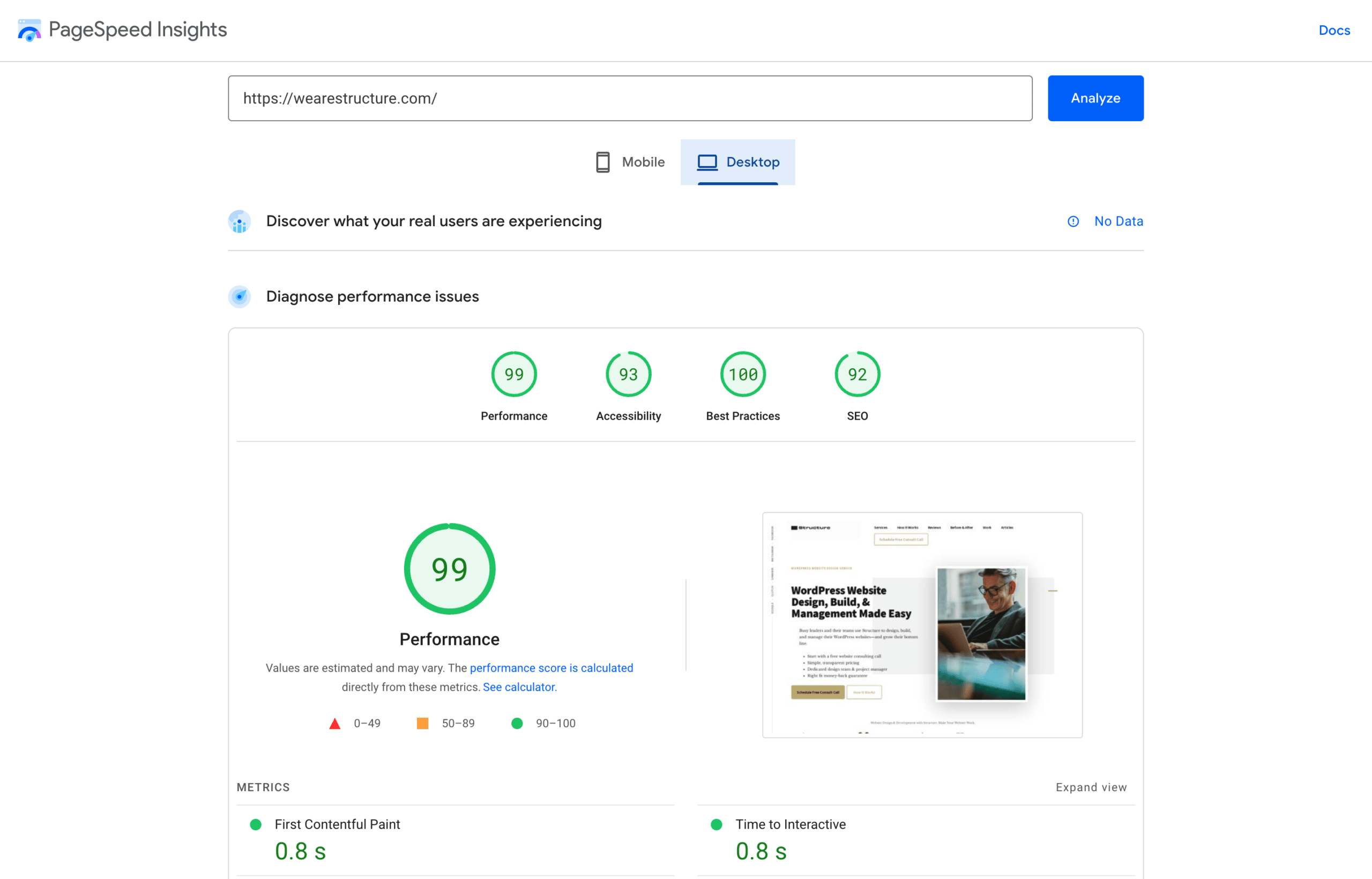
    PageSpeed Insights for performance and user-experience testing

    PageSpeed Insights will give you information about your website’s performance. This is important because it allows you to understand how your website’s users experience your site. It can help you identify problems with speed, resources, and usability before they become an issue.

    PageSpeed Insights Website Tester
    PageSpeed Insights Structure Report

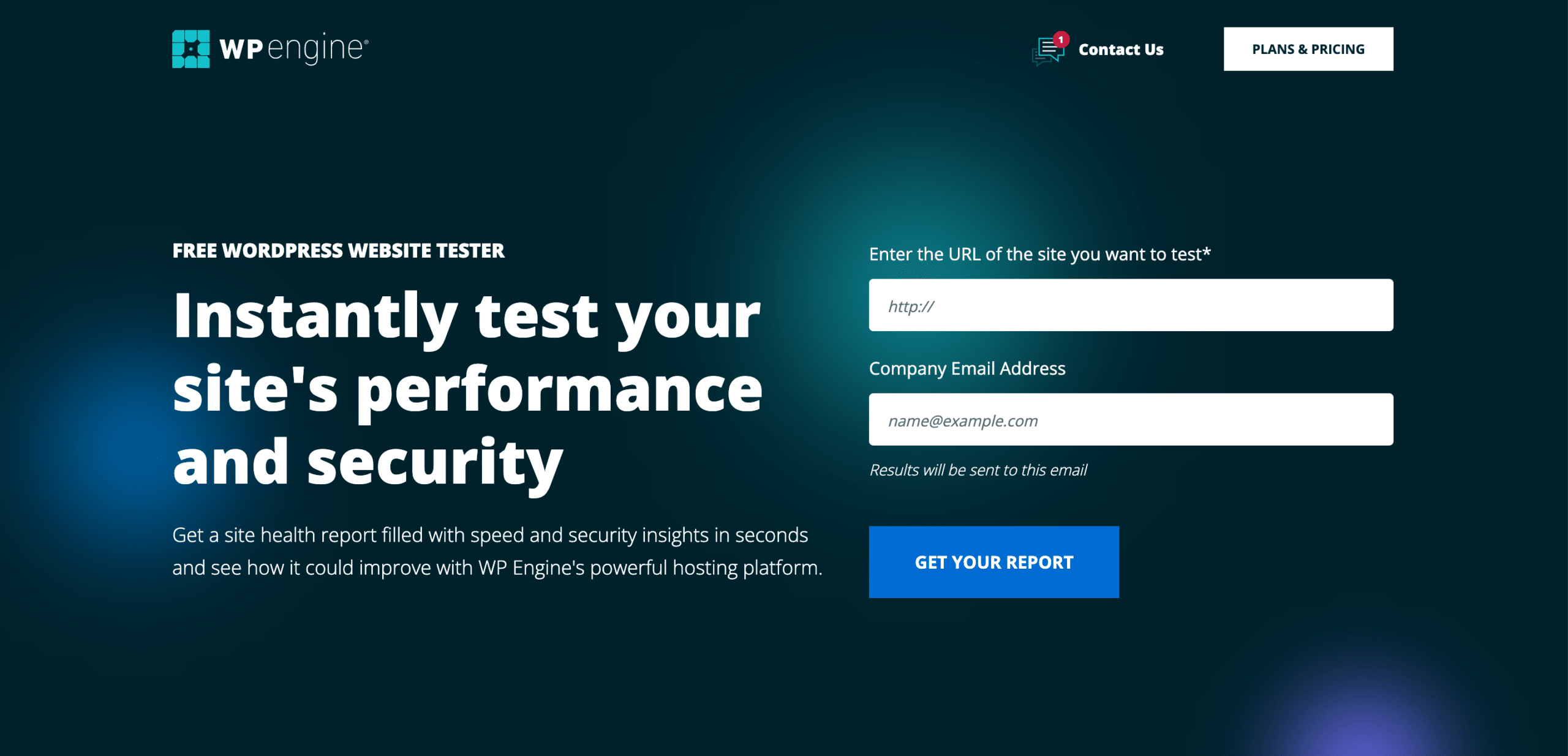
    WP Engine Website Tester for speed and security testing

    We strongly advise partnering with Structure as a proudly certified WP Engine agency. The free website tester they provide is unparalleled, and it will provide you with an invaluable site health report full of speed and security insights!

    WP Engine website performance tester
    WP Engine website performance tester

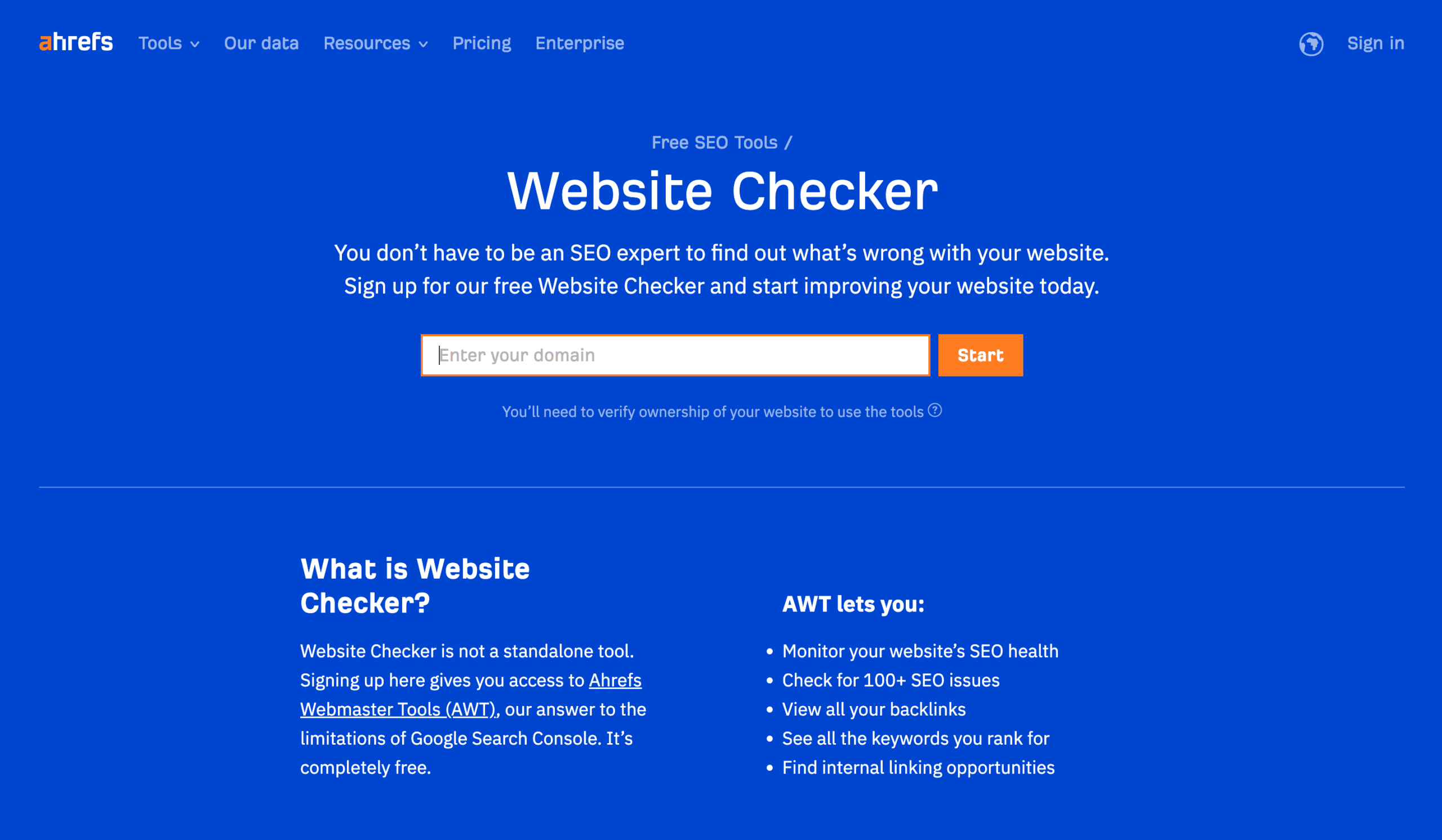
    Ahrefs Website Tester for SEO and marketing insights

    This tool is handy. Ahrefs’ Website Tester is an irreplaceable tool to help you assess the overall performance of your website, troubleshoot any technical issues that could prevent pages from appearing in search engines, and uncover SEO errors like missing meta tags, duplicate content, etc.

    Ahrefs Website SEO Tester
    Ahrefs Website SEO Tester

    Need Help with a New Manufacturing Website?

    Design your new manufacturing website with Structure. We have years of experience in web design, development, and marketing for manufacturing companies. Our website packages are designed to fit your budget and timeline while giving you the features and flexibility you need to succeed online. Schedule a Free Consult Call today!

    Manufacturing Website Examples from Structure

    In many articles online, you’ll find a large gap between “what we say” and “what we’ve done.” They might know how to say the right things or curate content from others, but they lack the experience to stand behind their pitch.

    This list of manufacturing website examples designed and built by Structure shows you that we’re a product of the product. We are who we say we are—and we hope you are as inspired by the work as our clients were.

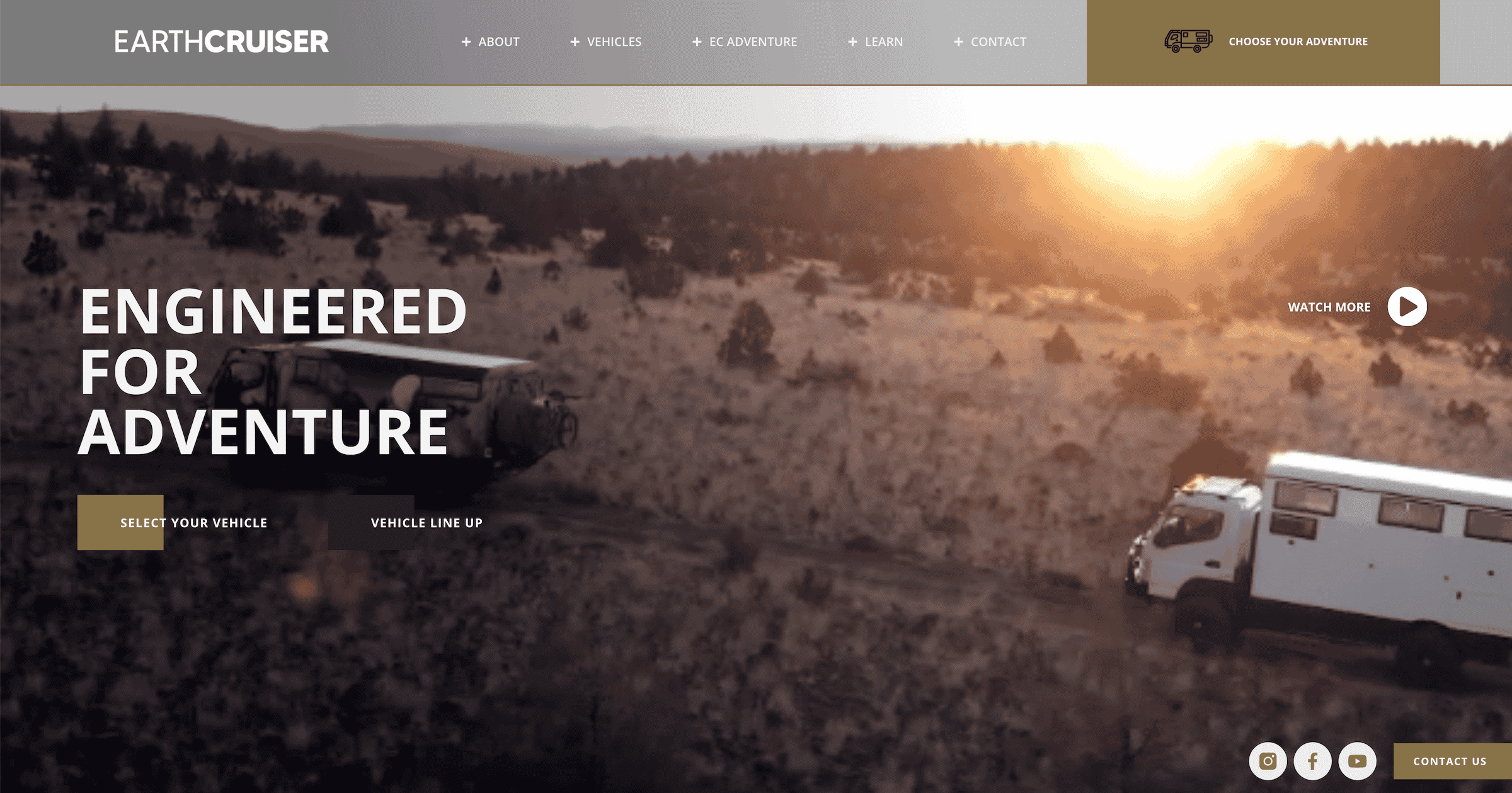
    EarthCruiser

    EarthCruiser is a well-known international manufacturer of luxurious Overlanding vehicles that began in Australia and became popular in Bend, Oregon. To secure their position as a dependable brand, we crafted an attractive website comparable to the thrill of their outstanding automobiles.

    earthcruiser manufacturing website
    earthcruiser manufacturing website by structure

    Western Interlock

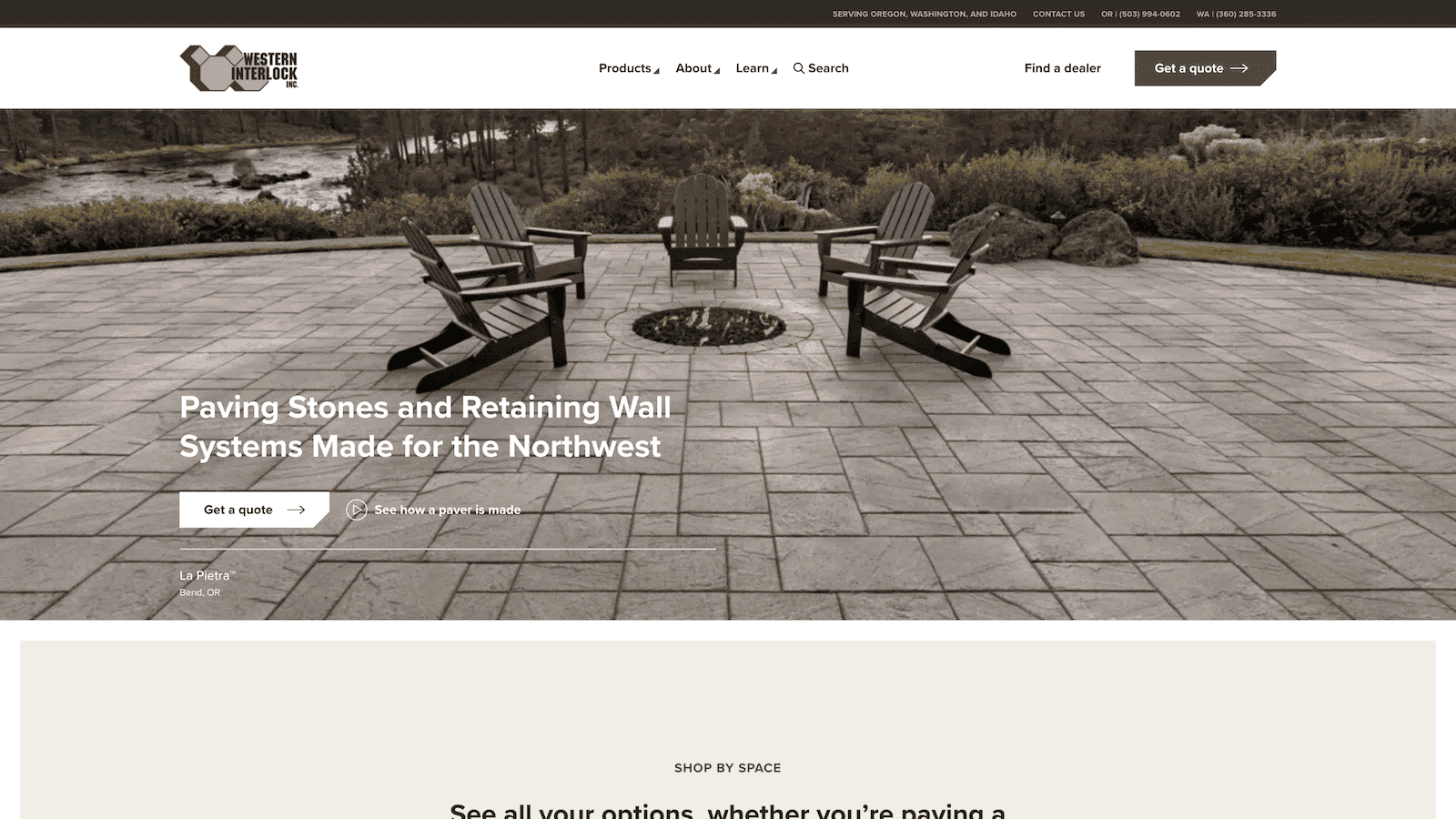
    By developing a modern, fully optimized website, we gave Western Interlock the digital presence it deserves. We built an experience where their brand shines, with lead generation and thought leadership at the forefront of our design principles. With manufacturing facilities in Oregon and Washington, their state-of-the-art production capabilities are reflected on the new site.

    western interlock manufacturing website
    western interlock manufacturing website by structure

    DryFireMag

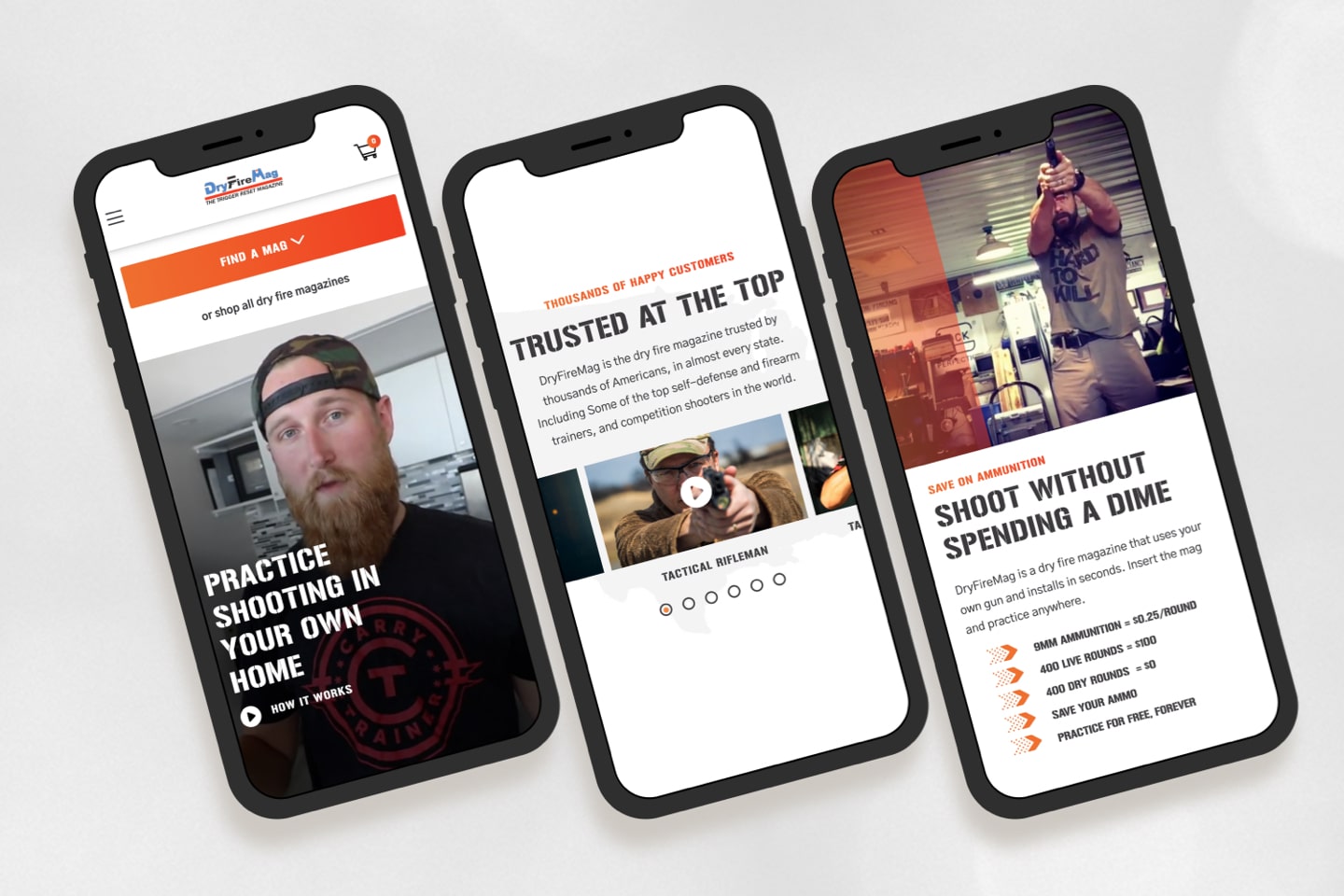
    DryFireMag is an up-and-coming firearms safety business based in Idaho that depends on its online store for sales. We helped them enhance their conversion rate and restructure their website, so customers can easily find what they need and complete a purchase.

    DryFireMag manufacturing website design by Structure
    DryFireMag manufacturing website by Structure

    HydroSide

    HydroSide is revolutionizing the irrigation sector of the agricultural industry through its progressive technology and automation. Thus, it required a unique website that embodied modernity rather than farm equipment to demonstrate its trailblazing spirit as an industry disrupter.

    HydroSide manufacturing website design
    HydroSide manufacturing website by structure

    BeGOAT

    BeGOAT is a revolutionary energy drink company that has crafted an ingenious way of transforming coffee fruit waste into profitable assets. To bring their brand to life, we created a wholly optimized custom website that was captivating and filled with dynamism and enthusiasm.

    BeGOAT manufacturing website
    BeGOAT manufacturing website by structure

    Common Questions About Creating a New Manufacturing Website

    You likely have specific questions if you’re looking for a new manufacturing website. We’d love to provide personalized answers to your questions during a free Consult Call. However, we can also answer some of the most common questions about creating a manufacturing website here.

    How do I search for website companies that do manufacturing websites?

    You might think the best way to find companies specializing in manufacturing websites is by searching for “manufacturing website design” or something similar on Google. Doing so could give you a list of quality web design and development companies with experience creating sites specifically for the manufacturing industry.

    But beware that you might also get a list of lousy web design and development companies great at putting together long lists of “the top manufacturing websites of 2023,” so you click on their article. Note that most, if not all, of the websites on these lists, are websites they didn’t do!

    Don’t get me wrong, searching on Google is a great place to start. But also ask around and use vetted agency search sites like Clutch. Most of all, check out a website agency’s previous work and read plenty of reviews to ensure they have a track record of delivering websites that work inside and outside the manufacturing industry.

    How much does a manufacturing website cost?

    The cost of your manufacturing website will depend on the features and functionality you need, the company you hire, and more. Generally speaking, most manufacturing websites cost between $15,000 to $50,000.

    Of course, there are always exceptions to this rule. Some websites may have a few basic pages or just an online store, while others may have complex plugins or integrations that can drastically increase costs. It’s always best to speak with a website agency with experience creating manufacturing websites to provide an accurate quote tailored to your needs.

    For more information on how much a manufacturing website costs, read our article What Does a Custom WordPress Website Cost in 2023?

    What is included in a typical manufacturing website design package?

    A typical manufacturing website’s exact features and functions will depend on the company you hire and your unique needs. Generally speaking, though, most manufacturing websites include the following:

    Structure website design packages start with project Definition to help us clarify what you need and get on the same page. We then go through a design process that will provide you with fully responsive design and development specs and a quote to make it real.

    Do you have any suggestions on how to get more click-throughs on our manufacturing website?

    Yes! There are several ways that you can increase click-throughs on your manufacturing website. Here are some of the most effective strategies that work for our clients:

    • Include compelling CTAs (call-to-action) throughout your website
    • Optimize your navigation and menus for easy use
    • Communicate the result your products and services will provide your customers
    • Use pictures of happy customers using your product or service
    • Break your products and services into bite-size sections that are easy to understand
    • Give your customers a 3 step plan for how to start working with you

    Many other strategies work, which might be specific to your unique product, service, business, or sub-industry. Book a Free Consult Call with one of our website experts to get personalized recommendations for your manufacturing website.

    What would you say if we asked you how to get more traffic to our manufacturing website?

    Getting more traffic to your manufacturing website can seem like a daunting task. However, with the right strategy and tactics, you can increase your website’s visibility and attract qualified prospects.

    Here are some of the top strategies we recommend our clients follow:

    • Optimize your website for SEO
    • • Leverage social media by creating content that is shareable, engaging, and informative
    • • Use pay-per-click advertising to target your ideal customers
    • Reach out to influencers in your industry or local community for collaborations
    • Promote your website with email campaigns or newsletters

    As mentioned above, the idea that you will “build it, and they will come” is fundamentally flawed. You need a thoughtful marketing strategy to support your website growth if you want to get more traffic to our manufacturing website.

    Is there a way how to get more leads from our manufacturing website?

    Yes! You can use several strategies to get more leads from your manufacturing website. Here are some of our top tactics:

    • Use lead magnets like webinars, ebooks, and checklists to capture email addresses
    • Create focused landing pages with compelling content and clear calls-to-action
    • Use a call scheduling tool like Calendly so prospects can submit their information to talk to you

    To get more leads from your manufacturing website, you’ll need what we call a Sales Engine. It’s essentially a marketing plan that charts your customer’s entire journey from the first moment they land on your site to the milestone where they make a purchase—and how your website can facilitate the whole process from start to finish.

    Why isn’t my manufacturing company’s website working?

    It’s difficult to say why your manufacturing company’s website doesn’t work without more information. However, there could be a few different factors at play. Here are some that are common for our manufacturing clients.

    1. You’ve got a security vulnerability, or your website is being hacked
    2. Your hosting servers are poor, temporarily down, or your hosting company is making a planned update to the shared server infrastructure
    3. A vital license or subscription can’t renew because of a card or bank issue
    4. Your website is bogged down with large files, and the pages are struggling to load on slow internet connections

    If you feel like your manufacturing company’s website isn’t working, it might be time for a website redesign. An outdated or broken website can make it hard for customers to find what they need. Read this article or book a free Consult Call with a Structure website expert for ideas and recommendations.

    What’s the best way How to translate your manufacturing website?

    As a manufacturing company, your operations and customer base might be global. That’s why it’s essential to ensure your website is easily accessible to all potential customers, regardless of their language.

    The good news is that most modern website browsers like Google Chrome, Safari, or Firefox can automatically translate your website into a different language for prospective customers, regardless of their language.

    However, relying on a website browser to correctly communicate the intricacies of your products and services to customers can feel risky. You can also translate your manufacturing website with a quality translation tool like Google Translate or DeepL Pro. These tools will help you quickly and accurately translate the content on your website into different languages while preserving the original intent of the website. Our client United Language Group could also assist if you want more of a white-glove experience.

    That said, translating your manufacturing website is one thing. Displaying the content of your website in different languages is another. You’ll want to work with a professional WordPress development agency like Structure to configure functionality that will help you add multilingual content to your website or recommend another solution.

  • 6 Common Website Redesign Mistakes That Destroy SEO & User Experience

    6 Common Website Redesign Mistakes That Destroy SEO & User Experience

    As a business or marketing leader, a website redesign is probably something you’re pretty familiar with. Unfortunately, they don’t always go as planned.

    We wrote this article to help save you from the typical website redesign mistakes most people make that destroy SEO and much more.

    The famed American basketball coach, John Wooden, once said, “If you don’t have time to do it right, when will you have time to do it over?”

    “If you don’t have time to do it right, when will you have time to do it over?”

    John Wooden

    The truth is, most people jump into a website redesign without knowing what they’re getting into—then they make a redesign mistake or take a shortcut that costs them a lot of time, money, or, dare I say . . . customers.

    Without further ado, here are the six most common website redesign mistakes marketing leaders make.

    These website redesign mistakes destroy SEO and user experience daily. Hopefully, this list will help you avoid making them yourself! Thanks for reading.

    Free, 30-Minute Consult Call

    Book a simple call with a Structure consultant to discuss your website redesign project—no strings attached.

    Schedule a Consult Call

    1. Starting a website redesign without a plan

    When thinking about website redesign, please don’t get fooled by thinking it’ll take much fewer resources or time than it does.

    Jumping headfirst into website design without creating a website strategy is a common pitfall. It’s for good reason!

    It’s incredibly tempting to rush into things, especially with user-friendly no-code tools such as Wix, Squarespace, Elementor, and others that make it seem deceptively simple.

    But it’s never as simple as it looks. One of our clients who started down that road confessed to me that they wanted to “throw their laptop off the top of the building” after the first day of redesigning their DIY website. Thankfully, they didn’t hurl the laptop into the street—they hired us instead.

    At the end of the day, website planning takes time. But it pays to make a website plan and account for all the website design resources you may need. One website expert said, “Twenty hours spent on a needs assessment can easily save forty hours of development time during the building of the site.”

    If you rush into your website redesign, you’ll have a surplus of political promises (that we know never come true) and a shoddy plan. Trust me: You don’t want to learn this lesson the hard way!

    Free Website Design Planning Template

    Download the Structure Website Design Planner to plan a successful website redesign that makes your team and customers happy.

    2. Overhauling your website without doing user research

    That website of yours needs a major face-lift? Please don’t rush into it!

    Before you do a website redesign, conduct some proper user research. The foundation for any successful website overhaul is understanding the people coming to your website and seeing how they interact with the website content—or don’t.

    One overlooked design decision could lead to an avalanche of website disasters that would have me calling my lawyer in no time flat! So, save yourself the grief and hassle, get out there, and learn what makes your users tick before redesigning a website.

    A marketing leader exhales with relief, having resolved critical website issues following a successful redesign.

    3. Failing to consider existing SEO equity

    If you’re considering giving your website a little makeover, I want to help you with one of my most important words: don’t overlook the SEO equity your website already has!

    If you ignore this step in a website redesign, it will be a redesign mistake. There’s no more significant mistake than thinking all website redesigns are the same—you have to consider what’s been done on the website before.

    Conversely, leveraging existing SEO equity can help jump-start your website redesign and ensure it succeeds!

    Free Website Design Planning Template

    Download the Structure Website Design Planner to plan a successful website redesign that makes your team and customers happy.

    4. Thinking that your website is just a pretty face for your brand

    A website redesign is daunting, and it’s easy to get lost in the aesthetics—you want to create something visually appealing, after all!

    But when it comes to it, don’t forget that your website’s functionality is critical. Don’t make website redesign mistakes like overloading users with too much detail or neglecting intuitiveness. In other words, ensure you’re as helpful to your website visitors as possible—keep them interested in a beautiful website and guide them around with great functionality.

    5. Starting from scratch instead of using what you already have

    It’s easy to get a bit carried away with website redesigns. Our advice? Don’t throw away what you already have; build on the good stuff you have going on in your website and use that to infuse new energy and excitement into the site.

    Think of your website as an old classic car. Revitalizing it isn’t necessarily bad, but tearing it apart and building something completely new is risky business (also, don’t let website designers treat your website like a six-second adaptation of Cinderella). Tell them upfront what aspects are untouchable so you end up with a website that looks fresh yet still feels familiar to your visitors.

    A marketing expert grinning in front of a laptop, celebrating the resolution of website issues post-redesign.

    6. Expecting your website redesign is going to go perfectly

    If we haven’t been crystal clear yet, website redesigns are tricky. Luckily, we’ve seen enough website redesign mistakes to know that the key is to be prepared for the disruptions that come with them.

    If we’ve learned one thing, there are always disruptions!

    Though disruption might feel like bad news, it’s good! It means your website is in a state of continuous improvement. So don’t freak out when you bump into a roadblock while navigating the website redesign process. Instead, use these moments to make room for future success!

    Free Website Design Planning Template

    Download the Structure Website Design Planner to plan a successful website redesign that makes your team and customers happy.

    If you’re considering a website redesign, don’t underestimate the time and resources required to do it right. Overhauling your site without first conducting user research is a recipe for disaster, and failing to consider your SEO equity is a huge mistake. Don’t forget that your website is more than just a pretty face; functionality is critical. A redesign is not an excuse to start from scratch – build on what you already have. Be prepared to deal with some disruption during and after the process.

    Take these three steps to avoid making fatal website redesign mistakes

    Want to avoid all these mistakes and redesign a website that works? Follow these three steps.

    1. Start by creating a website redesign plan

    Lucky for you, you don’t have to dream up a plan from scratch—or use one of the other complicated spreadsheets you found online.

    Our Website Redesign Planner is free to download and will…

    • Help you discover what you want your website to accomplish.
    • Provide peace of mind that you’re covering your bases—you’ll know you’re doing it right!
    • Give you the confidence to move forward.
    • Equip you with will have a “tool” you can use to communicate and align with your team.
    • Supply knowledge of how much your website redesign will cost and what it will take.
    • Keep the “train on the tracks” so you’re not a victim of scope creep.
    • Give you the website you want, with results to boot!
    • And so much more!

    Follow our ten-step plan for a foolproof website redesign plan. Our proven process reduces the risk of making the all-too-common website redesign mistakes—guaranteeing a manageable website that works and makes you proud.

    2. Don’t view your website in a vacuum

    Another way to avoid common website redesign mistakes is by considering how it impacts other parts of the business.

    Most leaders look at their website as a marketing function. It is! But it’s also much more than that. Here’s why…

    • If you list jobs and careers on your website, it’s also an HR function.
    • If you have a dealer locator, it’s also a Sales function.
    • If you allow pickup or delivery at checkout, it’s also an Operations function.

    I could elaborate, but here’s the deal: Your website probably already connects to different parts of your company. To truly cover all bases, think about how it must blend seamlessly with every facet of your business.

    Our Website Redesign Planner includes a Technology Worksheet intended to be an agent of cross-functional website planning for your project. Use it!

    If you want to better understand how your website can work across all areas of a company, watch our free Webstite Planning & Design Webinar, and you’ll walk away inspired.

    3. Assemble a website redesign support team

    Your team could be internal or external. Some connections in your network might have offered to help if needed. Or, it might be an external advisor you hire.

    No matter what, a website redesign is always a tremendous undertaking. To avoid making common website redesign mistakes, you want to ensure you have enough support to see it through.

    Hire Structure to help with your project

    Structure aims to deliver the most efficient and human website design and build you could find. To do this, we have to successfully improve our client’s businesses by helping them get better ROI from their website design or, in this case, their website redesign. 

    One of the ways we accomplish this goal is by providing free resources and information about website design and development processes and pitfalls upfront.

    Another way we do this is by starting every web design project with a Website Strategy Workshop. It’s a fun and productive workshop where you’ll get coaching, feedback, and plan from website experts so you know you’re doing your redesign right.

    We have website strategists, designers, and developers with many years of experience on staff. We have created countless website estimates over the years, so we share what we know from our firsthand experience around website redesign mistakes and mishaps to help clients plan a successful website redesign project.

    Answers to frequently asked questions about common website redesign mistakes

    How do you redesign a website without losing SEO?

    You can transition to a new, improved website without sacrificing any hard-earned search engine ranking. Most website redesign projects we’ve completed have resulted in better SEO results than before.

    The thing is, redesigning a website while preserving its SEO requires careful planning and execution.

    Here’s a checklist for how to do it without losing valuable search engine ranking.

    Audit your current site

    Begin by assessing your current site’s SEO performance. Identify high-ranking pages, keywords, and backlinks. This baseline will help you track changes during the redesign.

    This can be done using a tool like one of our favorites: Ahrefs Site Audit. Or, if you’re super savvy, you could use an SEO crawler like Screaming Frog.

    Don’t change your URLs

    Keep the same URLs whenever possible. Changing URLs can cause broken links and loss of SEO equity. If you must change URLs, set up 301 redirects to guide visitors and search engines to the new pages.

    If you’re using WordPress, your 301 redirects can be managed using a free plugin like Redirection. With over 2+ million installations, you can feel confident it works.

    Write thorough and keyword-rich content

    Conduct keyword research to understand which keywords drive traffic to your site. Incorporate these keywords into the new site’s content and structure.

    Ensure you migrate all existing content

    Move all existing content, but ensure you prioritize transferring high-performing content to the new site. Ensure that metadata (titles, descriptions, headers) are retained and optimized for SEO.

    Design your website to be responsive

    Ensure your redesigned site is mobile-friendly. Responsive design is crucial for user experience and can positively affect SEO rankings.

    Follow internal linking best practices

    Maintain a solid internal linking structure. Redirect old links and update navigation menus to reflect the new site architecture.

    Optimize your images

    Ensure images on the new site are appropriately compressed and have descriptive alt tags for better accessibility and SEO.

    How do you know if you’ve done it right? Run a PageSpeed Insights report that will tell you if there are issues on your site related to poor image optimization.

    Submit an updated XML sitemap

    Generate and submit an updated XML sitemap to search engines to help them understand your new site structure.

    This can be done manually, or if you’re using WordPress, install the Yoast SEO plugin, and it’ll be automatically done for you.

    Optimize your page speed

    Prioritize fast loading times for your new site. A Performance Optimization service should be done as a part of, or immediately after, your website redesigning is complete. This is important because Google considers page speed as a ranking factor.

    Write metadata for all pages and images

    Update meta titles and descriptions for each page, incorporating relevant keywords while maintaining a compelling message.

    Don’t forget to write alt text, title tags, and description tags for your images too!

    Test for accessibility issues

    Thoroughly test the new site quantitatively and qualitatively across different devices and browsers to catch any issues affecting accessibility or user experience. These issues also matter for your overall SEO score.

    Monitor and report monthly

    Continuously monitor your website’s performance using tools like Google Analytics. Monitor traffic, rankings, and other relevant metrics to detect any changes.

    What effect does SEO have on your search?

    SEO, or Search Engine Optimization, significantly impacts how easily people find your website in search results. When you use intelligent SEO techniques, your site boosts search engine ranking. This means it appears higher when someone searches for things related to your offer.

    Good SEO helps your new website get noticed by search engines. They understand your website content is valuable and relevant, so they show it to more people. This can bring in more visitors to your site, increase your online visibility, and even lead to more clicks and interactions. It’s like giving your redesigned website a better chance to shine in the search spotlight!

    What is the top mistake in website design?

    One of the top mistakes in web design (if not the ultimate redesign mistake) is failing to plan. Sometimes, it’s a failure to plan appropriately, while other times, it’s a failure to plan.

    Don’t just take my word for it! John Wooden was an American basketball coach and player who won ten National Collegiate Athletic Association national championships in 12 years as head coach for the UCLA Bruins. Seven of those championships were consecutive. One of the things he’s known for saying is, “If you don’t have time to do it right, when will you have time to do it over?

    The key to a successful website redesign is to do it right. To “do it right,” you must start with a plan with specific performance markers that make it clear whether or not you’ve done it right or not.

    To avoid common web redesign mistakes, download our free Website Redesign Planner and use it as a guide in your project.

    Conclusion

    In conclusion, it’s imperative to acknowledge the critical role of effective website planning in avoiding the pitfalls of website redesign mistakes that destroy SEO.

    As this article discusses, rushing into a website overhaul without a strategy can lead to dire consequences.

    By investing time in creating a comprehensive website redesign plan, you’re not just saving resources; you’re ensuring the long-term success of your online presence.

    The consequences of the following can harm your website’s performance and, subsequently, your business:

    • Neglecting user research
    • Disregarding existing SEO equity
    • Focusing solely on aesthetics

    Remember, your website isn’t just a pretty face for your brand; it’s a vital tool that must seamlessly blend with all facets of your business.

    Embrace what’s working, build upon it, and avoid the misconception that a website redesign should start from scratch.

    Instead, infuse new energy into what already resonates with your audience while enhancing functionality.

    Lastly, be prepared for the inevitable disruptions that come with any website redesign project. Disruptions are not failures but rather growth opportunities.

    The key is to navigate them with resilience and the lessons learned from understanding the website redesign mistakes that can potentially damage your SEO and user experience.

    So, take the time to plan, conduct user research, preserve your SEO equity, balance aesthetics with functionality, leverage what you have, and embrace the journey with the knowledge that you’re steering your website toward future success.

  • 5 Things Your WordPress Website Management Services Should Include

    5 Things Your WordPress Website Management Services Should Include

    Unsure if your WordPress website management services are up to par? Don’t worry . . . you’ve come to the right spot! This blog post outlines five things to include in quality website management. Read on and gain insight into whether or not your current provider delivers what they promise. Let’s jump in!

    Structure’s mission is to deliver the most efficient yet human WordPress website management services. We ultimately improve our client’s businesses by helping them get better business results from their websites. 

    One of the ways we do this is by providing unbiased information about WordPress management services upfront. Hence, potential clients better understand what level of website management services they need for their vision.

    Get 2 Months of FREE WordPress Management

    Learn more about our WordPress Management Packages and get two months free when you commit annually.

    1. Backups: If something goes wrong, your website management services should include regular backups of your site data

    Having an up-to-date backup of your website data is like a life jacket when you’re boating in the open seas (except less…lifesaving). You can rest easy knowing that if something goes wrong with your WordPress site—and it will—you won’t be stuck paddling upstream with a spoon. You’ll quickly be back on dry land with regular backups as part of your WordPress management service package.

    A backup is only as good as its restore. That means if your WordPress site has decided to pull an unexpected disappearing act, having backups will result in a surefire way to restore order quicker than you can say, ‘Where are my posts’?

    Managed hosting services like WP Engine Managed WordPress Hosting typically include daily backups as a part of your plan. However, suppose you’re hosting your website through another provider like GoDaddy, HostGator, or Bluehost. In that case, you’ll want to ensure you set up a daily WordPress backup system or hire a WordPress management service provider like Structure to put a plan in place for those backups in case you need them.

    The most significant benefit of hiring a WordPress management service to manage your backups is that they not only ensure your website is backed up daily, they’re on hand to help restore your site if it goes down or breaks.

    A WordPress management service like Structure builds a safety net for your website with reliable, timely backups. You can rest assured that no matter what happens with your website, you can have a perfect restoration before you miss any opportunities.

    A WordPress management service like Structure builds a safety net for your website with reliable, timely backups.

    2. Updates: Your website management services should include regular updates to the WordPress core, plugins, and themes

    You must keep your website up-to-date, especially if you want a website that works the way it should and helps you achieve your goals.

    Unfortunately, it isn’t as simple as pushing a button, so folks like you hire a professional WordPress website management service.

    Websites require ongoing maintenance and regular updates to the WordPress core, plugins, and themes. Any WordPress management services worth their salt will ensure that these updates remain current so you don’t have to worry about broken links, security risks, or compatibility errors on your website.

    It’s common for a startup founder, marketing director, or website manager to think they can take care of the monthly website updates. However, it was not long before they experienced an issue, and they had to pay a developer $1,000 to fix a dumb little thing that could’ve been avoided with regular updates.

    At Structure, WordPress software updates are a core part of our WordPress management services. We work with you to understand your website’s setup and ensure that WordPress is up-to-date quickly and efficiently. After we update your website, we also complete a thorough Testing and Quality Assurance process to verify your website works as well, if not better, than it did before the update.

    Last but not least, we have a team of WordPress developers on hand to handle any issues that may arise from the update process.

    Get 2 Months of FREE WordPress Management

    Learn more about our WordPress Management Packages and get two months free when you commit annually.

    So if you haven’t already, Schedule a Free Consult Call with Structure ASAP to get the ball rolling and your website up-to-date.

    3. Security: Website management services should also include security measures to protect your site from hackers

    Your WordPress management service must include security measures to protect your WordPress site and ensure you don’t compromise your business or customer data.

    You can guard against malicious activity with the right security solutions while providing a great user experience. Investing in WordPress security is a smart move that will pay off long term!

    What kind of security measures, you might ask? Beyond keeping your website backed up and up-to-date, three security measures come to mind.

    1. Integrated Firewall
    2. Automatic Malware Scanner
    3. Instant Malware Cleaner

    Many DIY website managers and freelancers use WordPress security plugins like iThemes Security, WordFence, & Sucuri on their sites. They’re helpful plugins, but they all have the same problem—their websites get hacked!

    If your security plugin is out-of-date, it’s like walking into a shooting range with a target on your back. There’s a better way!

    Security measures like a third-party firewall, malware scanner, and malware cleaner help protect your WordPress website from malicious activity and hacks and keep it clean.

    Integrated Firewall

    Our integrated web application firewall (WAF) provides complete security for your website from malicious hackers and bots. Furthermore, our Threat Intelligence Network is constantly updated with new rules and IPs to ensure no attacks go unnoticed or uncaught in real time.

    Automatic Malware Scanner

    Our precise malware scanner will thoroughly scan your entire site, including databases and files, to detect even the most complex types of malware.

    Instant Malware Cleaner

    Once a malware scanner has identified malicious files, a malware cleaner can quickly and effectively remove them.

    Don’t let security fears and flaws concern you any longer. Consider Structure as your WordPress management service provider and ensure you’re in the most defensible position against security attacks.

    Consider Structure as your WordPress management service provider and ensure you're in the most defensible position against security attacks.

    4. Reports: Website management services should keep you in the loop and regularly communicate how your website is doing

    Let’s face it, as great a WordPress manager as someone may think they are—you’re ultimately responsible for the outcome of your website. You need to stay in the loop and know what’s going on.

    I encourage all WordPress owners to use a website management service that does regular reporting. Monthly reporting is plenty; if you’re on top of it, there’s nothing wrong with weekly website reports.

    Our personalized Website Report presents a detailed overview of the health of your website. The report is generated based on the insights drawn through our systems and analysis by our team to help you keep track of all the changes and improvements on your website.

    Specifically, our report includes the following:

    • Overview of your website health
    • Core, Plugins, and Themes updates
    • Number and frequency of backups
    • Security scan status and frequency
    • Firewall status and traffic or login requests
    • Uptime state and current rate
    • Performance score and current page size
    • Traffic sessions, page views, and bounce rate

    You may not require an update on all those items. That’s okay! The key is to ensure your WordPress management provider isn’t just secretly working behind the scenes—they must show you the value they’re adding to your business.

    Keep tabs on those WordPress management reports and ensure you have an eagle-eyed view of how your site—and your WordPress management service provider are doing. Please don’t leave it up to guesswork!

    Get 2 Months of FREE WordPress Management

    Learn more about our WordPress Management Packages and get two months free when you commit annually.

    5. Support: If you have any questions or need help with anything, your website management services should offer support when you need it

    Why worry about website management when your website support has got you covered? Websites are complex money-making machines, and it helps when you have an expert on hand to answer any question so you can ensure your website is always working.

    A WordPress management service knows how vital website support is to ensure everything runs smoothly. And ooh baby, they better deliver! When they do their job, it saves you from spending your time frenetically searching for answers, cross-referencing the web, and watching YouTube videos trying to figure out what is happening.

    Structure WordPress Management packages provide a Dedicated, U.S.-based Account Manager and a 24-hour Response Time during the workweek. Typically, you can expect to hear back same-day if it’s not “one of those days,” . . . if you catch the drift.

    Please don’t leave it to luck. Trust a WordPress management service like Structure so you can focus on what you know, and managing your website can be an enjoyable and hassle-free process.

    Finding a good website management service that can handle all the behind-the-scenes work is essential to keep your website running smoothly and looking great.

    A good website manager will handle updates, security, backups, monitoring, and support, so you don’t have to worry about it. This will give you more time to focus on creating great content for your site.

    Do you have a website management service that you’re happy with? Let us know in the comments below.

    Common Questions About WordPress Management Services

    What are WordPress maintenance services?

    WordPress maintenance is a fancy word to describe many activities you must do to ensure your website runs well.

    You can’t just do it sometimes; you must always do it to keep your website healthy. Depending on your website’s complexity, you might need maintenance every day or week.

    This is why folks often hire a WordPress management service like Structure to manage and maintain their website. It takes a lot of work, and you must know what you’re doing!

    How much does it cost to service a WordPress website?

    You can expect the cost to be anywhere between $250 to $1,500 per month, depending on how much support you need.

    For example, a custom-built, large e-commerce website is costly to maintain. The website maintenance company needs more manual work to manage your site.

    On the other hand, a simple informational website is cheap to maintain. The website management provider needs less manual work to manage your site.

    What are the benefits of hiring professional WordPress Management Services?

    Having a WordPress management service like Structure comes with many benefits. You can focus on other business areas and trust WordPress will be handled.

    • A website that works
    • No more inexperienced freelancers
    • Say goodbye to website downtime
    • More time to focus on what’s essential for your business
    • Increased website performance, efficiency, and reliability
    • Peace of mind knowing that an expert is handling your website’s technical aspects

    I mean, you can try to manage your website by yourself. But why would you want to when it only costs $250/mo, and you never have to worry about whether your website is working? WordPress management services are a stupid smart way to ensure you get the best results out of your website.

    Why do you need WordPress maintenance services?

    WordPress gets new updates every month. This makes WordPress more secure and better at work. If you have a WordPress website, you need to do some things to keep it secure. You need to keep the core code updated and any plugins you might use. If you don’t hire a WordPress maintenance service, you’ll be on the hook for doing these things yourself.

    Furthermore, having a dedicated WordPress professional on hand and only an email away is priceless. Eventually, your website will give you trouble, and you’ll need someone to help. Having a WordPress management service provider available and familiar with your website is a surefire way of setting yourself up for success.

  • 10 Reasons a Good WordPress Management Service Will Save You Time & Money

    10 Reasons a Good WordPress Management Service Will Save You Time & Money

    In this article, we share how (and why) a professional WordPress management service is worth the cost and will make you much more productive.

    WordPress Management Service Explained

    Your WordPress website should be a time-saver and a money-maker, but it needs to be well-managed to run like a well-oiled machine. This will take time and energy unless you’re a seasoned website developer. That’s when it’s time to turn to a WordPress Management Service.

    WordPress management services do various things, such as providing technical support, installing security patches, maintaining the WordPress database, optimizing WordPress performance, and more.

    If you have no idea what I just said, you’re in the right place.

    When you choose to use a WordPress management service, they’ll take care of all these tasks for you, freeing up your time so that you can focus on other aspects of running your website or growing your business.

    That said, it’s essential to choose a suitable WordPress management service provider who is experienced and has a proven process for managing your website. This will ensure that your website remains secure and functioning correctly.

    Get 2 Months of FREE WordPress Management

    Learn more about our WordPress Management Packages and get two months free when you commit annually.

    Problems with Bad WordPress Management Service

    With a good WordPress management service, you can rest assured that your WordPress website is in the hands of experts who know WordPress—and your website—inside out.

    However, we know that’s not always the case. Many WordPress management services take your money and don’t save you any time. If you’ve ever hired a WordPress management service, you may have experienced one of these things.

    1. You have no idea if they’re doing anything

    One of the biggest problems with WordPress management services is the need for more transparency regarding how they will manage your website.

    The thing is, anyone can sound like they know what they’re talking about. But when the end of the billing period rolls around, and you don’t see any improvements or reports, you start to wonder if they’re doing anything.

    2. Your website gets ignored and forgotten about

    WordPress websites require plugins to make specific functionality work. And plugin developers update their plugins regularly, which means your WordPress plugins may become increasingly outdated as the days go on during any given month.

    If your service provider doesn’t have a proven process for regularly updating your website and sharing the information with you, your website is getting forgotten, and you’re paying for nothing.

    3. They don’t know the ins and outs of your website

    Your website is complex, and it’s unique to your business. Unfortunately, many WordPress management services focus on one-size-fits-all solutions and often fail to address the specific needs of your website, thus leading to subpar performance or limited functionality in certain areas. 

    What happens is that they don’t save you any time or money. Instead, they took your money and gave you a headache—not to mention an outdated site burning oil.

    How to Find a WordPress Management Service Worth Hiring

    You must find WordPress management services that offer transparency in their WordPress management processes, provide tailored solutions, and understand WordPress trends well. Doing so will ensure that your WordPress website is up-to-date, secure, and optimized for maximum results. 

    Finally, it is essential to remember that WordPress management services vary widely, so it is vital to research WordPress management services thoroughly before making a decision. Doing so will ensure that WordPress websites receive the highest quality WordPress management service possible.

    Our article WordPress Management and Maintenance Services: How to Outsource, DIY, or Keep In House to learn more about finding the right service provider.

    Why Every Business Should Hire a WordPress Management Service

    WordPress management services are vital for businesses looking to grow their online presence.

    These services will save you time and money, keep your website secure and updated, and ensure that your website works. Here are the reasons why.

    If you or your team are still getting familiar with website development and maintenance, you need to hire a service to handle these tasks. Not only is website management going to drive you crazy, but it's also going to bog you down.

    1. Managing a website requires technical knowledge or expertise

    If you or your team are still getting familiar with website development and maintenance, you need to hire a service to handle these tasks. Not only will website management drive you crazy, but it will also bog you down.

    A WordPress management service will give you back hours each week and allow you to focus on high-value activities that will move your work forward.

    2. WordPress management takes a lot of time

    Managing a website can take significant time; some people may need more time or resources to do it themselves. A good WordPress management service will take the burden off your shoulders and free up time to focus on other aspects of your business.

    3. Regular updates and maintenance are required

    A WordPress management service can update your website with the latest core and plugin updates. This ensures you don’t experience any downtime or security breaches that would drive customers away.

    4. You want to improve optimization for search engines

    A management service can help optimize a website for search engines to improve its visibility and search rankings. This can result in more website traffic and, ultimately, more sales.

    5. You need help with customization and content updates

    A management service can help you add or update content on your website so it stays up-to-date and customers see the most relevant information. There’s nothing more effective at turning away customers than an outdated site. Don’t let that be yours!

    6. Website backups and security is a priority

    A management service can help ensure a website is backed up regularly and protected against hacking and other security threats. Not only will security issues create downtime on your site, but they can also mean someone has stolen your customer’s private information. Nobody wants to write that email.

    7. You want your website to perform well

    A management service can help optimize website performance by implementing caching, minifying resources, and other techniques to improve load times and overall user experience. You are losing customers if your website doesn’t load within 5 seconds. Ensuring your customers aren’t walking out the door the moment they walk in is invaluable.

    WordPress Management Service Common Questions

    WordPress Management Service Common Questions

    What is a WordPress management or maintenance service?

    A WordPress management or maintenance service is a service provider that offers WordPress website maintenance, support, and growth services.

    What are the benefits of a WordPress management service?

    A quality WordPress management service will give you many benefits:

    1. Complete peace of mind that a team of WordPress experts manages and maintains your website.
    2. Hours back every week so you can focus on high-value activities that drive your business forward.
    3. Happy customers love using your website because it works like a charm, it’s fast, and it’s easy to use.
    4. Advice and implementation for SEO and other digital marketing strategies that support your website.
    5. Quick customer support so you can rest easy knowing that help is available anytime.

    Ultimately, WordPress management services save time, energy, and money while ensuring optimal performance and security for WordPress websites.

    What types of WordPress management service is available?

    WordPress management services vary depending on the provider. Common WordPress maintenance and support services include:

    • WordPress updates
    • WordPress security monitoring
    • WordPress backups
    • Performance optimization
    • Content management

    Some providers may also offer additional web development or SEO services.

    Structure WordPress Management Packages include all of these services and more, including:

    • Dedicated Account Manager
    • 24-hour Response time (during the workweek)
    • Monthly detailed website report

    What should I consider when looking for a WordPress Management Service?

    When choosing WordPress management services, consider the provider’s reputation, experience, and customer support. It would be best to look at the types of services included in the package and how much it costs.

    Finally, read reviews from other customers to see if their experiences match what you need for your WordPress website.

    Why do I need WordPress maintenance?

    Without a working website, you won’t meet your marketing objectives—that’s where WordPress management services come in.

    Overall, WordPress management services provide peace of mind that your website is in good hands and looks professionally done. It also saves time, energy, and money while ensuring your WordPress website stays healthy and performs well.

    What is the difference between WordPress and a managed WordPress service?

    WordPress is the software used to create websites, while WordPress management services focus more on upkeep and maintenance than creating the website.

    What is the difference between managed WordPress and regular hosting?

    Managed WordPress hosting is a service that provides WordPress users with specialized WordPress-focused features for their websites, such as automatic WordPress updates, WordPress-specific security measures, daily backups, and more.

    On the other hand, regular hosting services provide the same features without WordPress-specific functionality, automatic updates, or premium support. The main difference is that managed WordPress hosting has been optimized for WordPress to ensure the best performance and security for WordPress websites.

    If I hire a WordPress management service, do I own my content on WordPress?

    Yes, you should! But it depends on the WordPress management service. If you hire a WordPress management service, they should give you complete ownership of your content and website. Before engaging their services, it’s essential to clarify this point with the WordPress management provider.

    How much do website management and maintenance services cost?

    The cost of WordPress maintenance services depends on the WordPress management service provider and their benefits. Some WordPress maintenance providers charge a one-time fee or an ongoing monthly subscription, while others offer packages tailored to your needs.

    It’s also worth noting that WordPress maintenance costs can vary depending on the size and complexity of the website.

    We have a few WordPress management packages at Structure, ranging from $249/mo for our Essential WordPress Management Package to $1,299/mo., for our Premium WordPress Management Package .

    Can WordPress manage multiple sites?

    Yes, WordPress can manage multiple sites. The WordPress Multisite Network is a feature that allows users to manage multiple sites from a single dashboard. This makes updating and maintaining a multi-site environment more accessible with minimal effort.

    However, note that WordPress management services are more complex when you have a WordPress network of sites. Structure provides additional support in our second-tier Professional WordPress Management Package for WordPress multisite clients because of the additional work and risk required to manage a network.