Tag: Website Redesign

  • Website Design Planning: Our Simple, 3-Step  Process [Free Template]

    Website Design Planning: Our Simple, 3-Step Process [Free Template]

    Website design planning will set you up for success in every project stage, whether you do it yourself or hire help. Learn how to plan a website that attracts and converts visitors.

    Imagine if your website delivered as many leads, sales, and opportunities as you wanted.

    Imagine if your website looked impressive, and you were proud to use it to represent your business.

    What if it connected with all your business systems and automatically processed data, so you didn’t have to do it manually?

    A well-planned website can do all these things.

    That’s why the top-performing, highest-converting, most beautiful websites didn’t get built haphazardly—they were designed with a plan. 

    Free Website Design Planning Template

    Download the Structure Website Design Planner and use it to define and design your website!

    Maybe you just finished a brand overhaul.

    Or you’re launching a new product or service. Perhaps you’re even preparing for a new level of growth.

    Whatever your reason, a website design or redesign project can be a huge success or a colossal failure. 

    A strong plan creates a smooth process.

    Fear not! After designing our first website in 2010, I can confidently say that a strong web design plan creates a smooth web design process.

    That’s worth repeating. A strong website design plan creates a smooth website design process.

    In this article, we will pull back the curtain and share the Structure website design planning process, end-to-end.

    This is the same process we use to create $50,000+ websites that look amazing and generate more business than you believe. Let’s start!
    Structure Website Design Planning Template

    Website Design Planning Sucks

    Most websites we’ve redesigned never started with a plan, so we were hired to redesign them!

    Of course, our website redesign process includes planning, but most people don’t start there.

    Instead, they start at a random point in the process and hope they don’t skip over anything with too many downstream effects.

    I’m giving most folks a hard rap, but the truth is, I understand entirely. Website design planning sucks (most of the time) for a few reasons.

    Structure Website Design Planning Template
    Structure can help your team with website design planning

    1. Planning a website design takes time

    Let’s be honest.

    Most business leaders, marketing leaders, and entrepreneurs are busy. They want to accomplish work quickly.

    Planning in general (and website planning in specific) is the last thing we want to slow down to do.

    We all love a good plan’s clarity, calmness, and conclusion. However, it is tricky to block out the time on your calendar and prioritize the thinking time to do it.

    The website builder platforms (like Wix, Squarespace, Duda, GoDaddy, Weebly, etc.) know this.

    That’s why, when you sign up to build a DIY website, you start by picking a template and jump right into the building. They skip the planning, assuming you already did or will never do it.

    The good news is that website planning doesn’t have to take as much time as you’d think.

    By following the planning process we share in this article and utilizing our free Website Design Planning Guide, you’ll save lots of time because you’ll know what to do.

    2. Website planning takes knowledge

    It’s true.

    Website planning takes a basic understanding and knowledge of a website, how it works, and its role in your business.

    Therefore, when you go to “plan” a website, you may not know where to start or what to do. That’s okay; it’s another reason why having a Website Design Planning Guide can help. 

    If this is you, consider watching our (free) training on your website’s role in your business and how it affects each part of your marketing. It will help you better understand your website before you start the planning process. You can check it out HERE.

    3. Web design planning is uninteresting

    When most people think about a website design (or redesign), they think first about the art aspect of the website.

    They think about the website’s appearance: the logo, colors, fonts, and images.

    We like to look at beautiful things.

    However, most people don’t realize a website is 25% art and 75% science.

    In some ways, a website is like an iceberg. The art is the tip—the piece that stands out that everyone can see.

    However, most of what goes into a website happens behind the scenes. 

    We tell our clients this: great websites are much more FORMULAIC than most people think. Our website design planning process is a formula that will give you results if you follow it.

    4. The work to define a website requires alignment

    Now, it’s time to face the music.

    One of the biggest reasons website planning sucks is that your team has to define, align, and make decisions.

    That can be a challenge for any team, whether you’re website design planning or strategic planning.

    However, alignment is one of the biggest reasons organizations don’t define their website—and if they do, it’s an insanely painful process.

    Our Website Design Planning Guide helps organizations find alignment easier because the planning process isn’t ambiguous or random.

    You can work through the website planning process in just a few short meetings.

    Free Website Design Planning Template

    Download the Structure Website Design Planning Guide and use it to define and design your website!

    How You Can Do Website Design Planning Right

    The Structure Website Design Planning Process starts with the Define Phase, which takes four work sessions in our Website Planning Workshop, utilizing different worksheets in each work session.

    • Session 1: Strategy
    • Session 2: Shape
    • Session 3: Systems
    • Session 4: Schedule

    Let’s start by digging into the first item.

    1. Strategy Worksession

    This work session serves as the kickoff point for the planning process.

    In this session, you won’t think about your website or user needs as much as your business needs.

    This session includes the following worksheets:

    Vision Worksheet

    The vision worksheet helps you document what you’re hoping to create.

    It won’t help you create a lofty, unrealistic vision for something you can’t afford. It’s intended to stay practical and specific.
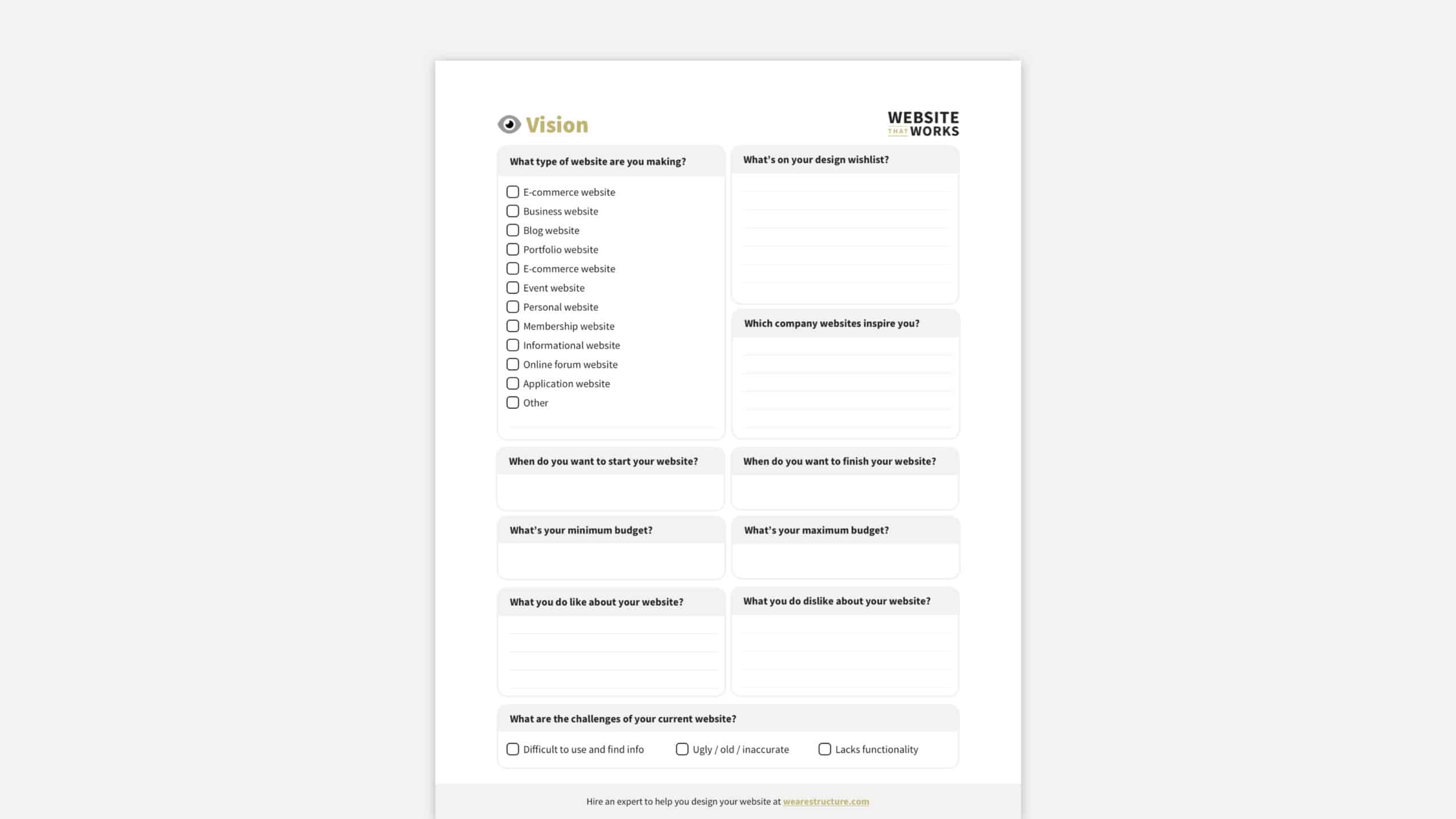
    DOWNLOAD THE FREE WEBSITE DESIGN PLANNING GUIDE TO GET THIS WORKSHEET

    Goals Worksheet

    The goals worksheet aims to align your team around your website project’s purpose.

    It also clarifies your website’s goals and how to know if it delivers the desired results.
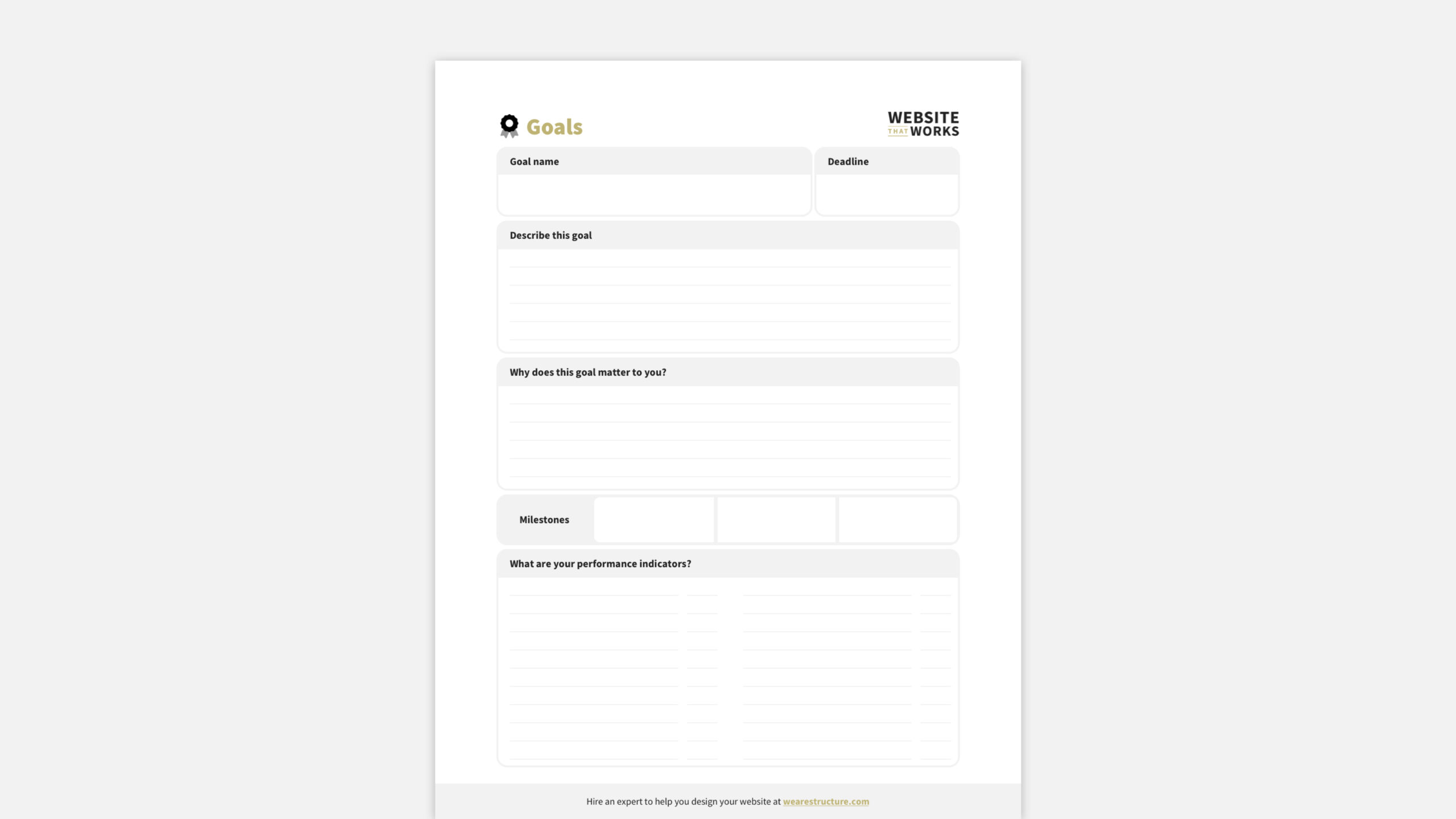
    DOWNLOAD THE FREE WEBSITE DESIGN PLANNING GUIDE TO GET THIS WORKSHEET

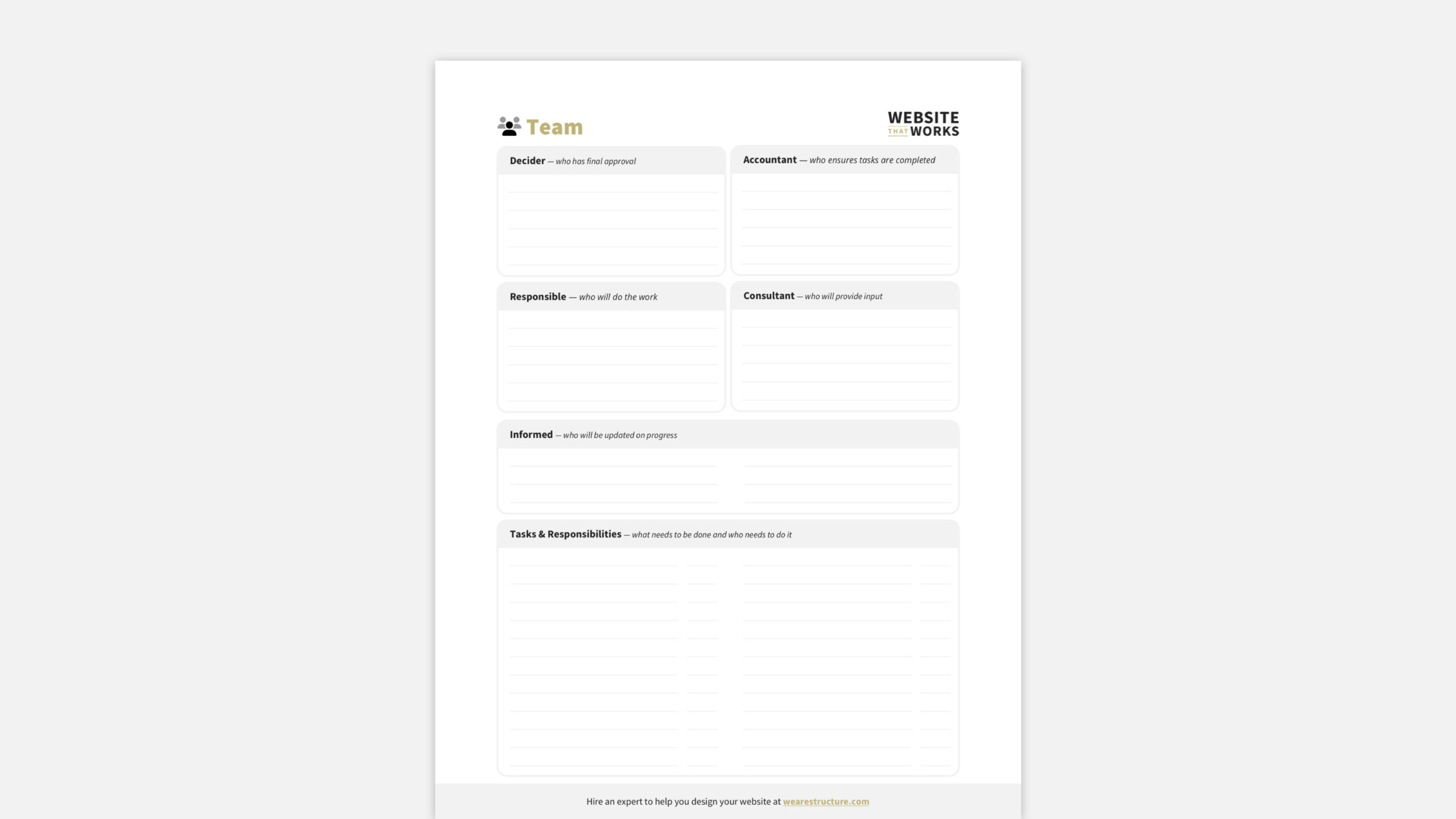
    Team Worksheet 

    The team worksheet uses the DARCI Framework to define roles and responsibilities for your team.

    This helps you know your strengths and weaknesses and ensures you aren’t stepping on each other’s toes.
    2. Shape Worksession

    This work session is the second of three.

    It builds on your website strategy to define the systems that will make your website work for your business—and create an exceptional experience for your customers, too!

    Customer Journey Worksheet

    The customer journey worksheet helps you document how your customers buy from you. It lets you know your customers’ touchpoints with your website—which is a pivotal factor in knowing which pages are vital to the website.
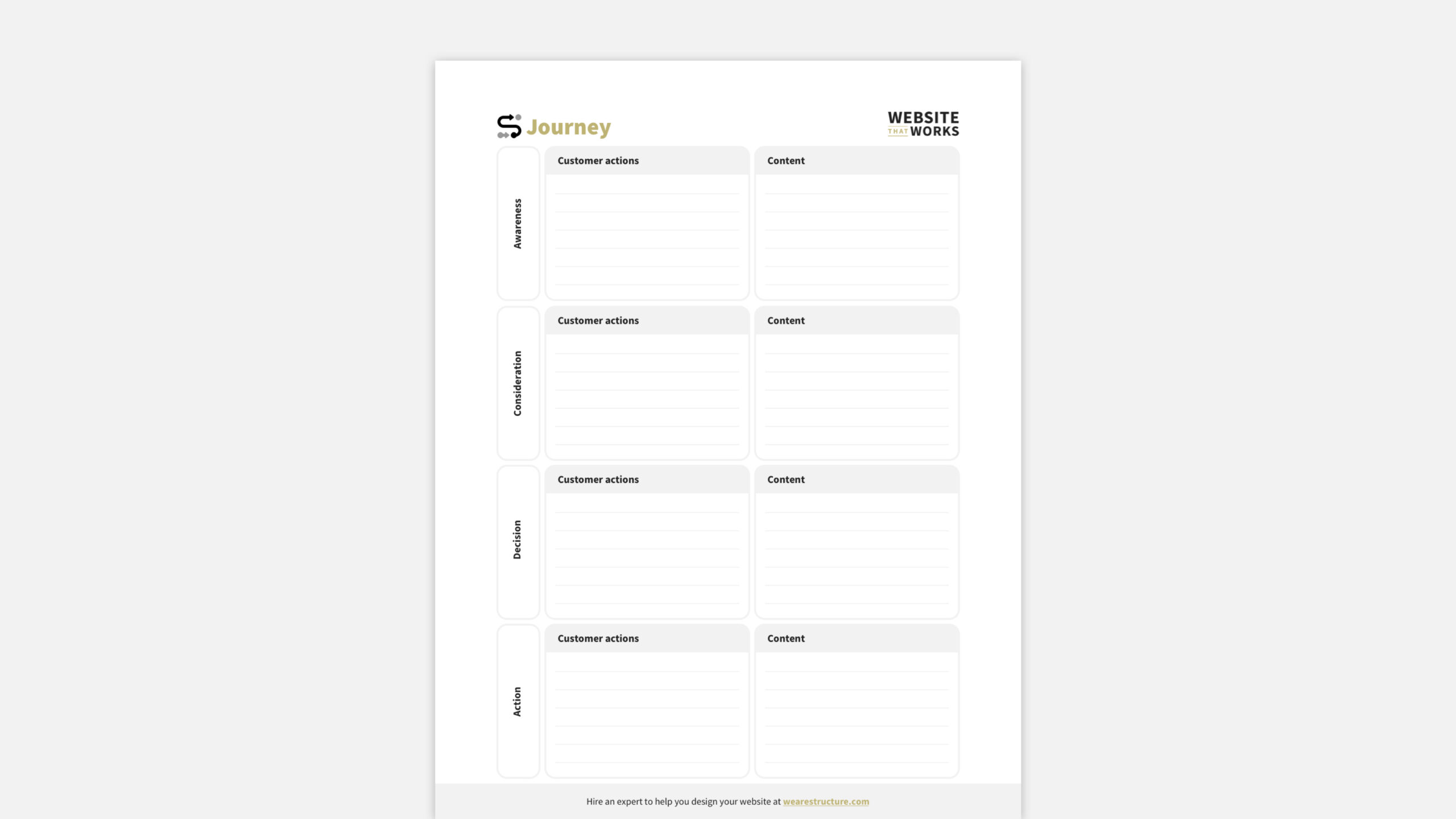
    DOWNLOAD THE FREE WEBSITE DESIGN PLANNING GUIDE TO GET THIS WORKSHEET

    But most importantly, the Customer Journey worksheet lays the foundation for your website’s information architecture.

    If you’re not familiar with this term, it essentially means:

    • What information is included on your website
    • How that information is laid out
    • Where it has the most impact

    Diving into information architecture is worth another blog post in itself and is something that you’ll lean on a UI (user interface) and a UX (user experience) website designer to help you with.

    They’ll structure the information and lay out the visual elements to guide your customers through the perfect journey.

    More on this after the website planning process is complete.

    Sitemap Worksheet

    The sitemap worksheet helps you assess your website’s current pages and, in conjunction with the Customer Journey Worksheet, enables you to define the pages needed on your new website.

    You can also determine which pages to link in your header and footer navigation.
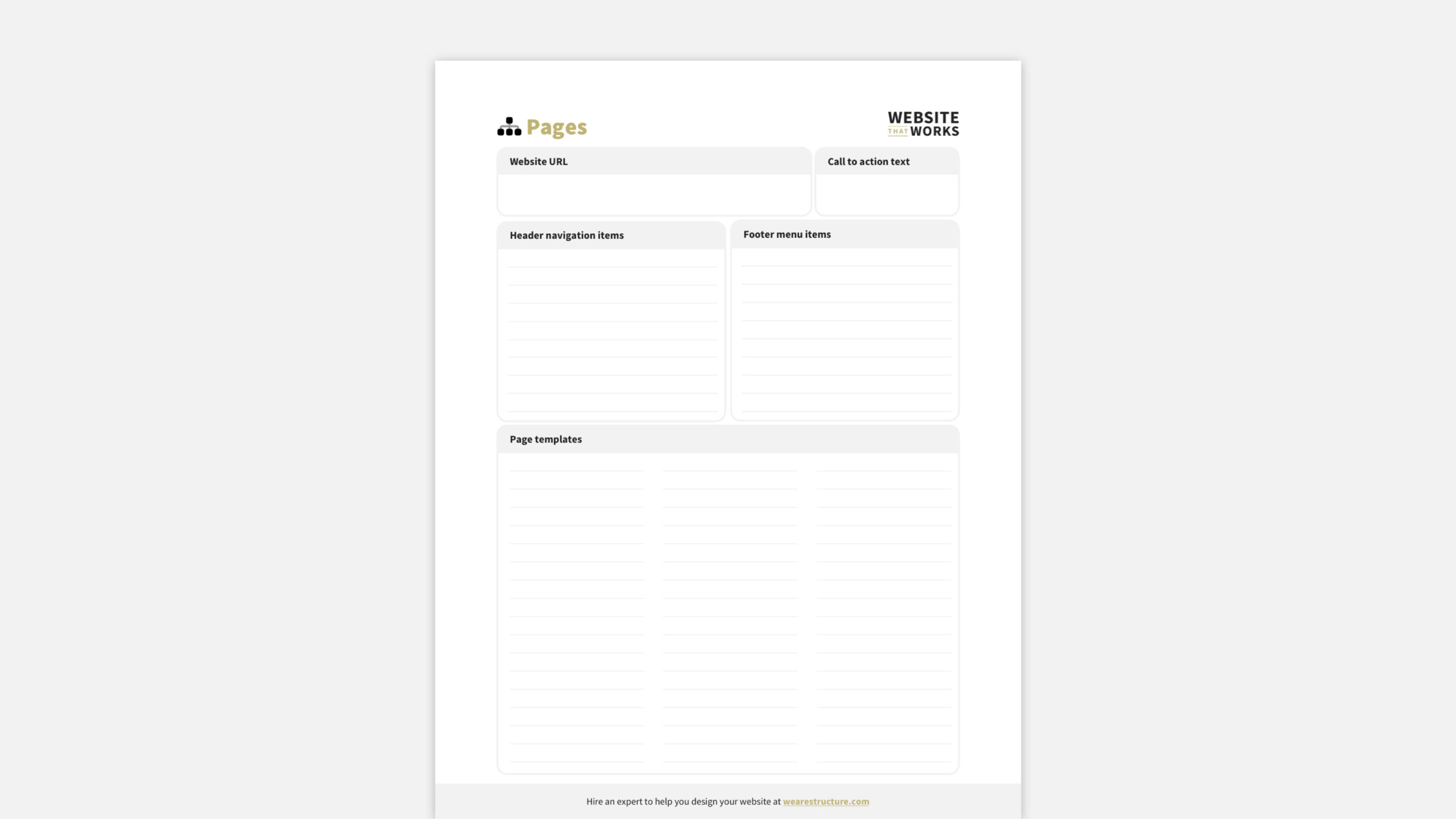
    DOWNLOAD THE FREE WEBSITE DESIGN PLANNING GUIDE TO GET THIS WORKSHEET

    3. Systems Worksession

    The third website design planning work session looks at how your website interacts with all functions in your business.

    You see, many think that the website is only a marketing and sales function. But that’s not true!

    It can be a tremendous resource for other functions like Administration, Finance and Human Resources, Operations, and more.

    Spend this time planning how your website systematically can save time and money through digital automation.

    Business Systems Worksheet

    The last worksheet in this session is the business systems worksheet.

    This helps your team become aware of the business systems you’re currently integrating with your website. Additionally, it helps facilitate any changes or upgrades needed before you get too far down the road.
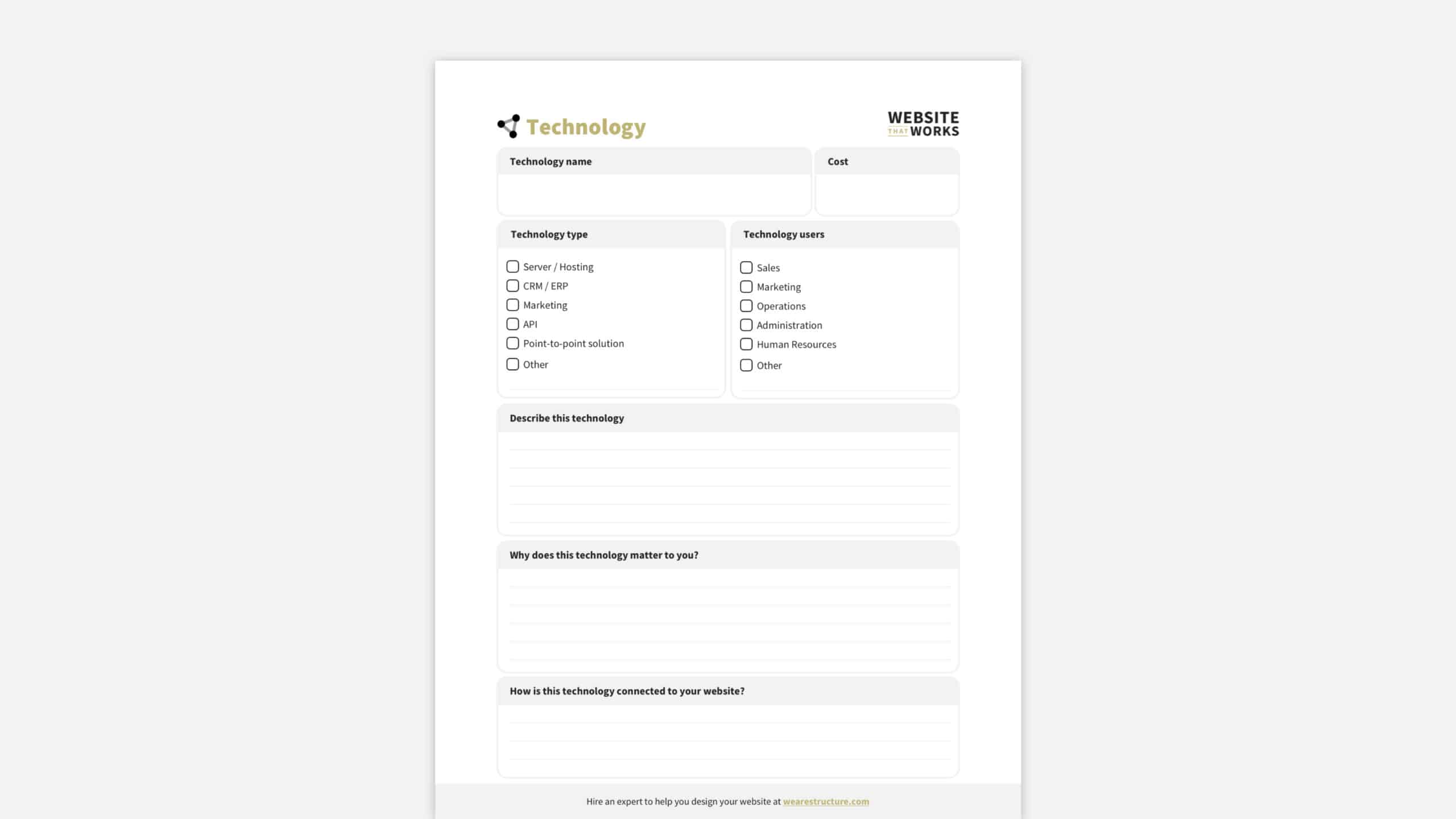
    DOWNLOAD THE FREE WEBSITE DESIGN PLANNING GUIDE TO GET THIS WORKSHEET

    4. Schedule Worksession

    This final session includes one worksheet intended to set the stage for the design process by bridging the gap between your plans and visual design. Everything you’ve done so far in the planning process will be summarized in your wireframe worksheet.

    Budget Worksheet

    The budget worksheet is intended to help you estimate the value of your website.

    Most website budget worksheets only focus on the cost—ours take a more value-based approach and looks at the Return on Investment (ROI).

    We help you list how your website will generate revenue and what expenses should be considered. The goal is to answer this question: Revenue – Costs = ROI.
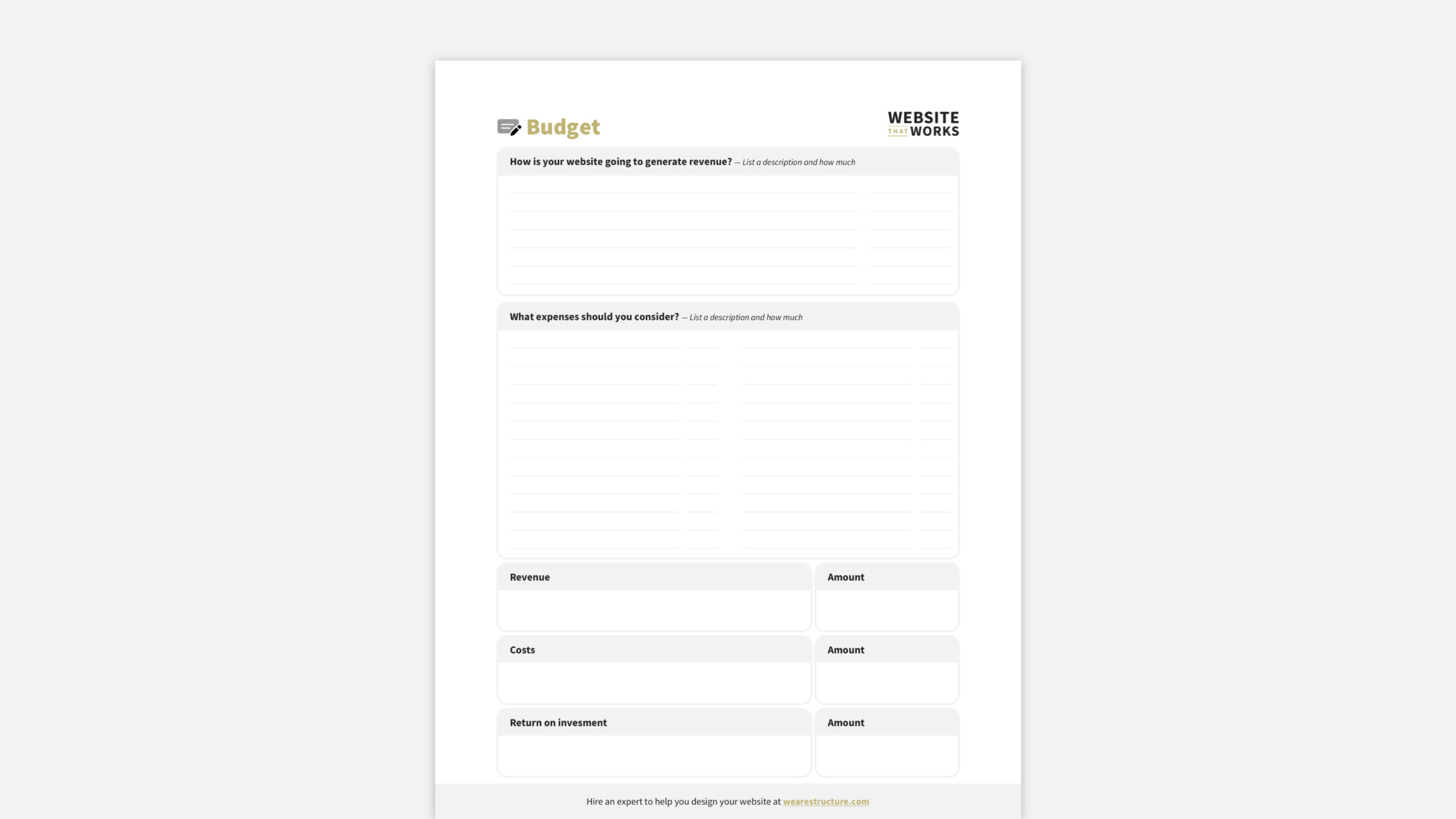
    DOWNLOAD THE FREE WEBSITE DESIGN PLANNING GUIDE TO GET THIS WORKSHEET

    How Structure Can Help with Website Design Planning

    So, that’s how we do website design planning at Structure.

    It’s a process, no doubt!

    However, I hope you can see that you’ll walk away with a comprehensive website plan by breaking down the planning process into three focused sessions with a few worksheets.

    You can guarantee your upcoming website is already stepping ahead of your competition.

    1. Download the Free Website Design Planner

    If you’d like to use our process for your website planning, go ahead! Get each worksheet for free when you download the Website Design Planning Guide.

    2. Register for a Structure Website Strategy Workshop

    Spend a few days with Structure to plan your website, and we’ll save you a few months of mistakes trying to figure it out independently.

    3. Watch Our Free Website Training

    We’ve put together an excellent training on your website’s role in your business and how it affects each part of your marketing.

    It’s called How to Build a Really Attractive, High-Converting Website That Makes You Proud.

    It will help you better understand your website and set you up perfectly for the planning process.

    4. Learn How Our Process Works

    Now that you know the Structure website design planning process, you might wonder how the other steps work.

    • When do we start the design?
    • Where does development fit into the process?
    • What steps do you need to take in which order?

    Check out our website’s How It Works page for the step-by-step breakdown.

    5. Take Our WebsiteBuilder Quiz

    If you’re considering hiring a Structure to help with your website design or redesign and want to know what it would cost, take our quick Website Design Quiz.

    It lets you tell us about your business, website goals, and timeline and will recommend a design package to get you started.

    6. Schedule a Free, 30-minute Consult Call

    We’re excited to help!

    You can take the call yourself or bring your team (the more, the merrier). Schedule a call if you’re ready to talk to one of our experts about your website.

    We’ll discuss your website, you’ll get free advice and guidance, and we’ll recommend a personalized package that fits your unique needs.

    Learn how to plan and a website design

    Website Design Planning FAQs

    What is website design planning?

    The first step of a website redesign is web design planning.

    Planning entails determining and documenting the type of and how exactly your firm wants to create a website and why or what the goals are.

    Website design planning is also known as Website Strategy.

    This step is crucial because it allows everyone on the project to be on the same page about what needs to be accomplished with the new or redesigned website.

    A well-crafted website strategy will answer five key questions:

    1. Who are we designing this website for? (Hint: It’s not just “anyone who visits the site.”)
    2. What do we want them to do when they get there? 
    3. What content will be most useful/relevant/engaging for this audience? 
    4. What are our business goals for this website? 
    5. Who is responsible for content creation and maintaining the website content?

    You must return to the drawing board if you can’t answer these five questions. Trying to build a website without a clear strategy is like playing darts in the dark—you might eventually hit the target, but it will take much longer (and be much less fun) than if you turned on the lights first.

    Does every website need website design planning?

    The answer is yes… if you want your website to accomplish clear goals—such as generating leads, taking orders, or communicating with your target audience.

    We strongly recommend doing some strategy work for most websites before diving into design and development. Trust us; it will save you time (and money) in the long run.

    However, there’s always an exception; not every website needs formal design planning.

    For example, a website for a personal blog or small business that’s just getting started, for example, may not need the same level of strategic thinking as a large enterprise website or an ecommerce site.

    In these cases, “Yes, informally may be a sufficient answer. You should consider the five website strategy questions in the above answer from a high level. 

    Who is website design planning for?

    While the planning process is crucial for everyone involved in creating or redesigning a website, it’s essential for two groups of people: 

    1. The project stakeholders, who are responsible for approving the budget and timeline for the project plan 
    2. The project team who will be doing the actual work of designing and building the website

    Project stakeholders are often high-level decision-makers, such as the CEO, CFO, or CIO.

    Often, for our clients, it’s the CEO, VP of Marketing, and Marketing Director. Some may not be intimately familiar with all the project details, but they must understand enough to make informed decisions about allocating resources.

    On the other hand, the project team will be deeply involved in every step of the process, from researching the competition to writing content to designing and coding the website.

    They must understand the project goals to do their jobs effectively and clearly.

    Both groups need to be involved in the website design planning process.

    Stakeholders need to provide input on the website’s overall purpose and goals, while the project team can offer insights on how best to achieve those goals.

    What are the benefits of website design planning?

    There are many benefits to taking the time to do formal website design planning, including: 

    1. A more precise understanding of the project goals 
    2. Improved communication between stakeholders and the project team 
    3. A more efficient and effective design and development process 
    4. A website that’s more likely to meet the needs of its users 
    5. Improved ROI for the business

    When done correctly, website design planning can help everyone understand what needs to do and why. This, in turn, leads to better communication, a smoother design and development process, and a final product that’s more likely to achieve its goals.

    What are the steps I need to take to plan a website?

    No one-size-fits-all answer to this question exists; every team will do it differently. Our team, however, uses the three-step process outlined in this article’s body. 

    1. Strategy Worksession
    2. System Worksession
    3. Shape Worksession

    We’ve found that this approach leads to the best results, but you may need to adjust it to fit the specific needs of your project.

    The planning process doesn’t have to be complicated or time-consuming.

    By taking a structured approach and involving all the key stakeholders, you can ensure everyone is on the same page. You will save time and money in the long run, and it will help you build a better website structure.

    Where can I find a website design planning template?

    Right here!

    Download the Structure Website Design Planning Guide for your website project’s A to Z roadmap.

    Furthermore, this is the same website planning template we use to create $50,000+ websites that look amazing and generate more business than you believe.

    How important is website design planning?

    Website design planning is the most critical part of a website design.

    Period.

    Unquestionably, there’s nothing more vital that you can do for your future website than starting with a plan.

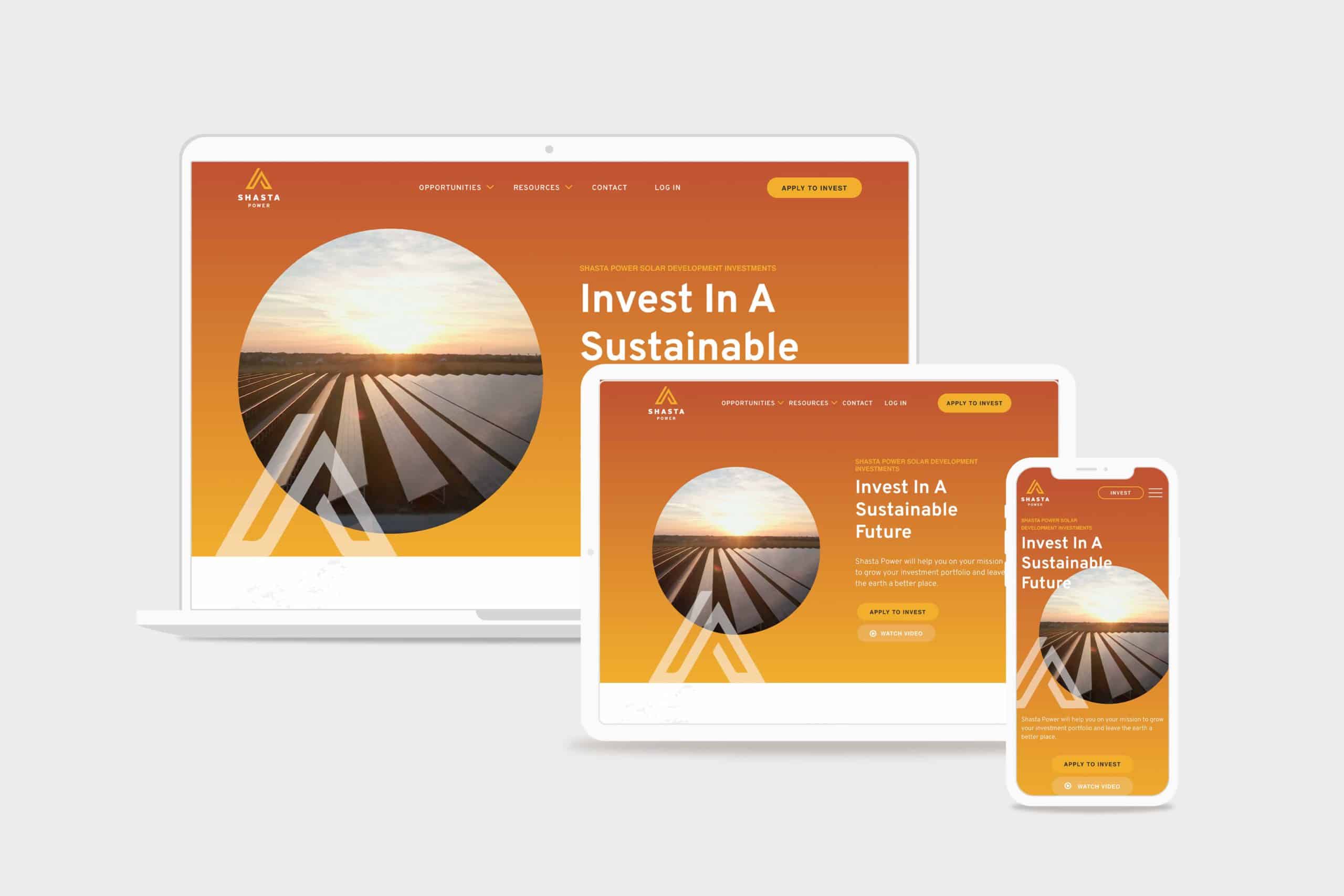
  • Shasta Power Website Redesign

    Shasta Power Website Redesign

    Shasta Power came to us with an outdated, confusing website that didn’t represent their offering well. So we helped them revise their visual identity and message—culminating in an impactful website redesign.

    Shasta Power Website Redesign Hero
    shasta power hero

    Challenge

    Shasta Power built its first website on a budget. It was time to invest in a professional website, but the other website design and development firms Shasta Power spoke to wanted to throw them into a box. They didn’t listen or care about the business or user’s needs.

    Solution

    We took Shasta Power through our Website Process, starting with understanding the website goals. We then did a brand refresh and designed a custom, responsive website. The website development was on WordPress and integrated its business systems with the website

    Results

    Awareness metrics have risen across the board, including new followers and site visitors, up over 600% and 200%, respectively. We worked quickly against a short timeline while maintaining an impressive quality standard for the brand.

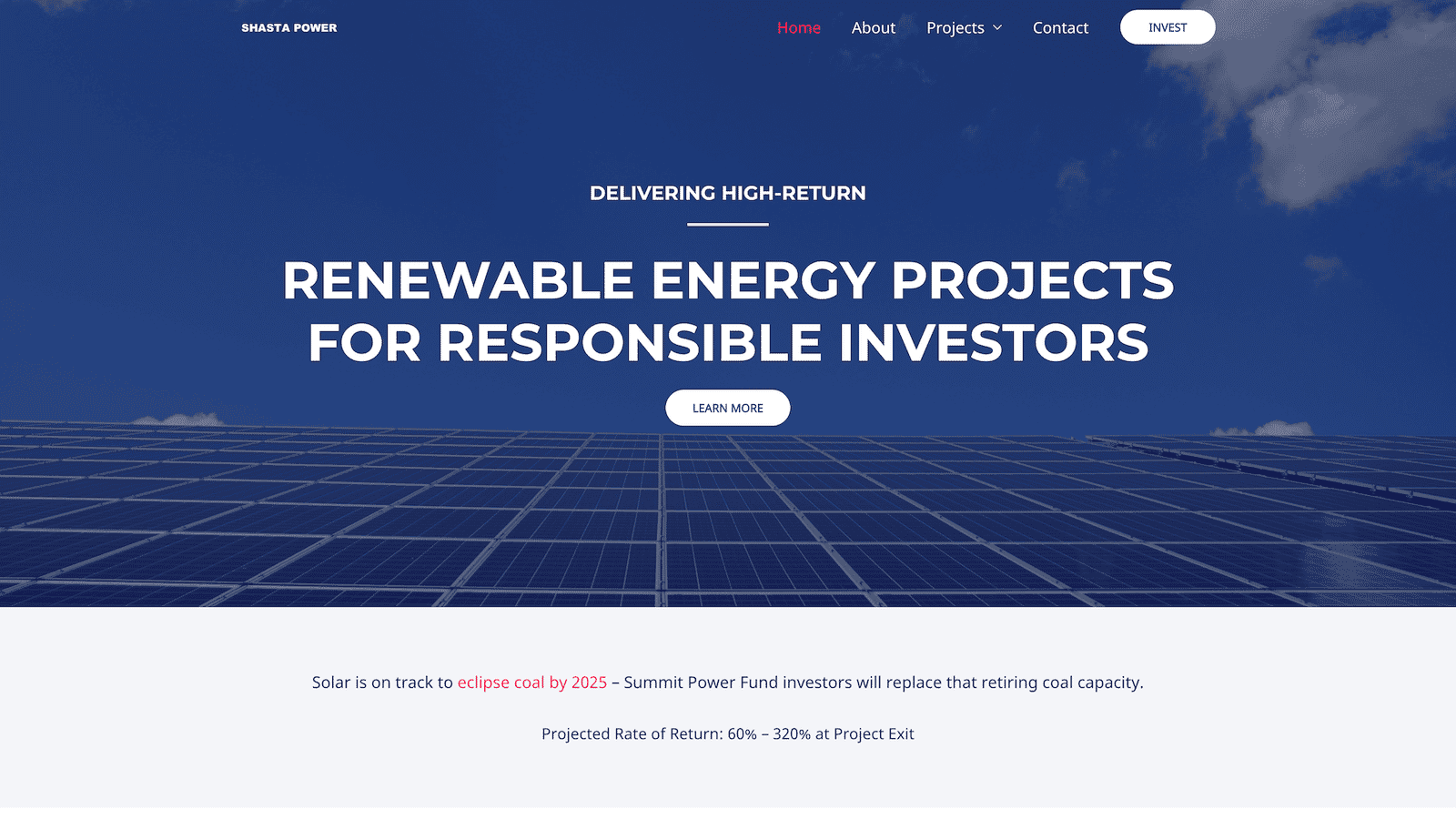
    Shasta Power Website Redesign Before
    shastapower.com before
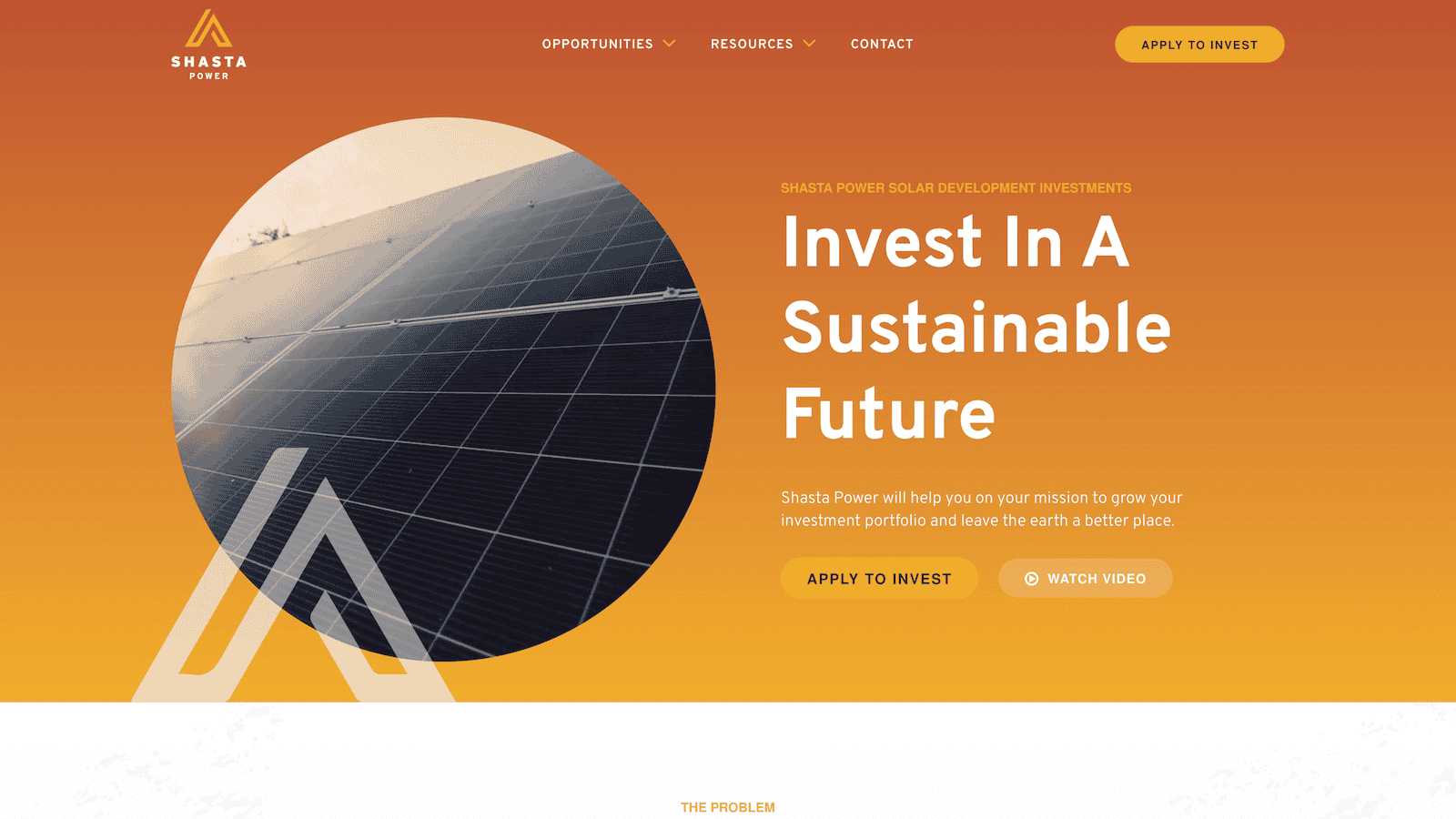
    Shasta Power Website Redesign After
    shastapower.com after

    If I had to boil it down to one thing, I would say their integrity is their best quality. I get a sense of honesty and quality from them; they take their work seriously and do it in a professional manner.

    max roe, partner
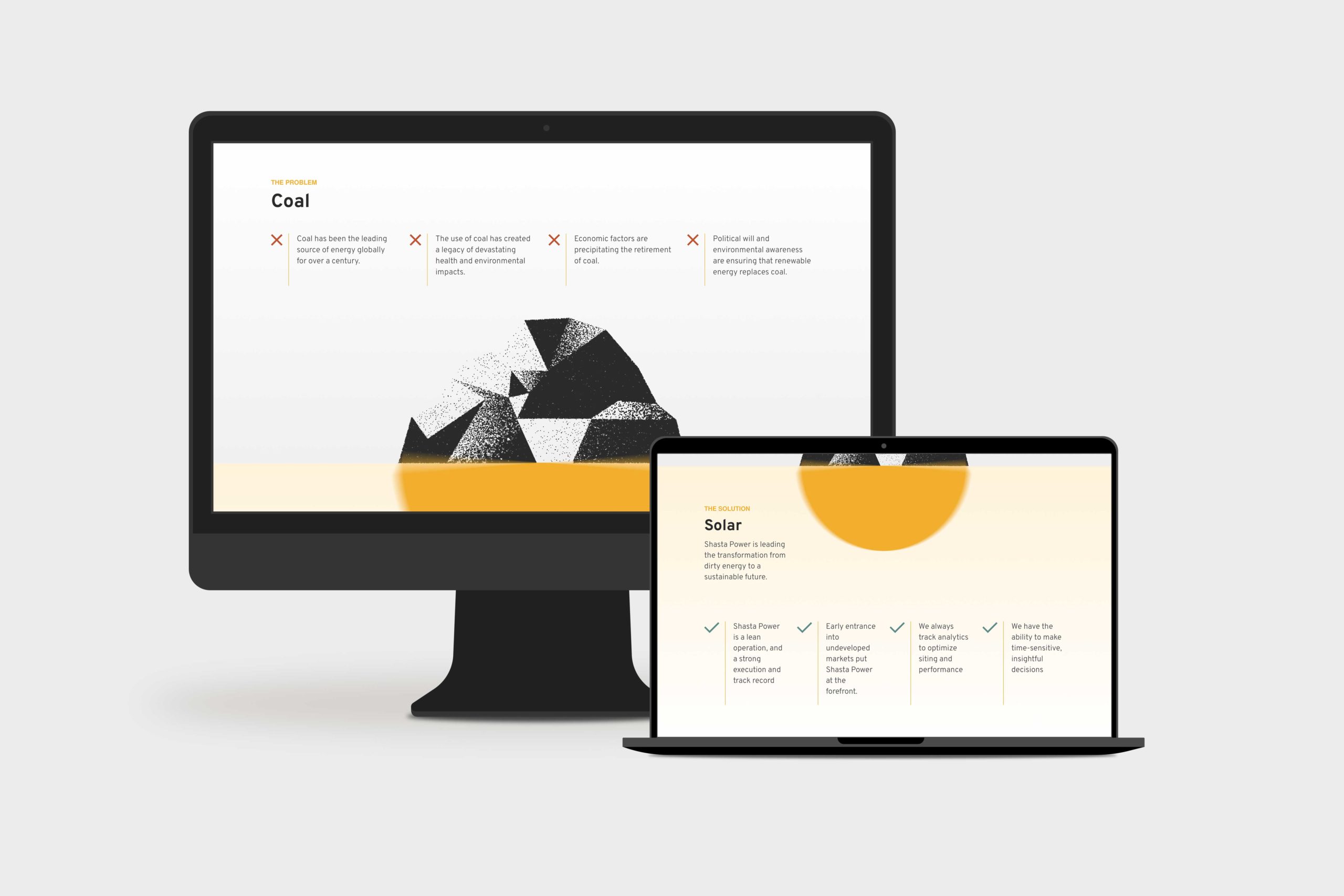
    Shasta Power Website Redesign Product Page
    summit power fund product page

    Logo Design

    When Shasta Power came to us, they didn’t have an official logo. So the first thing we did was explore logo options for their new website design. We delivered a handful of comps, ideas, and styles for them to review. After a few iterations, we landed on a logo that was strong, confident and represented Mount Shasta—the symbol behind the brand.

    Similarly, Shasta Power didn’t have any colors representing its product or mission. As a company as a solar investment firm, we developed a pallet that represented the earthy nature of their work. We lead with a solid orange and yellow gradient, with supporting blue, green, and clay colors representing the environments they develop in.

    Website Design

    As with all website design, you can’t have a great beautiful site that makes no sense. So we invested heavily in information architecture, wireframing, and content development. This strategic process helped ensure the site helped users progress through the content and was simple and easy to understand—all the while representing Shasta Power in its best light. Once we had the blueprint down, we applied the brand, and it turned out beautifully.

    Shasta Power wanted to use its website to generate leads, so we built a custom webinar registration flow. This included a landing page template they could use and replicate for any webinars they host for marketing or customer engagement. Additionally, it had a registration form and a webinar video page where they could embed their live content for users to engage with.

    Website Development

    Shasta power was familiar with WordPress CMS, which we love to build with. So we built their new site in a very similar way to their old site using a custom theme and Advanced Custom Fields content editing fields. This kept the entire experience familiar and allows them to swap out photos and make copy changes when they want to without worrying they’re going to break anything.

    On the front end, Shasta Power added an Animation Package so that the content fades smoothly as a user scrolls down the site. This small addition makes a massive difference for the user and helps them stay focused on the contact right in front of them while guiding them through the site.

    Website Management

    Shasta Power took advantage of our Startup Website Management Package, so they didn’t have to worry about regularly updating WordPress core, theme, or plug-ins. They also appreciated being able to reach out to us here and there to update content on the site or ask questions without starting a new project.

    Moreover, Shasta power has trusted us as an ongoing partner to help them grow their website through additional digital marketing initiatives.

  • DryFireMag eCommerce Website Redesign

    DryFireMag eCommerce Website Redesign

    DryFireMag is a fast-growing firearms safety company in Idaho that primarily sells its products on its e-commerce store. We helped them increase their conversion rate and redesign their website so customers could find and purchase products more efficiently.

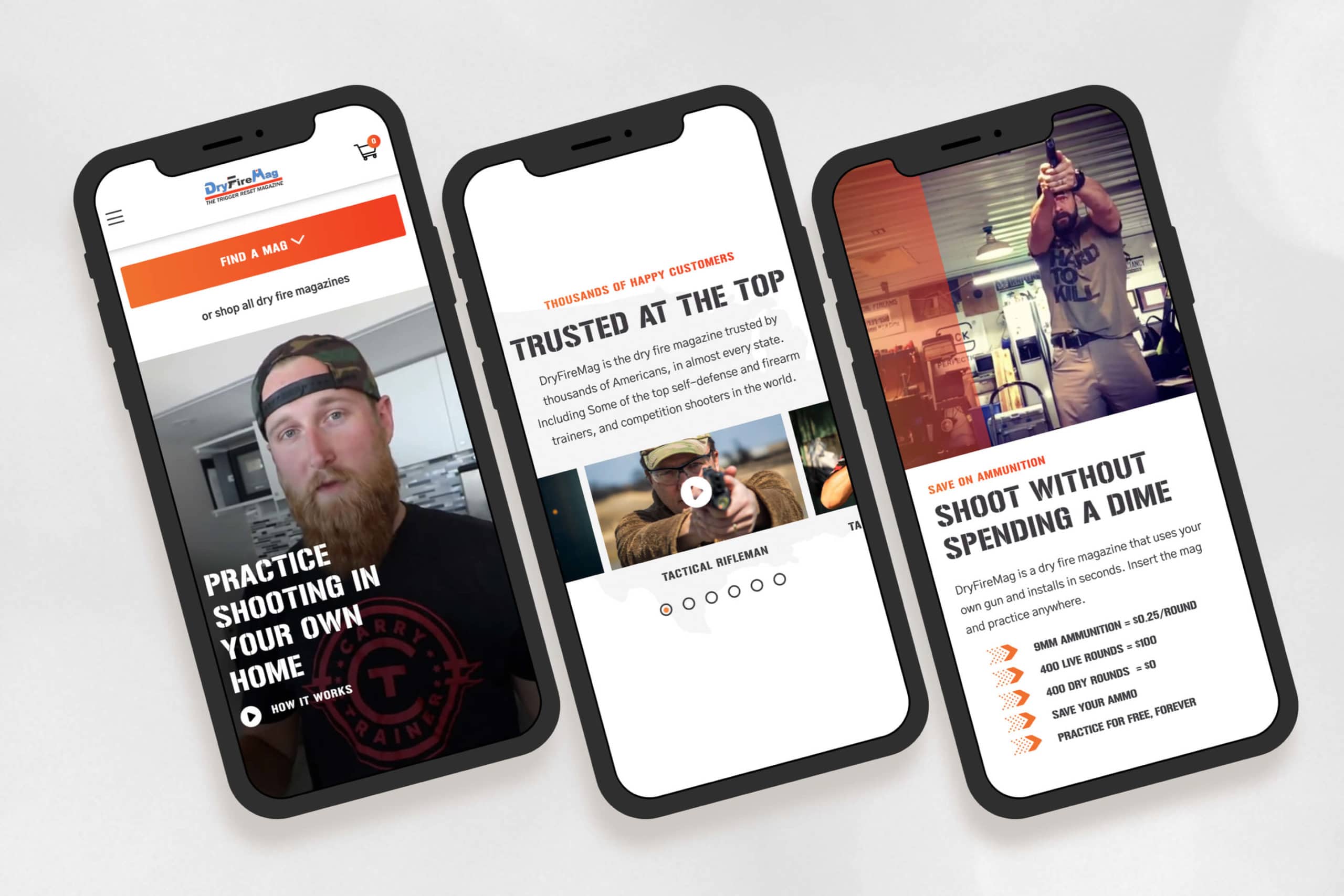
    DryFireMag E-commerce Website Redesign mobile mockups

    Challenge

    Their website was never what they hoped it would be. It was cumbersome and did not help customers find what they needed—in fact, it did the opposite. DryFireMag saw sales decreasing and needed a resolution.

    Solution

    We analyzed how customers used their website using heatmaps and user testing. Then, we designed the website from the ground up so customers could quickly find what they were looking for.

    Results

    The result is a high-converting site that has only grown in traffic, traction, and sales for DryFireMag since we launched. The success has put them in a new position to open up to international sales.

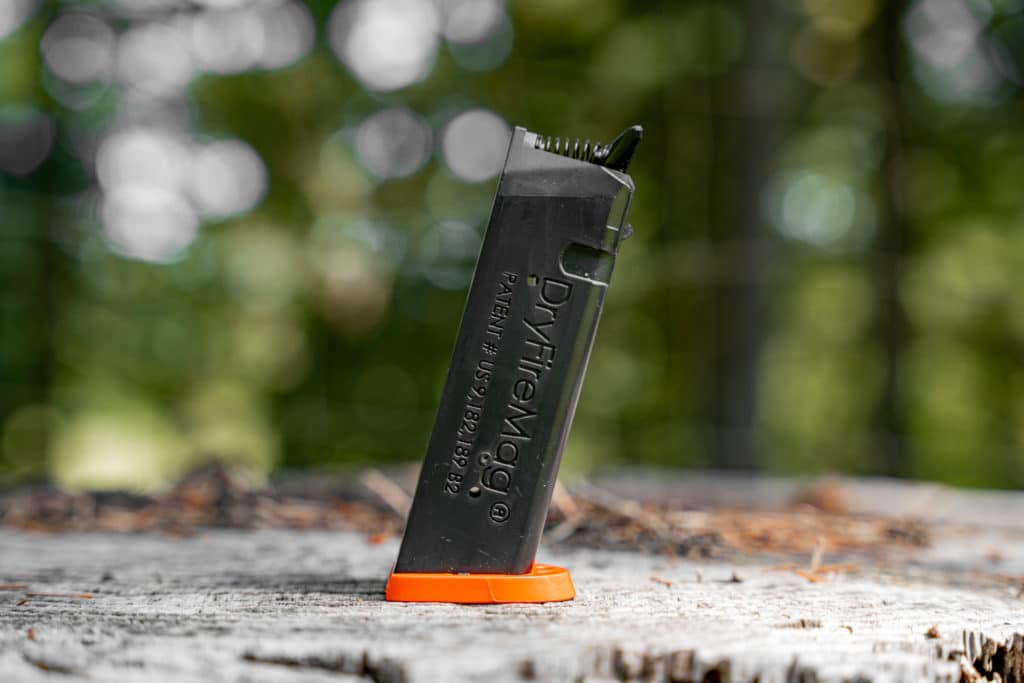
    DryFiremag in a Glock 22
    DryFiremag in a Glock 22
    dryfiremag for small frame glocks
    dryfiremag for small frame Glocks

    “Structure was the most professional, responsive and personal of them all.”

    John Seigler, head of product

    Website Strategy

    The website strategy was one of the most significant issues with the old DryFireMag site.

    As the business grew, they felt they needed to communicate more things to their customers on their website: product information, shipping notices, and marketing announcements.

    The site became cluttered, and we helped them get back to the basics—and figure out a way to organize the content, so it supported customers during the checkout flow instead of distracting them.

    Brand Design

    The DryFireMag brand was severely underdeveloped.

    While the DryFireMag didn’t want to invest in a rebranding or brand strategy process, we were able to bring out the best of the brand as-is and bring in some new elements that helped the website feel more exciting and align a bit better with its target audience.

    Beautiful, functional web design

    Another challenge was helping customers find the right mag for their pistol.

    The DryFireMag team received dozens of support calls and returns daily from customers who had purchased the wrong product. Finding a solution would result in happier customers, less overhead, and more profit for the business.

    We designed and built a fun product quiz right in the navigation so that customers could select their pistol and get redirected to the perfect product.

    Web Development

    Since their e-commerce store was already live and bustling (with a sizeable shipping and logistics team behind it), we took great care to retain the integrity of their integrations, business systems, and customer data.

    The site already used WordPress CMS with WooCommerce e-commerce functionality, so there was no reason to reinvent the wheel; however, ensuring customer data didn’t get lost or changed was a challenge. Luckily, this wasn’t our first rodeo, and the launch went off without a hitch.


    Strategy

    User Testing
    Conversion Rate Optimization
    Information Architecture
    Content Strategy
    UX Strategy

    Design

    UI / UX Design
    Visual Design
    Creative Direction
    Animation Design

    Content

    Copywriting
    Photography
    Art Direction

    Development

    Front-end Development
    Back-end Development
    E-Commerce Development
    Quality Assurance
    Consulting

  • HydroSide Website Redesign

    HydroSide Website Redesign

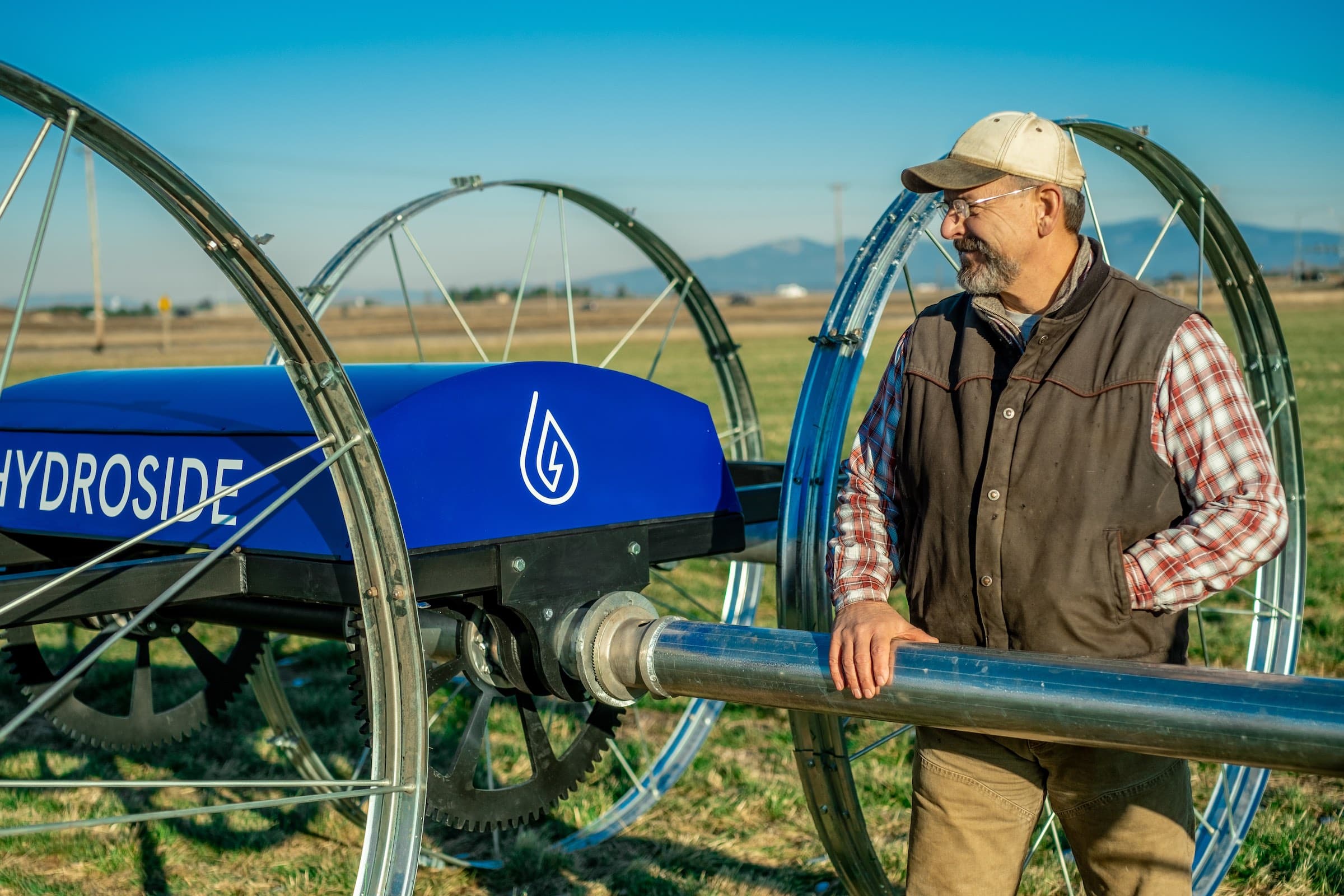
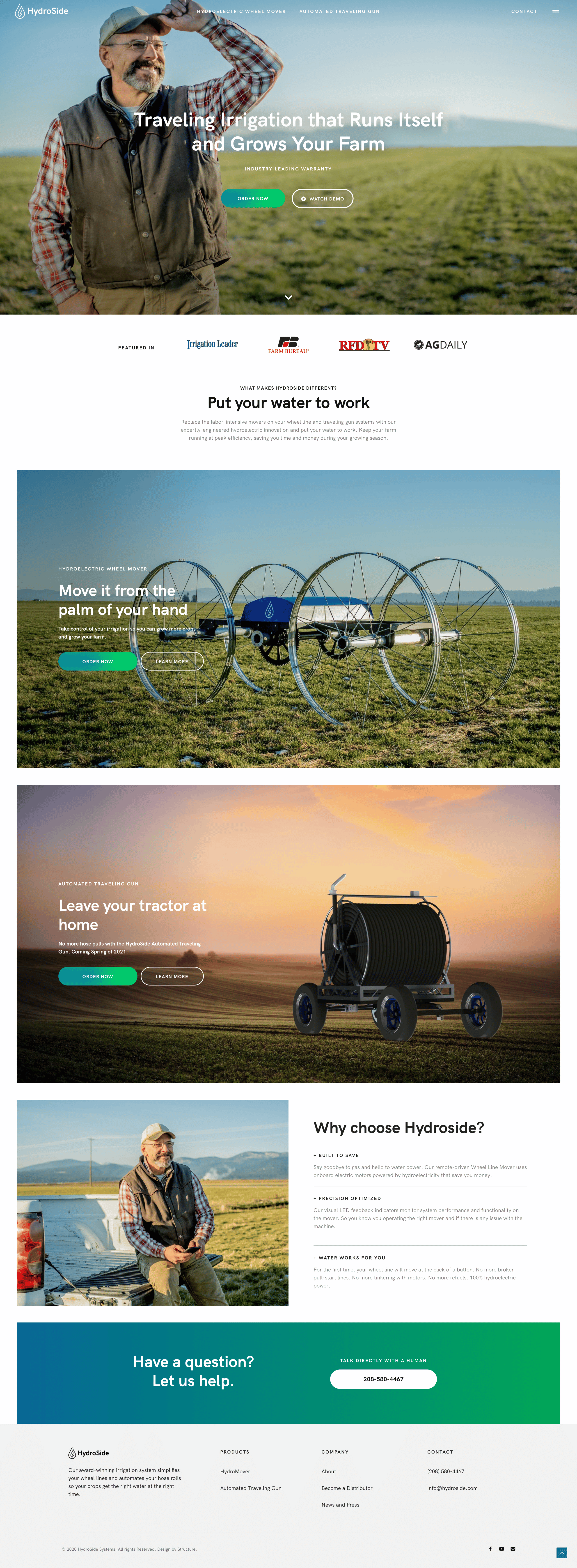
    HydroSide is bringing technology and automation to the irrigation niche of the agriculture industry. As an industry disrupter, HydroSide needed a bold website and digital experience that looked, felt, and smelled less like farm equipment and more like farm technology.

    Challenge

    HydroSide needed a new website that matched its role as a technology disrupter in the marketplace. The efficiency of their product offering was opposed to the confusing user interface customers experienced on their website.

    Solution

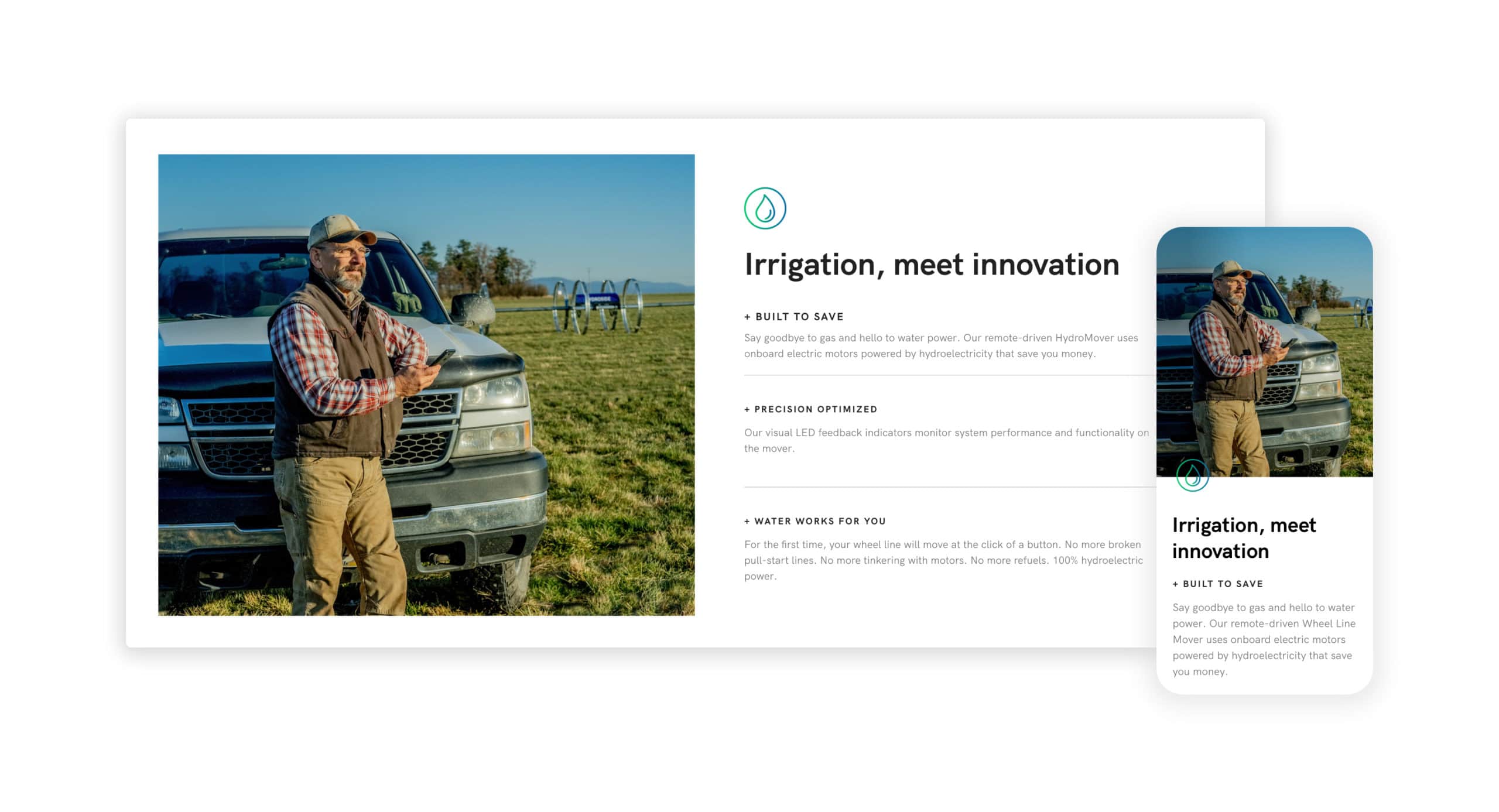
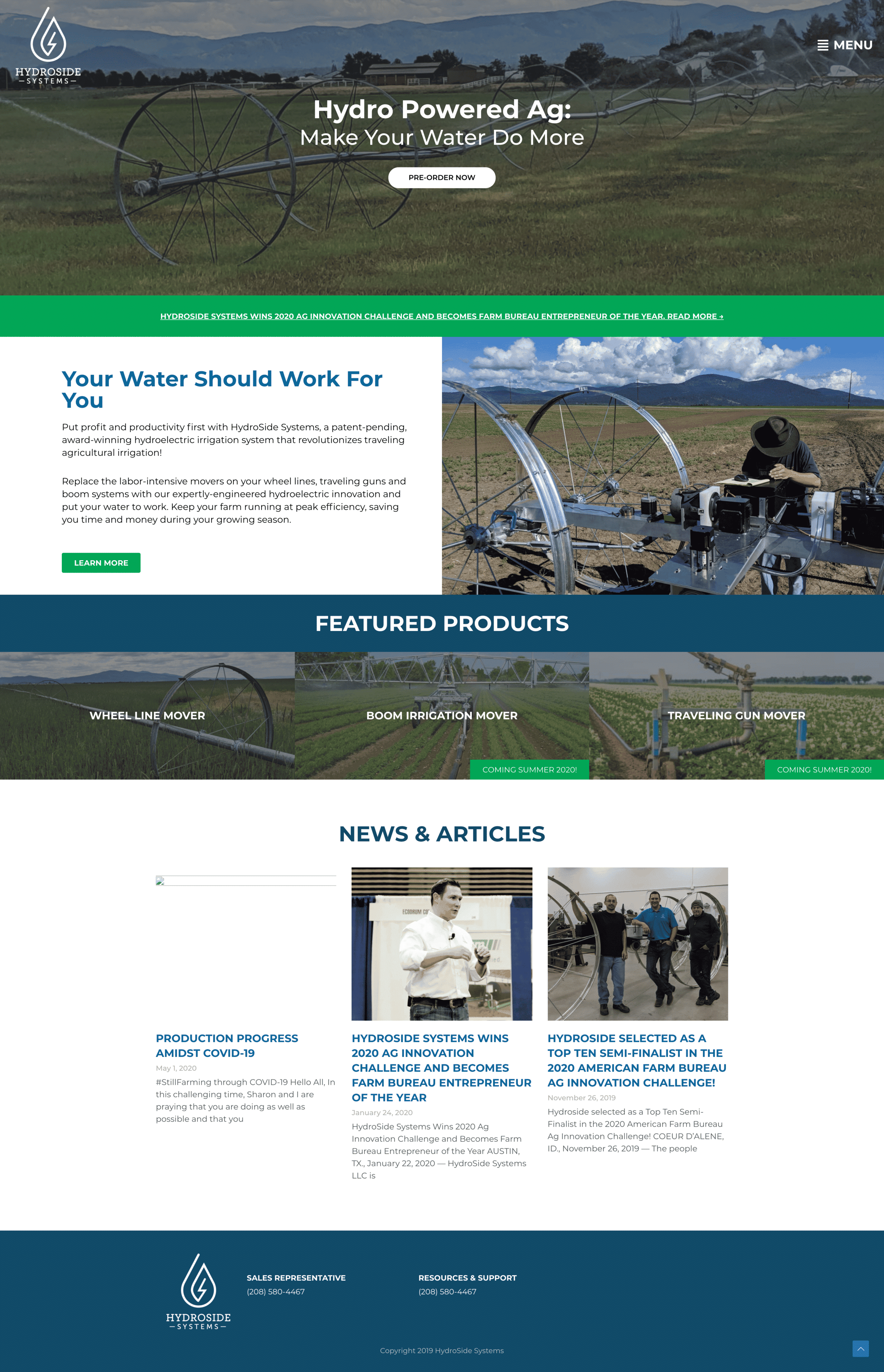
    After a deep dive into their user needs, we uncovered a much deeper story that guided the web strategy and information architecture. With creative copy and a fresh visual design, we could use the client’s existing CMS to transform this website.

    Results

    A website redesigned with a straightforward and more strategic approach to communicating the information growers were looking for.

    Early traction

    HydroSide not only provides a fresh face in their space but delivers a solution to a real problem farmers and growers have across the world.

    Due to their bonafide product-market fit, HydroSide.com gets thousands of new organic visitors each month without much effort. The extra consideration we put into performance, accessibility, and implementing best practices made both Google bots and actual humans happy when they visited the website.

    The back-story

    Our team came-in early as a digital advisor for the HydroSide founders, back in 2018 when the company was mostly just an idea.

    The HydroSide website redesign was a long time coming, but that’s part of what made the project successful. There were years of foundational work together before we redesigned the website. As is often the case, the HydroSide website is more than just a pretty face—it’s an engaging storyteller and an effective sales tool.

    As is often the case, we operated as a true partner and close extension of their marketing team. The relationship with HydroSide continues as we help develop their digital presence and make advanced enhancements to their website to help them both move forward and stay ahead.


    Strategy

    Information Architecture
    Content Strategy
    UX Strategy

    Design

    UI / UX Design
    Visual Design

    Content

    Copywriting
    Art Direction

    Development

    Front-end Development
    Back-end Development
    Quality Assurance
    Consulting

  • EarthCruiser Website Redesign

    EarthCruiser Website Redesign

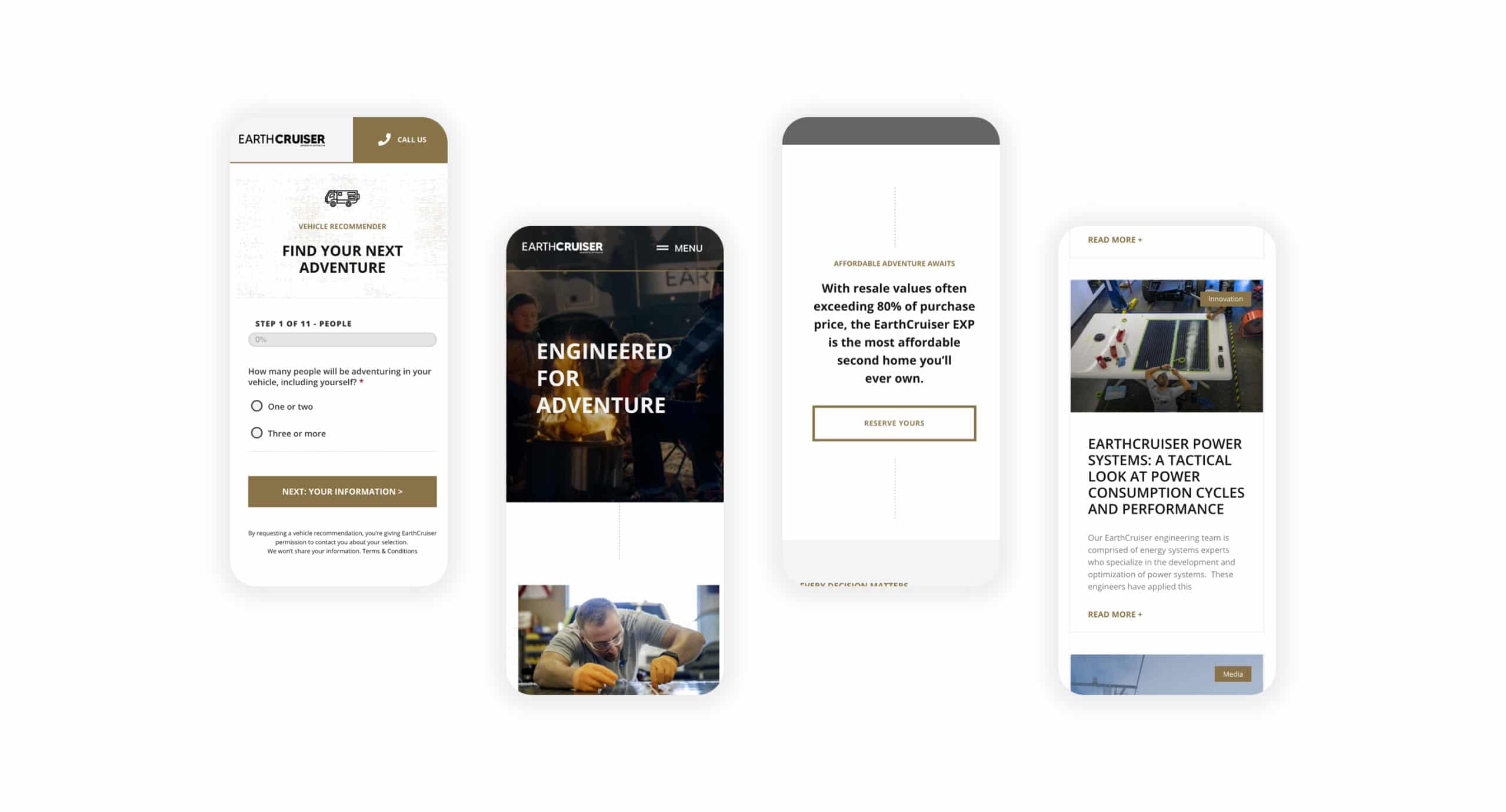
    EarthCruiser manufactures luxury Overlanding vehicles. What began in Australia and made its mark in Bend, Oregon, is now an iconic global brand. To ensure the world saw EarthCruiser as the trustworthy brand they are, we created a website as exciting as the vehicles themselves.

    Challenge

    Any EarthCruiser owner trusts their vehicle can traverse the most challenging terrain without fail—because it will. But EarthCruiser found that potential customers couldn’t navigate, let alone traverse their website without encountering a problem. Not to mention, it didn’t display the quality of the products and services they provide.

    Solution

    The EarthCruiser website was full of generic messaging, dense architecture, and shallow details of what the brand offered. Embracing the creative direction of “Show, Not Tell,” we reimagined the EarthCruiser website from the ground up. With rich media front and center, we unveiled a fresh experience that customers could trust.

    Results

    The transformation is an inspiring responsive website that shows EarthCruiser customers what’s possible wherever life takes them. Furthermore, this project launched the future of the EarthCruiser digital experience, including a custom Vehicle Recommender that dynamically populates product recommendations for customers.

    WordPress Integrations

    The work included integrating the website with many of EarthCruiser’s marketing and sales systems, including HubSpot and MailChimp.

    We set up the Vehicle Recommender so that the sales team could see each user’s recommendation and contact information so they could follow up and have visibility into what the customer is looking for.

    Beyond the Project

    EarthCruiser.com launched without a hitch. Some team members said it was the smoothest website launch they’d ever seen.

    During this website redesign, we operated as a critical extension of their marketing team. Much to the project’s success, we’ve taken over the website’s management and continued working together on additional phases of website work to enhance the user experience further.


    Strategy

    Website Strategy
    Information Architecture
    Content Strategy
    UX Strategy

    Design

    UI / UX Design
    Visual Design
    Website Design

    Content

    Art Direction

    Development

    WordPress Website Development
    Front-end Development
    Back-end Development
    Quality Assurance
    WordPress Website Management

  • Western Interlock Website Redesign

    Western Interlock Website Redesign

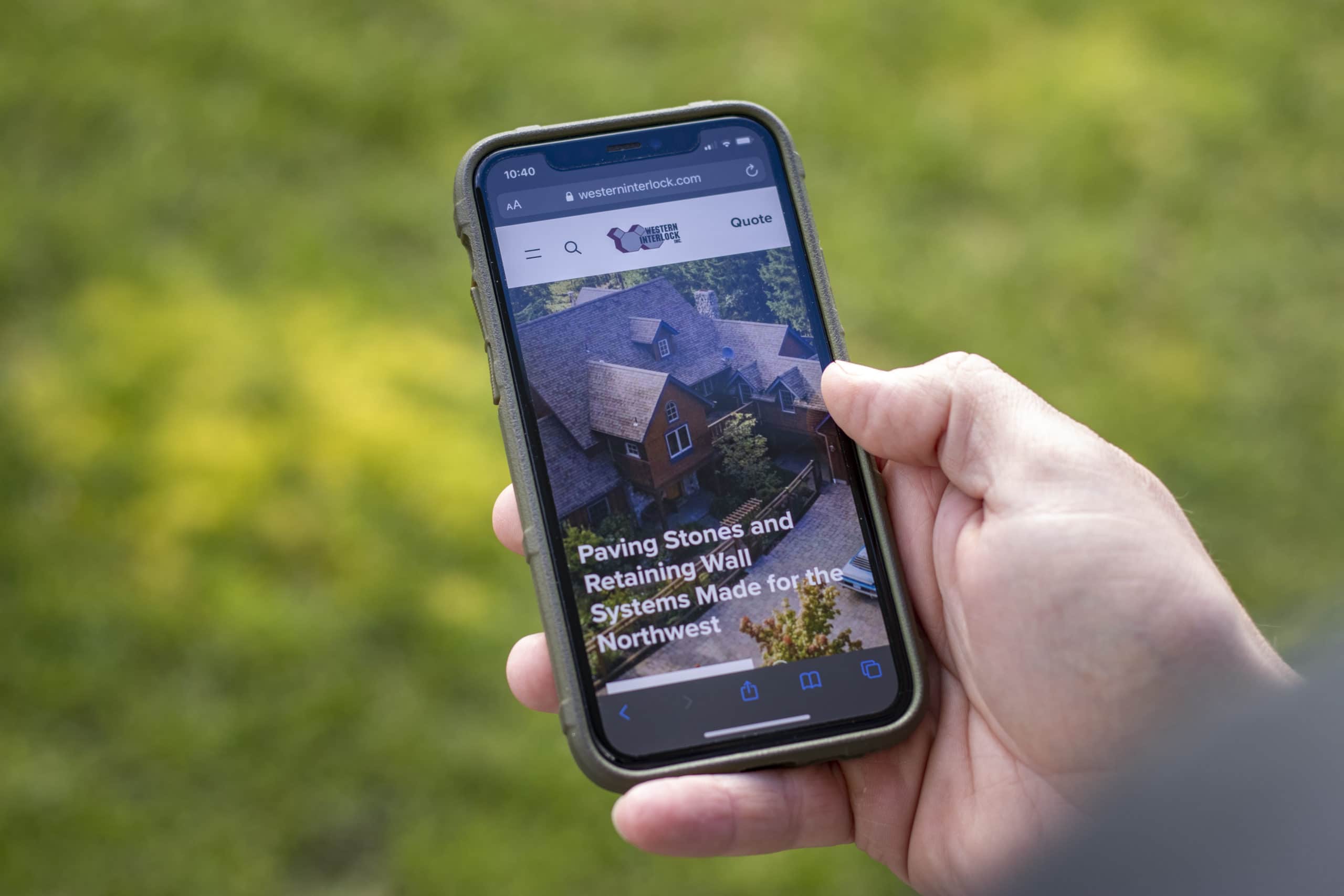
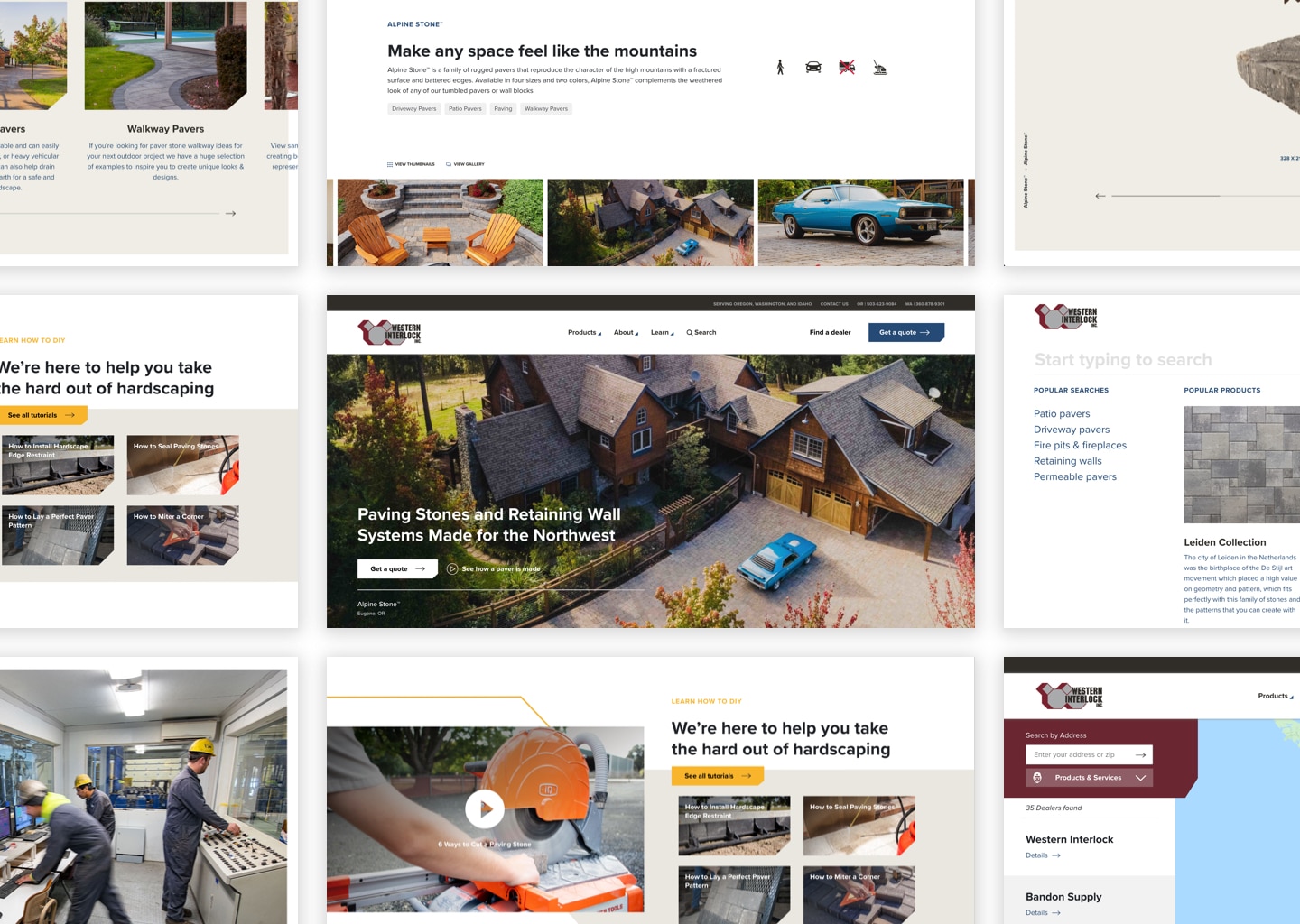
    Western Interlock is a paving stone manufacturing company with state-of-the-art manufacturing facilities in Oregon and Washington. We worked on a website redesign to bring their brand into the present day with a fresh look in a fully optimized digital experience, with lead generation and thought leadership at the center.

    Challenge

    The Western Interlock website needed a new look that better matched the quality of its brand and the products it delivered. It also had to facilitate high-traffic DIY blog content and be easy to navigate.

    Solution

    We stretched their current brand while delivering a simple yet strategic information architecture with simple navigation that was easy for customers and team members.

    Results

    The result is a beautiful and swift experience for potential buyers that’s optimal for mobile and built for engagement. Within a few days of launch, estimate requests and traffic more than doubled.

    WesternInterlock.com Website Redesign

    Up, up, and up some more

    This website redesign helped potential customers discover and engage with Western Interlock’s highly successful DIY marketing campaign at a much deeper level. As a result, we’re seeing the most significant increase in new users, the lowest bounce rate, most extended session durations the company has ever seen. Not to mention a backlog of sales requests they couldn’t be happier about.

    The following statistics were reported by Google Analytics 30 days after launching the updated website.

    users

    43.8k

    +65.0%
    sessions

    57.7k

    +59.9%
    bounce rate

    77.6%

    -2.9%
    ave session duration

    00:01:24

    +12.1%

    Beyond the project

    Beyond WesternInterlock.com, our work on this website redesign brought about an evolution of digital thinking at Western Interlock—and instituted a more refined approach to branding and marketing moving forward.

    We hope this site ushers in a new era for Western Interlock and the hardscaping industry.


    Strategy

    Website Strategy
    User Testing
    Information Architecture
    Content Strategy
    UX Strategy

    Design

    Website Design
    UI / UX Design
    Visual Design
    Creative Direction
    Motion Design
    Accessibility

    Content

    Copywriting
    Art Direction

    Development

    WordPress Website Development
    Front-end Development
    Back-end Development
    Quality Assurance
    Consulting
    WordPress Website Management