Tag: website cost

  • What Does a Custom WordPress Website Cost in 2025?

    What Does a Custom WordPress Website Cost in 2025?

    You need a new website, and you’re considering the cost of a custom WordPress website. Let’s talk about that a bit more.

    If you own a business, you know the drill: you look over your website and sweat because it is less than great. Not only that, but you can tell without a doubt that it is hard for customers to use—it’s even hard for you to use! What can you possibly do about it?

    Hiring a web designer or web design agency is a significant step and typically one that makes you gulp at the expense of the investment. However, if your website is a significant factor in bringing in leads and sales, it is something you don’t want to mess up and should consider investing in.

    Pricing your custom WordPress website shouldn’t be a mystery

    Cost is the most significant fear factor for most of us in investing in a custom WordPress website. It can sometimes be unclear what factors play into the website cost and if it is worth the investment—or if you should do it yourself.

    Two of the biggest mistakes people make when building a website are paying too much or not nearly enough—either overpaying or underpaying.

    Over the years, we’ve seen many great companies get taken in by a less-than-professional agency that promises the world but doesn’t deliver. Or sometimes, a company doesn’t want to spend much money, so they hire a freelancer or obscure web developer who stops replying to emails halfway through the process. The company is out of the amount of its deposit, and the site never gets launched.

    So, how do you avoid the two traps of either overpaying or underpaying? How much is the right amount? What’s the right price?

    What factors affect the cost of a custom WordPress website?

    Three main factors will affect the cost of your custom WordPress website.

    1. What are your specific needs?

    Every business and individual is different and will look for different things on their company’s website. Are you looking for an extensive website with pages of products and lots of team bios? That will factor into how much the final cost will be: more web pages means more design time, which means more cost.

    2. What platform do you want to use?

    Some platforms are more second nature to Structure than others. We work primarily with WordPress and WooCommerce.

    Some platforms cost more than others, so consider the cost differences as you plan your website.

    If you use a hosted solution like Shopify or Squarespace, you won’t pay an initial cost, but you will have monthly fees between $30 and $300/month. That fee includes upgrades and security updates, which you would need to pay someone else to do on a self-hosted solution.

    WordPress is open-source, so it is free to download and install. However, it would be best if you hosted it, which costs between $5 and $500/month.

    Magento has open-source and enterprise versions with a license fee of around $15k/year. You would need to host this platform, as well.

    3. What expert help is available for you?

    Make sure you research the best website designers in your field. There is a difference between a freelancer, an in-house web designer, and a web agency.

    They will incur small to high costs, respectively. Be aware of what you are looking for and who will do the most professional job for your needs.

    Additional factors that affect custom WordPress website cost

    These questions are all things to remember as you plan a conversation with your designer and what questions they will ask. All of these factors will affect the final price of a custom WordPress website.

    Is your website new or a redesign?

    A website redesign is like a house remodel—you have an existing website that’s outdated or doesn’t function properly. A new website is like a new house build—you’ve identified some land and want to build a house.

    When building a new house, you must establish the infrastructure (water, sewer, power, etc.) The same thing to a website; you need web hosting, a website domain, and possibly even a CDN. These are upfront costs that only need to be done once.

    With a website redesign, you’ll use the existing infrastructure to remodel, revamp, or rebrand the templates. In this case, you’ll save on some infrastructure costs.

    How many page templates do you need?

    Templates are the building blocks of standard web pages; sometimes, the same template will be used as the basis for a few different web pages. For example, on an ecommerce website, a product display page (PDP) is a standard template to communicate everything about the product being sold. This template is one design but can be used for multiple products.

    Other standard page templates are Home, About, Contact, and Blog. For an ecommerce website, you have additional page templates such as Cart, Checkout, and Order Confirmation. That’s one of the main reasons ecommerce websites are more expensive.

    The number of page templates you will need will vary according to your website and could affect the cost if many templates are required.

    How many pages does your website have?

    The number of pages needed for your website will depend on what information needs to be available to your customers. Extensive information on your website may require additional pages and could increase the total cost.

    Note that more pages don’t necessarily mean more page templates. However, since each page has unique content, you’ll need to consider the creation and population of that content on your website. Think copywriting, images, icons, illustrations, etc.

    Does your website have a blog?

    Blogs are beneficial for getting information to your potential clients or customers. Not to mention the foundation for SEO (Search Engine Optimization)! However, they will slightly increase the amount you should budget for the website project as you’ll need at least two templates for a standard blog: Category Archive and Post templates.

    The Category Archive template is the main blog feed to filter and see the most recent posts. The Post template is the actual blog post itself. You see it when you click on a blog post in the main blog feed.

    Advanced blogs or media sites will have additional page templates, such as Tag and Taxonomy templates. However, these aren’t common for most businesses.

    Do you already have media content?

    If you already have a supply of stock photos, sourcing or creating new images may not be something you need to factor into the cost. However, if you need your web designer to come up with illustrations, photographs, or video content, it will increase the overall price tag of your site.

    Does your website need e-commerce and payment processing?

    Using Stripe or other payment processors in conjunction with your site will bump up the detail that goes into the design and ultimately cost a bit more.

    Additionally, as mentioned above in the templates selection, an ecommerce site has additional page templates that will increase the cost.

    Will your website require any specialized features?

    Including unique features such as a quoting system, maps, payment processing, user accounts, integration with a CRM, etc., will inevitably increase the budget you should set aside to ensure your entire site can do exactly what you want to do.

    Ballpark custom WordPress website costs

    Small business website

    An informational or small business website with 8-16 pages will probably run between $10,000 and $15,000.

    Medium-to-large business website

    A large corporate website with 25-75 pages will be between $15,000 and $35,000.

    Ecommerce website

    An e-commerce website featuring 10 to 1000 products will cost $20,000 to $55,000.

    Complex website or application

    A database-driven website or application with 20-2000 pages will run between $25,000 and $75,000.

    As you can see, the size and complexity of the site are the primary factors in the final cost.

    Main costs of a custom WordPress website

    So, what elements of the web design process are the main factors in the cost?

    A website is not just composed of pretty pages. It takes intention to ensure that each piece of the website is crafted most effectively to get the business results you’re looking for. It’s an investment, and your custom WordPress website investment should have a direct return.

    Strategy

    A website needs to be carefully thought through. You must plan and define the pages you need and map out how they will work together for a smooth transition into a sale—or at the very least, an excellent impression.

    Content

    Your website logo, copywriting, images, video, illustrations, and more need to communicate to your potential customers how you will transform their lives.

    Design

    Your website blueprint is one of the critical parts of the process. Each page’s layout must be carefully created and its usability detailed.

    Development

    The bones of your website will need to be built so that your custom website will function and work in the way you and your customers or clients expect. This is called website development.

    Additional custom WordPress website costs to consider

    Hosting

    Web hosting is simply the service that allows you to post a unique website online. Server space for your custom WordPress website will be an additional cost. Expect $150–500 per year. And remember: you get what you pay for when it comes to hosting. We recommend WP Engine for all our client sites, which runs about $300/yr for fast, reliable hosting.

    SEO

    Search engine optimization is optimizing the content of your website, so it’s easy for search engines and customers to find. Doing okay takes research, planning, and implementation—and thus typically incurs extra fees.

    Data or content migration

    If you’re moving from one host to another (e.g., HostGator to WP Engine), or one platform to another (e.g., Squarespace to WordPress), part of the process will need to include moving data or content from your old site to your new website—and ensuring you don’t lose anything in the process. Depending on your website’s size and technical setup, this can be simple or complex.

    Integrations

    Your new website will possibly also need to be connected with other data sources, such as your CRM (Customer Relationship Management System) like Salesforce or Hubspot, ERP (Enterprise Resource Planner), and ESP (Email Service Provider) like MailChimp or ActiveCampaign.

    Internal costs of a custom WordPress website

    Strategy and planning

    Your web designer will need to have several conversations to capture your vision for the website design and run ideas or details past you.

    Content creation

    There will most certainly be photo and video creation necessary in your website design and copywriting. Sometimes, companies have these assets ready to use or want their in-house team to capture them. Either way, your web designer will have to review the material and decide what and how to use it on your custom website.

    Review and feedback

    Your website designer wants you to be happy with the result! This will include video calls, screen sharing, phone calls, and emails back and forth. We believe that the best work comes out of the best relationships. Therefore, clear, thorough communication is essential to a successful project.

    Opportunity costs of a custom WordPress website

    How many leads or sales would you generate in a year if your website worked?

    A website can create a significant increase in sales. You should be willing to spend a portion of that amount, as long as it is reasonable, to have a website that works and drives sales.

    If your website is old, broken, or confusing, it costs you money every day that it stays up. But it doesn’t have to! Your website could be your company’s best sales tool. It could produce leads and increase income at all hours of the day and night. However, when your website is sloppy and hard to understand and navigate, potential customers will tune you out and take their money elsewhere.

    Should you DIY or hire a freelancer or web design agency?

    So, what is the best way to build a website? Should you try to tackle it yourself? Hire a freelancer who does independent work. Or should we go with a more professional design agency? Each of these is an option with differing advantages, disadvantages, and prices. In most cases, businesses will partner with either a freelance web designer or a web design agency to create a professional website.

    DIY website cost

    A DIY site is the cheapest option upfront—but in the long run, it might cost you more than even what you would pay to hire a freelancer ($500–$5000 for a custom site) or a web design agency ($3,000–$100,000 for a custom site.).

    Freelancer website cost

    A freelancer is generally an experienced web designer who is not entirely as low-cost upfront as a DIY site but is not wholly as professional as a web design agency. A freelancer is excellent if you want a more budget-friendly option but lack the experience to build it yourself. Freelancers operate independently of larger agencies and may have more flexibility than established web design agencies.

    Web design agency custom WordPress website cost

    A web design agency will also have the necessary experience to create a website with a third-party builder. An agency is different from a freelancer, however, in that agencies have an entire team working on your site’s various components.

    The main reason to go with a freelancer or agency is the experience necessary when using a third-party website builder (such as Wix or Squarespace). Even though these website builders are made to be easy to learn and could help you create an attractive website, they don’t ensure that the result is user-friendly along with being good-looking. A user-friendly site is critical—if none of your site visitors understand where to learn more or purchase, they will close it as fast as they can, and you will lose the sale and the potential of a good impression.

    How to pay for a custom WordPress website

    The upfront cost of hiring an experienced designer to build a custom website can look daunting—and understandably so. You could take out a loan, of course, but that can be a lot of headaches and is not always necessary.

    Payment arrangements

    Arrangements can be made for you to make the payment process more feasible. Two or three payments are the most common method for a custom design. Some agencies are also open to dividing the cost of the website out over several months and having you pay a flat monthly fee.

    Pay upfront

    A final option could be to pay the total amount upfront and ask for a discount. Many agencies are glad to knock a bit off the price if they know they can receive the entire payment simultaneously.

    What does a custom WordPress website cost from Structure?

    Here at Structure, we aren’t the do-it-cheap or the do-it-yourself option; we are the do-it-right-option. We work hard to ensure that your final design reflects your business’ style and values.

    Base fees

    The standard fee per page template here at Structure is $1,500.

    Additional fees

    On top of the base fees, you can also expect the following:

    • $750+ per page for Copywriting
    • $1,500+ for Foundational SEO
    • $250+ per integration with CRM, ERP, ESP
    • $1,500+ for data migration or re-platforming

    Payment options

    We offer two main options for ways you can pay. One option is at milestones—you pay part of the amount when the strategy is complete, another part when the first draft is done, and so forth.

    You also could opt for the monthly flat fee option: we spread the work out over a certain amount of months, and you pay the same price every month until the website is complete.

    It’s time for a custom WordPress website that works

    Your website could be making money for your business. Watch our free website training 5 Reasons Your Website Doesn’t Create Sales, and you’ll know how to increase sales, create fans for your business, and stop losing to the competition.


  • One Website, Six Budgets: What Does a 0 and Up Website Budget Look Like?

    One Website, Six Budgets: What Does a $500 and Up Website Budget Look Like?

    Structure’s mission is to deliver the most efficient yet human website design and build experience while being on budget. We ultimately improve our client’s businesses by helping them get better business results from their websites. 

    One of the ways we do this is by providing unbiased information about website design and development costs upfront. Hence, potential clients have a better idea of the budget they need for the project they envision. 

    We also go through a website project budgeting exercise with all new clients during onboarding and design their website to that budget. We have website designers and developers with many years of experience on staff. We have created countless website estimates over the years, so we share what we know from our firsthand experience around website design costs to help clients planhttps://wearestructure.com/website-budget-template/ a successful project. 

    What Do Most Websites Cost?

    Potential clients frequently ask us what different budgets will afford them: “Is $5,000 a good budget,” “What will $10,000 get me?” or “What does a $50,000 website even look like?”. 

    So, we devised a breakdown of one website with six different budgets, from $500 to $100,000. As you’ll see, a budget can be exhausted quickly in website design and development, but with smart choices and good planning, you can make the most out of any budget.

    Remember that these estimates are if the website is designed and built top-to-bottom. Most clients phase large projects so that payments (and development) are completed in manageable chunks over time.

    Any website design or budget exercise starts with the existing website. Gather all your website ideas and inspiration, then note what you’d like to keep, remove, or add. 

    Let’s assume the website we will redesign has the following five pages with no more than basic functionality. Think simple, local, small business website.

    1. Home page
    2. About page
    3. Products or Services page
    4. Blog page
    5. Contact page (with a basic contact form)

    A $500 Website Redesign: Personal

    Ultra-low budgets like a $500 website are only possible using a DIY platform, theme, or template. It’s doubtful that you’ll be able to hire anyone to help redesign the website unless they’re just starting and you’re one of their first clients.

    The best options are using WordPress with quality hosting and a premium theme. You’ll likely need to buy the theme and a few plugins to go along with it. You could start with Squarespace or Wix; however, if you’d like to grow shortly, you’ll want to migrate or replatform to WordPress—so you might as well start there if you’re able. It’ll save you time and money later!  

    • WordPress Hosting (through WP Engine): $250/yr
    • WordPress Theme: $200
    • Contact Form Plugin (through Gravity Forms): $50

    A $5,000 Website Redesign: Informational

    The $5,000 website budget stays very simple, but you no longer need to DIY and have room to find a website freelancer. Most freelancers would be thrilled to redesign a website on this budget.

    With this budget and someone helping with the work, you’ll get a website template that’s semi-customized and molded to your needs, with a few additional bells and whistles. 

    For example, the contact form might be more advanced with drop downs, radio buttons, or multi-page. The web designer might also include text animations or cleaner breakpoints for mobile devices.

    Lastly, you’ll likely be able to include some SEO and content creation or population help there. You’ll still be sourcing media and managing the project yourself.

    • WordPress Hosting (through WP Engine): $250/yr
    • WordPress Theme: $200
    • Contact Form Plugin (through Gravity Forms): $50
    • Freelance Template Customization & Build: $3,500
    • SEO & Copywriting: $1,000

    A $15,000 Website Redesign: Transformational

    The $15,000 website redesign makes a giant leap and allows you to hire help and add uniqueness to your website with a custom design. Additionally, you’re likely getting out of most freelancer territory here and will need to find and hire a professional website designer like Structure to design and build your website.

    At this budget, you’ll also get away from website themes, templates, and DIY platforms like Squarespace or Wix and will get a custom design unique to your business. 

    You’ll have the chance to consider your Website Strategy: how your company uses your website, how your customers are using your website, and how you can design and build your website to facilitate quicker purchases and simpler user flows. This is something that your website design team could facilitate with you.

    • WordPress Hosting (through WP Engine): $250/yr
    • WordPress Theme: $200
    • Contact Form Plugin (through Gravity Forms): $50
    • SEO & Copywriting: $2,500
    • Custom Design: $7,000
    • Development: $5,000

    Along with custom design will come professional copywriting and stock image sourcing. You’ll want to let someone else help clarify your message on your website.

    A $25,000 Website Redesign: Transactional

    At $25,000, your custom-designed website and professional content will get new functionality. At this price point, you’ll be able to add e-commerce functionality, payment processing, and integrations to your business systems, like your Customer Relationship Management (CRM) platform, Enterprise Resource Planning (ERP) platform, your Email Service Provider (ESP), and others.

    • WordPress Hosting (through WP Engine): $250/yr
    • WordPress Theme: $200
    • Contact Form Plugin (through Gravity Forms): $50
    • SEO & Copywriting: $3,500
    • Custom Design: $10,000
    • Development: $5,000
    • Service E-Commerce Pages & Payment: $5,000
    • Business Systems Integrations (CRM, ERP, ESP): $1,000

    Your website has turned from personal to transactional. You can now use your website for more than just information and brand recognition; it’s a business tool that can take orders, support customers, and process data.

    A $50,000 Website Redesign: Growable

    The $50,000 website is entirely custom while still on a CMS like WordPress and built for processing transactions at scale.

    With the same 5-page structure, this budget invests beyond the website infrastructure into optimizing and growing the website operations. You’re investing in content development, Search Engine Optimization (SEO), Conversion Rate Optimization (CRO), and Content Marketing and advertising for growth—plus help with website management to keep it running smoothly.

    • WordPress Hosting (through WP Engine): $250/yr
    • WordPress Theme: $200
    • Contact Form Plugin (through Gravity Forms): $50
    • SEO & Copywriting: $5,000
    • Custom Design: $10,000
    • Development: $5,000
    • Service E-Commerce Pages & Payment: $5,000
    • Business Systems Integrations (CRM, ERP, ESP): $1,000
    • Content Marketing & Ads: $17,500
    • Website Management: $6,000

    A $100,000 Website Redesign: Scalable

    A $100,000 Website Redesign further expands the content into custom photography and video, increasing SEO, CRO, Content Marketing, Advertising, and Management budgets.

    • WordPress Hosting (through WP Engine): $250/yr
    • WordPress Theme: $200
    • Contact Form Plugin (through Gravity Forms): $50
    • Copywriting: $5,000
    • Custom Design: $10,000
    • Development: $5,000
    • Service E-Commerce Pages & Payment: $5,000
    • Business Systems Integrations (CRM, ERP, ESP): $1,000
    • Custom Photography & Videography: $18,000
    • SEO & CRO: 
    • Content Marketing & Ads: $37,500
    • Website Management: $6,000

    How to Design to Your Website Budget

    At Structure, we discuss your budget at the start of the website design process to minimize surprises when it comes to build. We want to ensure our design team can personalize your website, delivering a vision that includes what’s most important for business and industry—while keeping costs within range. 

    Ready to level up your website and grow your business with a professional website design? Schedule a Free Consult Call or explore our design packages today!

    Common Questions About Website Budgets & Cost

    What should I budget for a website in 2023?

    If you’re alive in 2022, you’ll notice that costs are going up around you. Your website will likely cost more next year than it does this year. However, the cost factors are the same.

    These factors can include the complexity and size of your website, the features you require, your industry and business goals, and the level of expertise of the website designer or agency you hire. Additionally, costs may be affected by market conditions and competition.

    However, some general estimates can help to provide a starting point. For example, according to Entrepreneur magazine, the average cost of building a simple website from scratch is between $3,000 and $15,000. Factors that impact this price range include the complexity of your design requirements, the number of pages, and the level of technical expertise involved.

    The costs may be much higher if you want to develop a more complex website with interactive features or ecommerce functionality. However, there are many ways to reduce your overall web design budget by working with an experienced agency like Structure that offers custom packages and flexible pricing models. 

    Ultimately, the best way to determine the cost of your website design is to take the Website Builder Quiz or Schedule a Consult Call and discuss your goals, design requirements, and budget constraints with Structure. With this information, our team can work with you to create a custom package that meets your needs and budget.

    Can I build a website for less than $500?

    You don’t have to delay building a website because you can’t afford a professional web designer or developer. Keep in mind that you may not get a full-blown e-commerce store; there are many things you can do (including selling products) for $500 or less.

    Most people who build a website for less than $500 do so for a specific reason. You might want to test a market or your web presence and determine what kind of customer base you will have once you get off the ground. 

    Or maybe you have a successful brick-and-mortar store and need to expand online to increase sales and business. You want to do it quickly and cheaply to ensure it’s even going to work before you pay $15,000 to $50,000 for a website

    Whatever your reason for building a website for less than $500, research and choose the right platform or template. We recommend WordPress if you’re looking to integrate into complex business systems or Shopify if you want an all-inclusive, simple platform. 

    Ultimately, whether you can build a website for $500 or less depends on your goal and skills, but it’s possible to create an online presence at a meager cost.

    What factors go into website cost?

    Several factors can impact the cost of website design, including the complexity and size of your site, the features you require, your industry and business goals, and the level of expertise of the designer or agency you work with. Additionally, costs may be affected by market conditions and competition.

    Some common examples of website features that can affect the total cost of your project include ecommerce functionality, custom design and development, SEO optimization, and integration with business systems like CRM and ERP. Other factors that can impact costs include the quality of your content, the level of personalization you require for your site visitors, and whether you need any ongoing support or maintenance services.

    That said, here’s a standard estimate of website cost factors for most websites annually.

    • Domain ($0.95 – $12 / DOMAIN)
    • SSL certificate ($0 – $1500 / CERTIFICATE)
    • Website hosting ($24 – $24,000 PER YEAR)
    • Style or theme ($2,000 – $15,000)
    • Responsive design ($3,000 – $25,000)
    • Website pages ($1,000 – $10,000)
    • Interactive media ($250 – $10,000)
    • Content management system ($2,000 – $25,000)
    • Ecommerce functionality ($2,000 – $25,000)
    • Database integration ($2,000 – $25,000)

    Can I get financing for my website design project?

    Yes, there are many options for financing your website design project. One popular option is to work with an agency that offers flexible payment plans and custom pricing models, such as Structure. This can help you spread your project’s cost over time while getting a high-quality website that meets your needs and budget.

    Other financing options may include working with a bank or other financial institution, taking out a personal loan, or using online platforms like Kickstarter or Indiegogo. 

    In our article: Website Budgeting: What to Spend, Where to Save, and How to Finance, you can learn more about our recommendations for financing a website design, redesign, or development project.

    How much should I budget for a website builder?

    Many website builders offer low-cost plans with basic templates that allow you to quickly get online at an affordable price.

    Website builders can be free or cost up to $500 monthly, with annual maintenance fees between $0 and $5,400. The cost of a website builder will depend on several factors, including the features and functionality you require, your budget constraints, and the level of support and maintenance services included in your package.

    However, we would be remiss if we didn’t mention the opportunity cost of a website builder. What you don’t pay for in money, you will pay for in time.  Building a website yourself or with the help of an agency requires extensive time and expertise, which can sometimes be just as expensive—if not more so—than working with a website builder.

    Suppose you consider using a website builder to develop your online presence. In that case, it is crucial to carefully evaluate what you’d be losing in time or sales if you try to build your website yourself because the opportunity cost may be higher than the custom website design package cost you were considering.

    How much should I budget for website maintenance? 

    Keeping your website up and running can range from $35 to $50,000 (or more) per month, depending on several factors. However, it’s important to note that prices vary monthly, so many service providers may request upfront payment for the entire year.

    Factors that can affect your monthly website maintenance costs include the size and complexity of your site, your industry, the level of customization required, and whether you need ongoing support or updates. Other considerations may include marketing services and marketing automation tools to help increase traffic, engagement, and conversions on your site.

    To get a more accurate picture of your website’s total costs, consider the upfront and ongoing expenses of developing, maintaining, and growing your online presence. 

    How much should I budget for website marketing?

    Companies spend anywhere from $2,500 to $12,000 monthly marketing their website. Some invest even more, depending on the marketing strategies they pursue.

    Services like SEO, Content Marketing, and Digital Advertising all fall under the umbrella of digital marketing. This is just a tiny sample of what’s included in the budget for marketing. Your company can decrease costs by cutting down on how many strategies it employs.

    If a company solely decides to focus on SEO rather than adding digital advertising into its marketing strategy, it will have lower costs. Revenue and sales numbers have improved for businesses that use digital marketing as part of their plan; however, this method’s success is contingent upon your website.

    For example, marketing tactics such as SEO and Digital Advertising bring users to your website. If you want these visitors to stay on your site, it’s essential to have a user-friendly design that is easy to navigate.

  • Website Budget Template: What to Spend, Where to Save, and How to Finance

    Website Budget Template: What to Spend, Where to Save, and How to Finance

    In this article, we’ll provide a free website budget template and go over a website budget in detail, including what to expect, what factors impact the cost of a website, and what your financing options are. 

    A professional WordPress website created specifically for your business might seem like an unnecessary expense when you’re on a tight or unknown marketing budget, but it can help increase your sales.

    Essentially, even though a custom website might cost you $25,000, you could make $2,500,000 with it in one or two years.

    Whether you’re a marketing leader, business leader, or entrepreneur, you’re here because you’re considering investing in a custom website for your company. After reading this article, we hope you’ll have the knowledge and power to build a profitable website that helps your business grow.

    Some questions we’ll be answering are:

    • Do I need a custom website, or can I use a template?
    • What are the costs of a custom website?
    • How can I plan and budget for the website project?
    • Are there ways to save money by cutting costs?
    • What should I spend more money on to get better results?
    • Do I have to pay upfront, or are there financing options?

    We’re ready to get started! But before we do, if you just came looking for a Free Website Budget Template, we’ve got one for you.

    Free Budget Template

    Use our website budget template to calculate your initial investments, benefits, and upkeep costs.

    Download Now

    The Problem with Budgeting for a Templated Website

    If you’re a leader with a tight website budget, little time, or insufficient resources, you can choose between spending most of your marketing budget on a unique, custom website or spending some of your website budget on a low-cost template.

    The only problem is that you think using a website template will save you money AND give you a high-converting website. That’s not how it works.

    Templates are generic. They work across many different businesses, locations, demographics, etc. If you don’t design your website for your company or customers, it will not work.

    I understand your desire to save time and money—and a template feels like a SHORTCUT. However, you’ll find it’s a TRAP.

    People often ask me, “Why should I get a custom website and not use just a template from Wix?” My answer is simple. If you have a new business with no revenue and no money in the bank, it makes sense to start with a template until the company is profitable. 

    A website template isn’t going to help you get there if:

    • You’re looking to increase revenue
    • You’re looking to beat the competition
    • You’re looking to break into a new market

    You should consider a budget plan for a custom website to accomplish one of these goals.

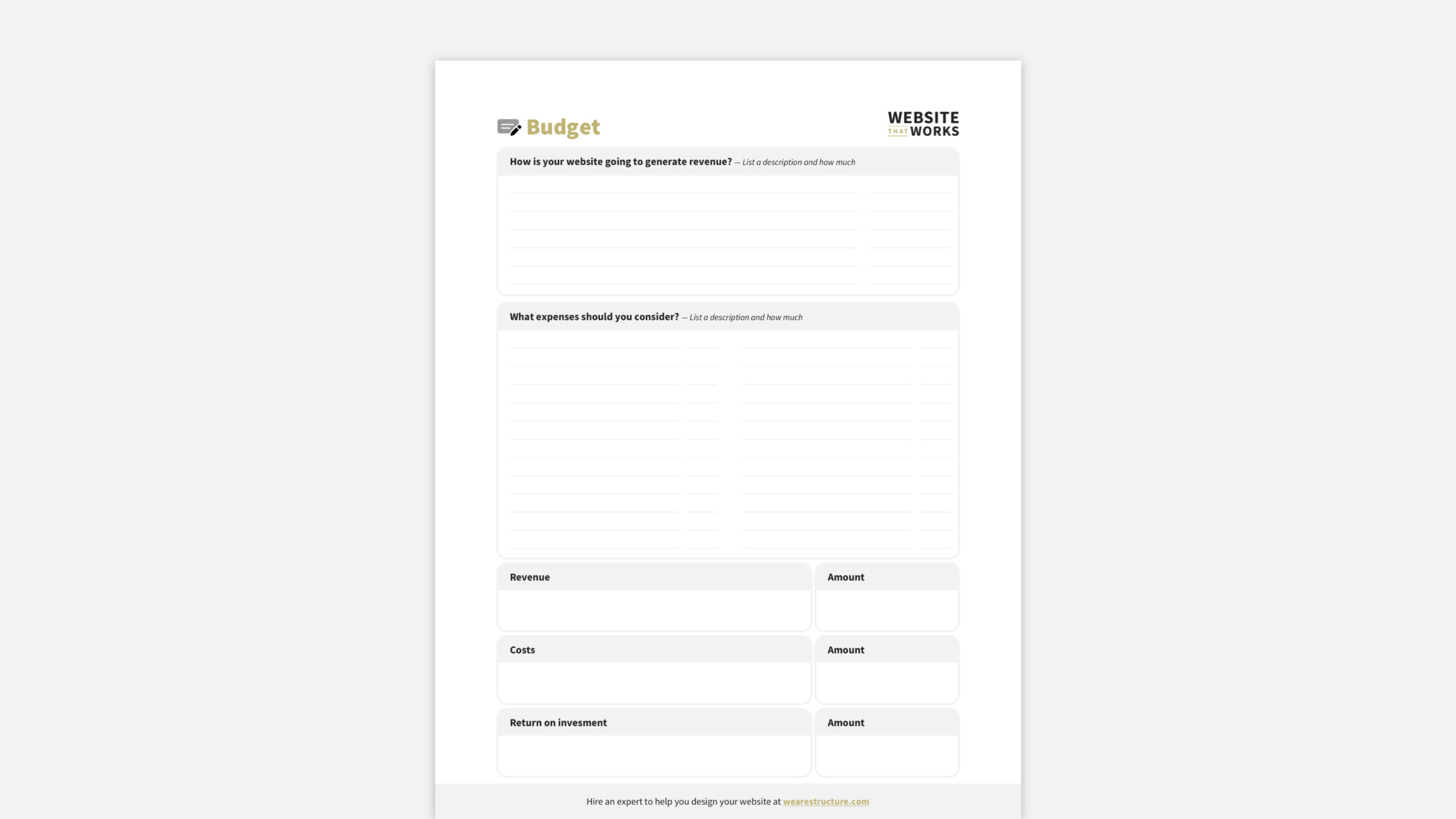
    Screenshot from our Website Budget Worksheet that you can copy for free

    5 Reasons to Budget for a Custom Website

    You know that having a well-designed website is crucial to success. You might even see that it sets you apart from the competition and can help increase sales by providing visitors with a great experience. But that’s not all. Here are some other groups that benefit from your website.

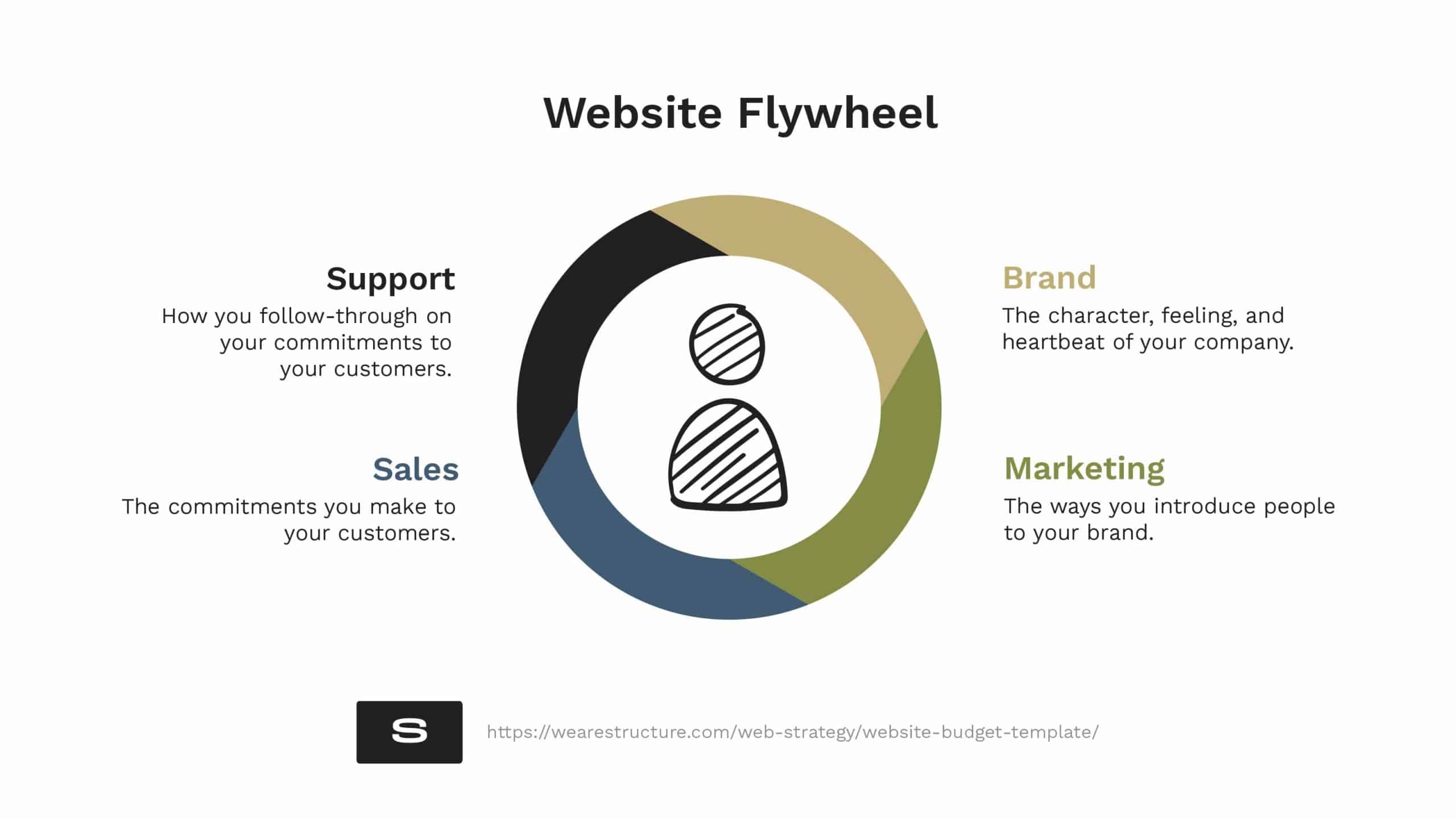
    1. Your Website Is for Branding

    Your website is for branding—but it’s also for much more! Most people think their website is ONLY for branding. They consider the logo, colors, and images when thinking about a website.

    There’s no doubt that your website introduces people to your brand. That’s why it should look professional and represent your company well. It should represent your products well. It should also represent your market well.

    Your website should leave a positive impression on visitors so they leave wanting to engage with your business.

    2. Your Website is for Marketing

    Marketing is the way you introduce people to your brand.  It’s how you raise awareness, build interest, and generate leads. 

    A website is one of your most essential marketing tools—if not THE most important. It’s a 24/7 marketing tool that can help increase brand awareness, provide information about your products and services, and generate leads.

    Think of your website as an investment in your marketing efforts. It’s a long-term investment that will continue to pay dividends over time. And like any good investment, you want to be thoughtful about spending your money to get the best return on investment (ROI).

    3. Your Website is for Sales

    You also know that prospects might have a bad experience and never become customers if you don’t have a great website. In this case, choosing NOT to invest in a professional website could cost you money. 

    A website is one of your most important sales tools. Think about it; if you sell products or services on your website, you want it to be the easiest to use so that nothing stands in the way of someone visiting your website and completing a purchase.

    Your website should cater to customer needs in every interaction. Does a website template accomplish that? If you don’t have customers or a sales process, then it might. However, if you have customers and a buyer journey, you’ll need a website that works for your customers—which, in turn, works for you.

    4. Your Website is for Customer Service

    Where do your customers go when they need help? To your website, of course! They’re either looking for a form to fill out, a live chat to start, or help documentation so they can serve themselves.

    Your website is a critical part of your customer service strategy. It must be easy to use so customers can find what they need quickly. 

    When you don’t have a great website, it can cost you, customers. They might get frustrated and take their business elsewhere. Or, even worse, they might not bother trying to reach out for help and leave—never to return.

    5. Your Website is for Your Team

    Do you know who else uses your website as a resource? Your team.  They might need to reference your product catalog, look up pricing, or find contact information for a customer. 

    Your website is also a great place to store company documents and files that anyone on your team can access. Remote teams love accessible company websites because they often need to access company resources anywhere.

    A poorly designed website can make it difficult for your team to do their jobs efficiently. This can lead to frustration and wasted time, ultimately costing you money.

    And just like employees need investment, training, and resources, so does your website. Like any other employee, your website needs investment to perform. 

    If you don’t invest in your website, you could miss out on thousands of potential customers. You could lose leads and sales. You could even damage your reputation and sink your business.

    Website Budget Worksheet Benefits
    A Website budget sets you up for success

    How Much Should You Budget for a Custom Website?

    There’s no doubt that your website is valuable—it will serve your customers, your team, and you’re business in various ways for many years. 

    Now that we’ve answered the question of “why should I care about the cost of my website,” let’s answer the question, “what is the cost of a custom website—and is it worth it? Let’s dig into the numbers. 

    Free Website Budgeting Template

    Use our website budget template to calculate your initial investments, benefits, and upkeep costs.

    Download Now

    Ballpark Website Budgets

    A website budget can range anywhere from a few thousand dollars to a few hundred thousand dollars. These numbers, however, are only broad ballpark ranges and will fluctuate based on the size and features included in your website. The table below displays approximate web design and maintenance costs according to businesses’ sizes.

    Website TypeDesign & BuildAnnual Maintenance
    Small business website
    (8 to 16 pages)
    $2,000 to $9,000$400–1,200
    Large business website
    (25 to 75 pages)
    $10,000 to $35,000$2,000 – $15,000
    E-commerce website
    (100 to 1,000 products)
    $5,000 to $55,000$15,000 – $30,000
    Database website
    (20 to 2,000 pages)
    $6,000 to $75,000$30,000 – $60,000
    average cost for website building and website maintenance, by business type

    If you’re a small-to-medium business (or bigger), consider working with an online website design firm like Structure or an experienced freelancer to design, build, and maintain your website. An expert will provide the simplest and most cost-effective solution for updating and maintaining your website.

    Website Budget Breakdown

    Here is a rough breakdown of the essential parts of a website budget. These are the basics to get your site up and running—and stay running like a well-oiled machine. 

    Free Budget Template

    Steal our website budget template to see standard figures for each point below.

    Download Now

    Benefits from Your Website

    • Direct sales
    • Incremental sales resulting from enhanced promotional/salesperson effectiveness
    • Incremental sales resulting from increased partner participation
    • Reduced travel costs
    • Reduced customer service costs
    • Reduced printing and shipping costs

    Initial Investment in Your Website

    • Hardware (e.g., servers)
    • Software (e.g., e-commerce catalog software)
    • Development (e.g., third-party site design and development)
    • Total Initial Investments

    Project Costs

    Ongoing Costs

    Success Metrics

    • Total revenue & cost savings
    • The total expense
    • Net return on investment

    Now that you are familiar with everything that goes into your website (enough to create a detailed budget), you’ll be able:

    • Outline key web design and development fixed costs
    • Increase the chances of budget approval
    • Get as much return on investment as possible

    Website Financing Options

    You might feel confident that you need a custom website for your business, but you don’t know how to pay for it or get the budget approved, don’t worry! All is not lost. 

    Consider financing your website. Best of all, there are options available for funding a website without paying a cent in interest. Here are some ideas from the simplest to the most complex.

    1. In-house financing

    You could discuss arranging a payment plan directly with your website designer. Some agencies currently offer financing options with competitive interest rates; this would let you avoid short-term lenders and save money.

    Most website designers will split up the project into payments (either monthly or milestone) that span the project’s duration. If you’re not in a rush and are willing to allow your website to take three to six months to complete, you’ll naturally spread out your payments and make the price tag much more doable.

    2: PayPal Credit

    Take advantage of special introductory interest rates from credit companies! With PayPal Credit, Any purchase of $99+ is interest-free when paid in full within six months. This offer lasts forever for any future purchase above $99. However, make sure to meet the deadline for repayment; if not, you’ll be charged an annual percentage rate (APR) of 25.99%.

    A credit card could accomplish the same objective. Plus, you might even be able to score some airline miles or 2–5% off.

    3. SBA Loan

    The United States Small Business Administration (SBA) backs loans from internet lenders and commercial banks. These loans have lower interest rates and longer repayment durations than short-term business loans but have a more time-consuming and difficult application procedure.

    The 7(a) loan program is the most common program that provides short- and long-term working capital, allows you to refinance current business debt and more. 

    The Microloan program provides loans up to $50,000 to help small businesses start and expand.

    4. Short-term business loan

    A short-term business loan can give you the fast capital you need to bridge cash-flow gaps, cover emergency expenses and pay for other immediate financing needs while you pay for your website — or use it for your website.

    You typically receive a lump sum of cash from a lender with short-term loans and repay it on a fixed schedule. Generally, these small-business loans have repayment terms of 12 months or less, although some may have terms that extend up to 24 months.

    E-commerce businesses with limited funds might feel torn between investing in a new site or paying for more inventory. Financing or an optimized website or expanded list can help your business scale quickly and efficiently.

    Website Budget Tips

    As we unpack the big question, let me first share three quick tips on doing the right website budget for your business.

    1. Prioritize Your Website Wishlist

    When deciding what to spend your money on for your website, prioritize the most important things. “Most important” could mean areas of high use, critical structural repairs, or essential features. It’s your call that matters most in the end.

    2. Identify Your Budget Limits

    What is the most you are willing to spend on your custom website? If you have a long list of features, you hope to include, separate them into must-haves and nice-to-haves. Doing justice to a shortlist of critical features is better than skimping across the board to accommodate for extra bells and whistles.

    3. Don’t Reinvent the Wheel

    Before jumping into your project head, take stock of what is working and what needs to go. Not everything needs to be new if you’re redesigning an existing website. More often than not, the most sustainable thing you can do from a financial perspective is to leave as many existing elements where they are as possible. 

    4. Allow for Plenty of Time

    The notion that “the devil is always in a hurry” applies here. Nothing beneficial can come from rushing an activity. Also, if you’re working with others and the deadline is tight, costs go up fast.

    That’s why emergency calls are widespread among electricians; they allow them to charge a premium. Most website experts follow suit since they must set aside other work to accommodate your project. You’ll keep your budget (and stress) low if you don’t rush and give plenty of time to complete your task.

    5. Budget with Management & Maintenance in Mind

    Every new homeowner understands this. Things break down if you have a busy house (or any other type of dwelling, for that matter). They wear down over time. A feature that you thought would be excellent turns out to be useless. As a result, you must repair, update, or remove it. A website is similar to a home in that if you want to keep it looking nice and functioning well, you must maintain it.

    At the very least, monthly software and plugin updates are required for custom WordPress website maintenance. It necessitates form and checkout testing. And often, there’s a few content updates since your company is evolving and changing daily.

    How Structure Simplifies Your Website Budget

    Structure’s custom website process is for leaders with large and small websites in all fifty U.S. and worldwide states. Our website design packages start under $10,000 and are approachable for startups to scaleups. 

    Every website design project starts with our information-gathering WebsiteBuilder quiz, which prompts you to share everything we need to know to recommend the right website design package for you.

    If you missed it, that’s the key right there. That is how we simplify your website budget. Instead of spending hours weeding through data and trying to make sense of a system you don’t understand, take our WebsiteBuilder quiz and get a package recommendation instantly for your custom website design project. 

    It takes five minutes (max), and at the end, you’ll know what it would cost to get a custom website design for your business. 

    Are you wondering how it works after you get a package recommendation? Once you purchase a package, we begin with planning—understanding your goals, business systems, and brand style—and discussing your budget and vision to minimize surprises when it comes time to build. 

    Our top-notch strategists and designers then create a website that matches your vision. Your design will capture the look, feel, and function you are hoping for, all while keeping costs within range. 

    Once your design is complete, we’ll provide a packaged website development quote to build your new design (if you don’t plan on a DIY build).